AnyMeeting: Online Meeting
Aktualisiert
Aktuelle Version
1.275.0
Angeboten von

Machen Sie sich keine Sorgen mehr über überhöhte Gebühren, wenn Sie AnyMeeting: Online Meeting auf Ihrem Mobiltelefon verwenden, befreien Sie sich von dem winzigen Bildschirm und genießen Sie die Nutzung der App auf einem viel größeren Display. Von nun an können Sie Ihre App mit Tastatur und Maus im Vollbildmodus nutzen. MEmu bietet Ihnen all die überraschenden Funktionen, die Sie erwartet haben: schnelle Installation und einfache Einrichtung, intuitive Steuerung, keine Einschränkungen mehr durch Batterie, mobile Daten und störende Anrufe. Der brandneue MEmu 9 ist die beste Wahl für die Nutzung von AnyMeeting: Online Meeting auf Ihrem Computer. Mit unserer Absorption kodiert, ermöglicht der Multi-Instanz-Manager die Eröffnung von 2 oder mehr Konten zur gleichen Zeit. Und das Wichtigste, unsere exklusive Emulations-Engine kann das volle Potenzial Ihres PCs freisetzen und alles reibungslos und angenehm gestalten.
Mehr anzeigen
Laden Sie Play AnyMeeting: Online Meeting auf dem PC mit MEmu Android Emulator. Viel Spaß beim Spielen auf großmundieren. AnyMeeting Mobile App allows you to join or host online meetings with crystal clear HD video and.

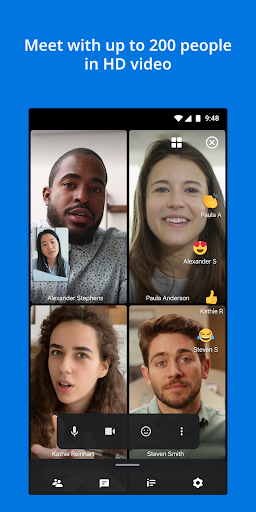
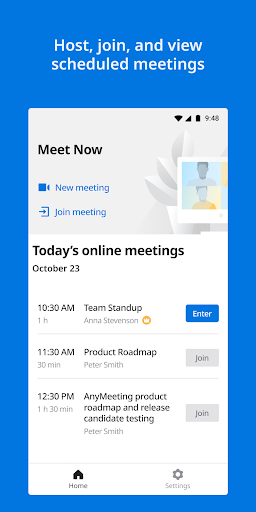
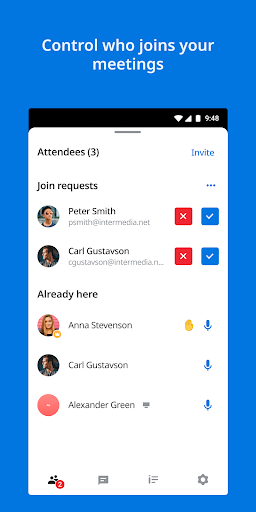
AnyMeeting Mobile App allows you to join or host online meetings with crystal clear HD video and
audio quality, screen share viewing capabilities, and attendee controls in the palm of your hand.
Enable your employees to work from anywhere, not just in today’s market, but under any conditions
with these key features:
• No meeting length restrictions*
• Connect face-to-face with 720p HD Video with up to 30 webcams and 200 Web attendees
• Host an unlimited number of meetings for easy collaboration with up to 200 phone attendees
• View screen share presentations
• Easily Mute attendees and lock meetings for an added layer of security
* NEW Waiting Room feature allows you to lock meetings and still allow late attendees
• Easy-to-use with no training required
• Works with WiFi and Cellular Networks
Questions about AnyMeeting and how to get your own account, please visit:
https://www.intermedia.net/anymeeting-video-conferencing
Please note that this Video Conference Meeting App is only compatible with a meeting hosted on
Intermedia AnyMeeting.
*Intermedia offers unlimited meetings without time restrictions over the span of an average work
day, up to 12 hours.
* Important Information
1. It is important that you understand the 911 policies before using this product. For more information on these policies, please see E911-Policy.
2. By downloading AnyMeeting Video Conferencing & Online Meeting, you agree to the terms of the End User License Agreement and acknowledge that you accept the Privacy Policy (see End User License Agreement and Privacy Policy).
Mehr anzeigen

1. Laden das MEmu-Installationsprogramm herunter und beenden die Installation

2. MEmu starten und Google Play auf der Homepage öffnen

3. Suchen AnyMeeting: Online Meeting in Google Play
Install
4. Herunterladen und Installieren AnyMeeting: Online Meeting
5. Klicken nach Abschluss der Installation auf das Symbol, um es zu starten

6. Verwenden Sie MEmu, um AnyMeeting: Online Meeting auf Ihrem PC zu nutzen
MEmu Play ist aktuell der beste kostenlose Android-Emulator und bietet 50 Millionen Nutzern ein überragendes Android-App-Erlebnis. Dank der Virtualisierungstechnologie von MEmu können Sie Tausende von Android-Apps problemlos auf Ihrem Computer nutzen, selbst solche mit hohen Grafikanforderungen.
BGrößeres Bild mit besserer Grafik; Keine unterbrechungen, keine sorgen um Akku
Komplette Tastenbelegung unterstützt mit Maus und Tastatur oder Controller
Mit dem „Multi-Instance-Manager“ können Sie mehrere Spielkonten oder Spiele gleichzeitig auf einem PC ausführen.
Use AnyMeeting: Online Meeting on PC by following steps: