Flixy - AI Video Generator
Aktualisiert
Aktuelle Version
1.0.0
Angeboten von

Machen Sie sich keine Sorgen mehr über überhöhte Gebühren, wenn Sie Flixy - AI Video Generator auf Ihrem Mobiltelefon verwenden, befreien Sie sich von dem winzigen Bildschirm und genießen Sie die Nutzung der App auf einem viel größeren Display. Von nun an können Sie Ihre App mit Tastatur und Maus im Vollbildmodus nutzen. MEmu bietet Ihnen all die überraschenden Funktionen, die Sie erwartet haben: schnelle Installation und einfache Einrichtung, intuitive Steuerung, keine Einschränkungen mehr durch Batterie, mobile Daten und störende Anrufe. Der brandneue MEmu 9 ist die beste Wahl für die Nutzung von Flixy - AI Video Generator auf Ihrem Computer. Mit unserer Absorption kodiert, ermöglicht der Multi-Instanz-Manager die Eröffnung von 2 oder mehr Konten zur gleichen Zeit. Und das Wichtigste, unsere exklusive Emulations-Engine kann das volle Potenzial Ihres PCs freisetzen und alles reibungslos und angenehm gestalten.
Mehr anzeigen
Genieße Flixy - AI Video Generator auf deinem PC mit MEmu Play in einer fantastischen Version. Dieser leistungsstarke, kostenlose Android-Emulator bietet dir Zugriff auf Tausende von Android-Apps für deinen Desktop. Bleib mit Freunden in Kontakt und arbeite effizienter! Flixy turns your photos into eye-catching videos with the power of AI.
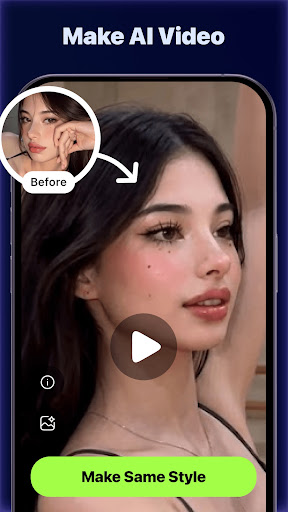
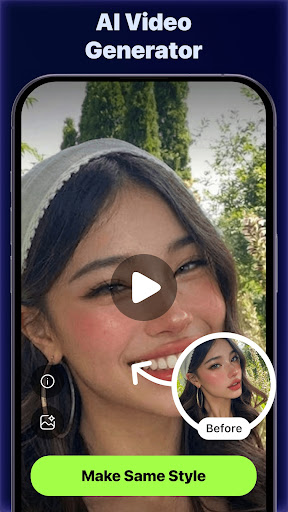
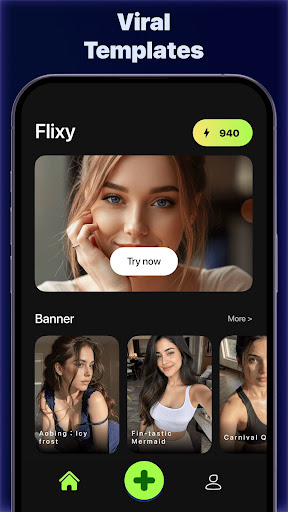
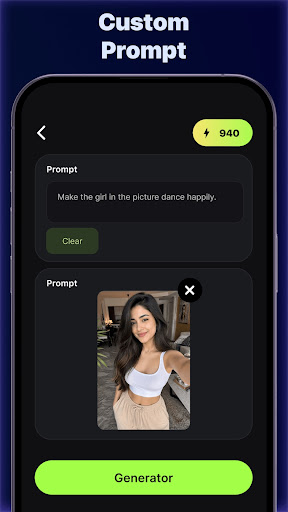
Flixy turns your photos into eye-catching videos with the power of AI. Upload a picture, pick a style, and watch your still image come to life in seconds. No editing skills needed.
WHY FLIXY
• Photo to video in one tap: upload any photo and let AI add natural motion, lighting, and camera movement.
• Creative templates: choose from a growing library of fun, cinematic, and artistic effects.
• Pets, portraits, landscapes, and more: bring your favorite moments, travel shots, and pet photos to life.
• Fast results: get your video in seconds, not hours.
• Simple and clean design: no complicated timelines or tools. Just upload, choose, and create.
• Easy sharing: save in high quality and share to TikTok, Instagram, YouTube Shorts, and more.
HOW IT WORKS
1. Upload a photo from your gallery.
2. Pick a template or style.
3. Let Flixy's AI generate your video.
4. Save and share it with friends.
PERFECT FOR
• Making short videos for social media
• Animating pet photos and family memories
• Creating eye-catching content for stories and reels
• Exploring creative ideas with AI
Flixy keeps creating simple, so anyone can make videos they love to share.
Have feedback or ideas? Contact us at support@anytech.xyz. We read every message.
Mehr anzeigen

1. Laden das MEmu-Installationsprogramm herunter und beenden die Installation

2. MEmu starten und Google Play auf der Homepage öffnen

3. Suchen Flixy - AI Video Generator in Google Play
Install
4. Herunterladen und Installieren Flixy - AI Video Generator
5. Klicken nach Abschluss der Installation auf das Symbol, um es zu starten

6. Verwenden Sie MEmu, um Flixy - AI Video Generator auf Ihrem PC zu nutzen
MEmu Play ist aktuell der beste kostenlose Android-Emulator und bietet 50 Millionen Nutzern ein überragendes Android-App-Erlebnis. Dank der Virtualisierungstechnologie von MEmu können Sie Tausende von Android-Apps problemlos auf Ihrem Computer nutzen, selbst solche mit hohen Grafikanforderungen.
BGrößeres Bild mit besserer Grafik; Keine unterbrechungen, keine sorgen um Akku
Komplette Tastenbelegung unterstützt mit Maus und Tastatur oder Controller
Mit dem „Multi-Instance-Manager“ können Sie mehrere Spielkonten oder Spiele gleichzeitig auf einem PC ausführen.
Use Flixy - AI Video Generator on PC by following steps: