Plotora
Aktualisiert
Aktuelle Version
1.0.3
Angeboten von

Machen Sie sich keine Sorgen mehr über überhöhte Gebühren, wenn Sie Plotora auf Ihrem Mobiltelefon verwenden, befreien Sie sich von dem winzigen Bildschirm und genießen Sie die Nutzung der App auf einem viel größeren Display. Von nun an können Sie Ihre App mit Tastatur und Maus im Vollbildmodus nutzen. MEmu bietet Ihnen all die überraschenden Funktionen, die Sie erwartet haben: schnelle Installation und einfache Einrichtung, intuitive Steuerung, keine Einschränkungen mehr durch Batterie, mobile Daten und störende Anrufe. Der brandneue MEmu 9 ist die beste Wahl für die Nutzung von Plotora auf Ihrem Computer. Mit unserer Absorption kodiert, ermöglicht der Multi-Instanz-Manager die Eröffnung von 2 oder mehr Konten zur gleichen Zeit. Und das Wichtigste, unsere exklusive Emulations-Engine kann das volle Potenzial Ihres PCs freisetzen und alles reibungslos und angenehm gestalten.
Mehr anzeigen
Genieße Plotora auf deinem PC mit MEmu Play in einer fantastischen Version. Dieser leistungsstarke, kostenlose Android-Emulator bietet dir Zugriff auf Tausende von Android-Apps für deinen Desktop. Bleib mit Freunden in Kontakt und arbeite effizienter! Plotora brings captivating short-form dramas to your screen, with fast-paced episodes made for whenever you want a quick escape or a full binge.
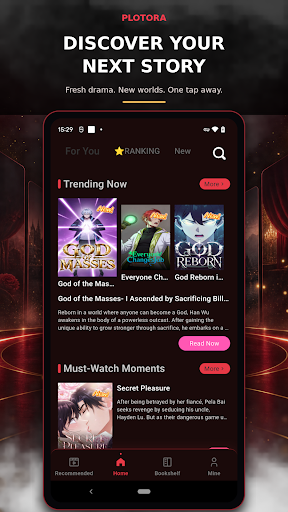
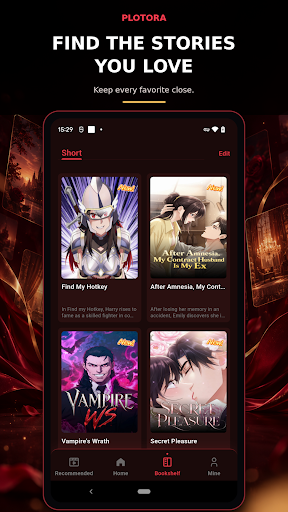
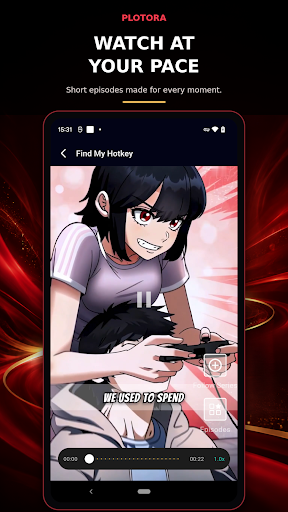
Plotora brings captivating short-form dramas to your screen, with fast-paced episodes made for whenever you want a quick escape or a full binge. Step into stories filled with unexpected romance, bold comebacks, hidden identities, family secrets, betrayal, and revenge.
DISCOVER YOUR NEXT STORY
Explore a curated collection of short dramas and find something that matches your mood—from passionate romance and billionaire drama to suspenseful secrets and satisfying revenge.
WATCH AT YOUR PACE
Start an episode in seconds and keep the story moving. Plotora’s short-episode format makes it easy to enjoy a story during a break, while traveling, or whenever you have a few minutes.
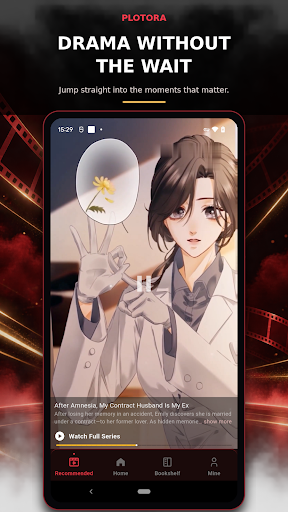
DRAMA WITHOUT THE WAIT
Get straight to the moments that matter: intense chemistry, shocking reveals, emotional choices, powerful comebacks, and cliffhangers that pull you into the next episode.
FIND THE STORIES YOU LOVE
Browse featured dramas, explore trending stories, discover new episodes, and return whenever you’re ready for another twist.
Whether you love passionate romance, secret identities, unexpected marriages, family conflicts, or satisfying revenge, your next story is waiting on Plotora.
Start watching Plotora and enter a world of short dramas made for the way you watch.
Mehr anzeigen

1. Laden das MEmu-Installationsprogramm herunter und beenden die Installation

2. MEmu starten und Google Play auf der Homepage öffnen

3. Suchen Plotora in Google Play
Install
4. Herunterladen und Installieren Plotora
5. Klicken nach Abschluss der Installation auf das Symbol, um es zu starten

6. Verwenden Sie MEmu, um Plotora auf Ihrem PC zu nutzen
MEmu Play ist aktuell der beste kostenlose Android-Emulator und bietet 50 Millionen Nutzern ein überragendes Android-App-Erlebnis. Dank der Virtualisierungstechnologie von MEmu können Sie Tausende von Android-Apps problemlos auf Ihrem Computer nutzen, selbst solche mit hohen Grafikanforderungen.
BGrößeres Bild mit besserer Grafik; Keine unterbrechungen, keine sorgen um Akku
Komplette Tastenbelegung unterstützt mit Maus und Tastatur oder Controller
Mit dem „Multi-Instance-Manager“ können Sie mehrere Spielkonten oder Spiele gleichzeitig auf einem PC ausführen.
Use Plotora on PC by following steps: