Quest AIR MD
Aktualisiert
Aktuelle Version
1.16-quest
Angeboten von

Machen Sie sich keine Sorgen mehr über überhöhte Gebühren, wenn Sie Quest AIR MD auf Ihrem Mobiltelefon verwenden, befreien Sie sich von dem winzigen Bildschirm und genießen Sie die Nutzung der App auf einem viel größeren Display. Von nun an können Sie Ihre App mit Tastatur und Maus im Vollbildmodus nutzen. MEmu bietet Ihnen all die überraschenden Funktionen, die Sie erwartet haben: schnelle Installation und einfache Einrichtung, intuitive Steuerung, keine Einschränkungen mehr durch Batterie, mobile Daten und störende Anrufe. Der brandneue MEmu 9 ist die beste Wahl für die Nutzung von Quest AIR MD auf Ihrem Computer. Mit unserer Absorption kodiert, ermöglicht der Multi-Instanz-Manager die Eröffnung von 2 oder mehr Konten zur gleichen Zeit. Und das Wichtigste, unsere exklusive Emulations-Engine kann das volle Potenzial Ihres PCs freisetzen und alles reibungslos und angenehm gestalten.
Mehr anzeigen
Genieße Quest AIR MD auf deinem PC mit MEmu Play in einer fantastischen Version. Dieser leistungsstarke, kostenlose Android-Emulator bietet dir Zugriff auf Tausende von Android-Apps für deinen Desktop. Bleib mit Freunden in Kontakt und arbeite effizienter! Quest Air MD is an app that connects Quest Air metal detector and smartphones thru Bluetooth technology.
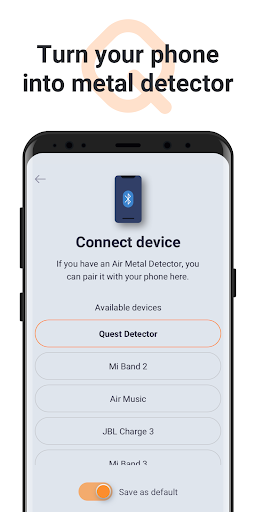
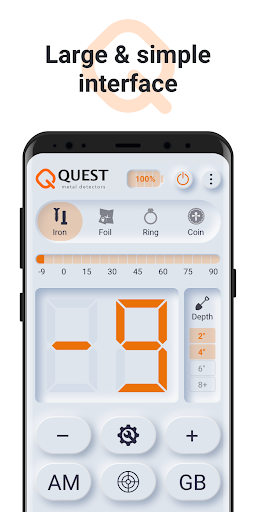
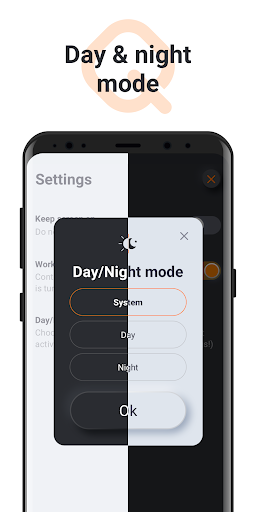
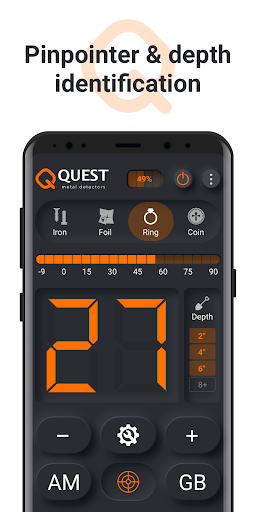
Quest Air MD is an app that connects Quest Air metal detector and smartphones thru Bluetooth technology.
Quest Air Metal Detector is a modern concept of metal detecting technology. The application of state-of-the-art hardware and software unleashes the way to the features unimagined before. Think of in-app upgradable performance, ability to add new functions by simply purchasing an app add-on and interface improvements of your existing device.
Relying on 19 years of the experience in treasure hunting, we successfully tested the prototypes on a global market of metal detecting hobby groups. Our device turns your mobile phone into an affordable and professional metal detector.
App features:
* Turn your phone into professional metal detector
* Additional display embedded in coil (check current battery charge instantly)
* Highlight of search zone
* Discrimination
* Pin-pointer mode
* Ground balance (manual and auto)
* Android and iOS compatible
* Ground balance auto adjustment with respect to temperature
* Power on with magnet keychain (Hall sensor enabled coil)
* Modular architecture
* Phone app has comprehensive advantages for data processing and displaying
* Low price (no need for electronic control block)
* Compact design: all electronics is in waterproof coil
* Easy to start: user-friendly interface; basic and advanced modes
* Visibility range is the same as for professional detectors
Device technical specifications:
* Battery life: up to 10 h
* Frequency: 7.5 kHz
* Metal detector type: IB VLF
* Coil: smart DD-coil, 9x5"
* 12" coin detection depth
* Standard USB charger
* IP 65 rated
You can find out more information about the device on our website: https://questmetaldetectors.com
Find your treasure with us!
Your QUEST team.
Mehr anzeigen

1. Laden das MEmu-Installationsprogramm herunter und beenden die Installation

2. MEmu starten und Google Play auf der Homepage öffnen

3. Suchen Quest AIR MD in Google Play
Install
4. Herunterladen und Installieren Quest AIR MD
5. Klicken nach Abschluss der Installation auf das Symbol, um es zu starten

6. Verwenden Sie MEmu, um Quest AIR MD auf Ihrem PC zu nutzen
MEmu Play ist aktuell der beste kostenlose Android-Emulator und bietet 50 Millionen Nutzern ein überragendes Android-App-Erlebnis. Dank der Virtualisierungstechnologie von MEmu können Sie Tausende von Android-Apps problemlos auf Ihrem Computer nutzen, selbst solche mit hohen Grafikanforderungen.
BGrößeres Bild mit besserer Grafik; Keine unterbrechungen, keine sorgen um Akku
Komplette Tastenbelegung unterstützt mit Maus und Tastatur oder Controller
Mit dem „Multi-Instance-Manager“ können Sie mehrere Spielkonten oder Spiele gleichzeitig auf einem PC ausführen.
Use Quest AIR MD on PC by following steps: