Repocket - Make Money Daily
Aktualisiert
Aktuelle Version
3.1.1
Angeboten von

Machen Sie sich keine Sorgen mehr über überhöhte Gebühren, wenn Sie Repocket - Make Money Daily auf Ihrem Mobiltelefon verwenden, befreien Sie sich von dem winzigen Bildschirm und genießen Sie die Nutzung der App auf einem viel größeren Display. Von nun an können Sie Ihre App mit Tastatur und Maus im Vollbildmodus nutzen. MEmu bietet Ihnen all die überraschenden Funktionen, die Sie erwartet haben: schnelle Installation und einfache Einrichtung, intuitive Steuerung, keine Einschränkungen mehr durch Batterie, mobile Daten und störende Anrufe. Der brandneue MEmu 9 ist die beste Wahl für die Nutzung von Repocket - Make Money Daily auf Ihrem Computer. Mit unserer Absorption kodiert, ermöglicht der Multi-Instanz-Manager die Eröffnung von 2 oder mehr Konten zur gleichen Zeit. Und das Wichtigste, unsere exklusive Emulations-Engine kann das volle Potenzial Ihres PCs freisetzen und alles reibungslos und angenehm gestalten.
Mehr anzeigen
Laden Sie Play Repocket - Make Money Daily auf dem PC mit MEmu Android Emulator. Viel Spaß beim Spielen auf großmundieren. Welcome to Repocket — the best passive income app you’ll ever come across.
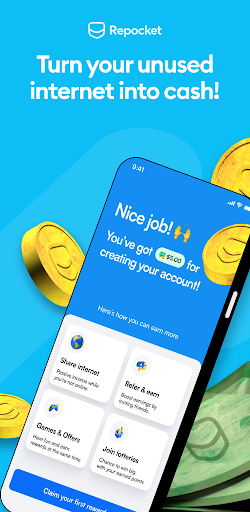
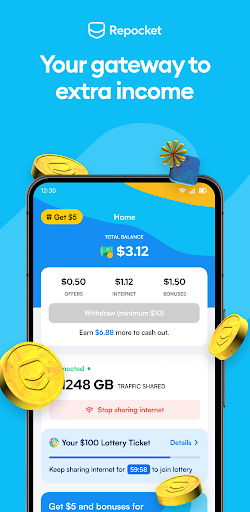
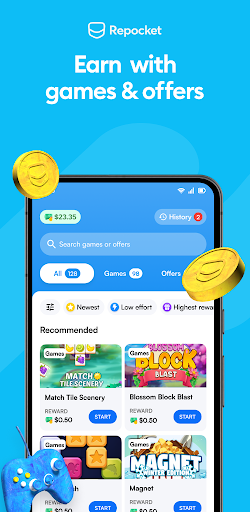
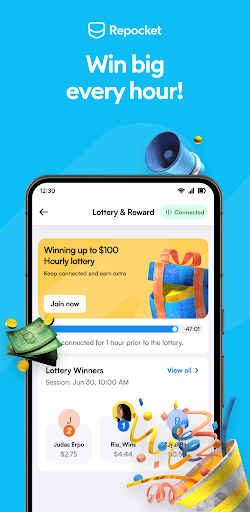
Welcome to Repocket — the best passive income app you’ll ever come across.
Repocket helps you earn by sharing your internet connection, allowing you to reach your unused internet's full potential. We created Repocket so anyone with access to the internet can quickly start making some side income without any hassle.
Quickly — How Quickly?
You can start making money in less than 5 minutes. Simply install Repocket on any device and connect it to the internet. Once the app is installed, your unused internet will be shared in the background. You can pause or disable it at any time.
Increase Your Earnings!
Receive a $5 bonus and a 10% lifetime commission on all referred users. Once you reach $20 in earnings you can withdraw your earnings. The more, the merrier! You can add more devices and refer more users to maximize your earnings. There is no limit on earnings, so refer to as many users as possible.
How Safe Is Repocket?
100%. We take privacy and data security very seriously and follow the best practices to ensure that both you and your data are safe. We DO NOT share your personal information outside the information needed to operate this service, like your IP address, carrier/ISP, and city.
Compatible Devices, Mode of Payment, and Serviceable Countries
Currently, we support payments via PayPal, but more options are coming soon! Currently, we only accept mobile and tablet devices. Our service is available in all countries except North Korea, Cuba, Iran, Syria and Venezuela.
Repocket for Business and Developers
Businesses can use Repocket’s large-scale proxy network to get access to IP addresses in over 165 countries.
Developers can monetise their app and audience with the Repocket SDK. Simply integrate the SDK to your mobile or desktop app, give your customers the opinion to opt-in, and get paid for every user. We pay per MAU (Monthly Active Users): 4-6 cents per user.
For instant app updates and other news, follow us on Twitter and Discord. Download the app and let the earnings begin!
Mehr anzeigen

1. Laden das MEmu-Installationsprogramm herunter und beenden die Installation

2. MEmu starten und Google Play auf der Homepage öffnen

3. Suchen Repocket - Make Money Daily in Google Play
Install
4. Herunterladen und Installieren Repocket - Make Money Daily
5. Klicken nach Abschluss der Installation auf das Symbol, um es zu starten

6. Verwenden Sie MEmu, um Repocket - Make Money Daily auf Ihrem PC zu nutzen
MEmu Play ist aktuell der beste kostenlose Android-Emulator und bietet 50 Millionen Nutzern ein überragendes Android-App-Erlebnis. Dank der Virtualisierungstechnologie von MEmu können Sie Tausende von Android-Apps problemlos auf Ihrem Computer nutzen, selbst solche mit hohen Grafikanforderungen.
BGrößeres Bild mit besserer Grafik; Keine unterbrechungen, keine sorgen um Akku
Komplette Tastenbelegung unterstützt mit Maus und Tastatur oder Controller
Mit dem „Multi-Instance-Manager“ können Sie mehrere Spielkonten oder Spiele gleichzeitig auf einem PC ausführen.
Use Repocket - Make Money Daily on PC by following steps: