Snapchat
تاریخ بهروزرسانی
نسخه کنونی
14.26.1.0
ارائهکننده

در مورد استفاده بیش از حد در هنگام استفاده از Snapchat بر روی تلفن همراه خود ، نگران نباشید ، خود را از صفحه ریز رها کنید و از استفاده از برنامه در یک صفحه نمایش بسیار بزرگتر لذت ببرید. از این پس ، تجربه تمام صفحه برنامه خود را با صفحه کلید و ماوس دریافت کنید .Mmu تمام ویژگی های شگفت انگیز مورد نظر شما را ارائه می دهد: نصب سریع و نصب آسان ، کنترل های بصری ، محدودیت بیشتر باتری ، داده های تلفن همراه و تماس های مزاحم. نام تجاری جدید MEmu 9 بهترین انتخاب برای استفاده از Snapchat در رایانه شما است. با جذب ما ، مدیر چند نمونه باعث می شود همزمان 2 یا چند حساب را باز کنید. و از همه مهمتر ، موتور انحصاری منحصر به فرد ما می تواند پتانسیل کامل کامپیوتر شما را آزاد کند ، همه چیز را صاف و لذت بخش کند.
بیشتر نشان بده
Enjoy superb experience of using Snapchat on PC with MEMU App Player. It's a powerful free Android emulator which provides you with thousands of android apps for their desktop version. Enjoy connecting with friends and polishing your work with higher efficiency! Snapchat is a fast and fun way to share the moment with your friends and family .
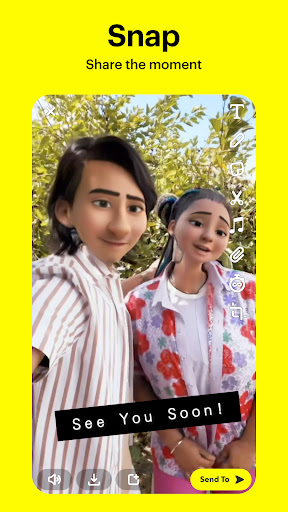
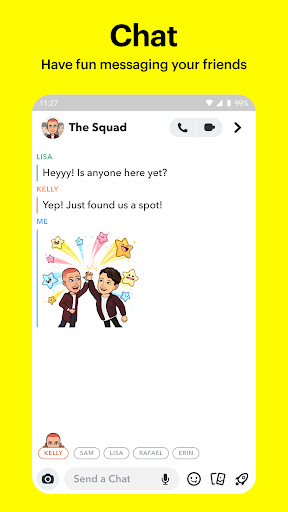
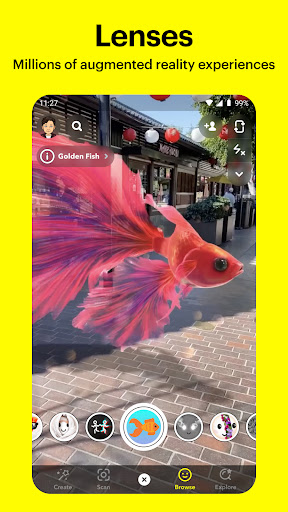

Snapchat is a fast and fun way to share the moment with your friends and family
SNAP
• Snapchat opens right to the Camera — just tap to take a photo, or press and hold for video.
• Express yourself with Lenses, Filters, Bitmoji and more!
• Try out new Lenses daily created by the Snapchat community!
CHAT
• Stay in touch with friends through live messaging, or share your day with Group Stories.
• Video Chat with up to 16 friends at once — you can even use Lenses and Filters when chatting!
• Express yourself with Friendmojis — exclusive Bitmoji made just for you and a friend.
STORIES
• Watch friends' Stories to see their day unfold.
• See Stories from the Snapchat community that are based on your interests.
• Discover breaking news and exclusive Original Shows.
SPOTLIGHT
• Spotlight showcases the best of Snapchat!
• Submit your own Snaps or sit back, relax, and watch.
• Pick your favorites and share them with friends.
MAP
• Share your location with your best friends or go off the grid with Ghost Mode.
• See what your friends are up to on your most personal map when they share their location with you.
• Explore live Stories from the community nearby or across the world!
MEMORIES
• Save unlimited photos and videos of all your favorite moments.
• Edit and send old moments to friends or save them to your Camera Roll.
• Create Stories from your favorite Memories to share with friends and family.
FRIENDSHIP PROFILE
• Every friendship has its own special profile to see the moments you’ve saved together.
• Discover new things you have in common with Charms — see how long you’ve been friends, your astrological compatibility, your Bitmoji fashion sense, and more!
• Friendship Profiles are just between you and a friend, so you can bond over what makes your friendship special.
Happy Snapping!
• • •
Please note: Snapchatters can always capture or save your messages by taking a screenshot, using a camera, or otherwise. Be mindful of what you Snap!
For a full description of our privacy practices, please see our Privacy Center.
بیشتر نشان بده

1. نصب کننده Memu را دانلود کرده و راه اندازی را تمام کنید

2. Memu را اجرا کنید و سپس گوگل پلی را بر روی دستکتاپ باز کنید

3. Snapchat را بر روی گوگل پلی جستجو کنید
Install
4. Snapchat را دانلود و نصب کنید
5. پس از اتمام نصب روی آیکون کلیک کنید تا اجرا شود

6. با استفاده از MEmu، Snapchat را روی کامپیوتر خود تجربه کنید.
MEmu در حال حاضر بهترین شبیهساز رایگان اندروید است که ۵۰ میلیون کاربر از تجربه استثنایی برنامههای اندروید لذت میبرند. فناوری مجازیسازی MEmu به شما امکان میدهد هزاران برنامه اندروید، حتی بازیهای با گرافیک بالا را به راحتی روی رایانه خود اجرا کنید.
صفحه نمایش بزرگتر با گرافیک بهتر؛ زمان طولانی تر، بدون محدودیت باتری یا داده تلفن همراه.
پشتیبانی کامل از Keymapping برای کنترل دقیق صفحه کلید و ماوس یا گیم پد.
چندین حساب بازی یا وظایف در یک رایانه شخصی در یک زمان با مدیریت همزمان همه
Use Snapchat on PC by following steps: