
Snapchat
Atualizada
Versão atual
14.25.0.43
Oferecido por

Pare de se preocupar com sobrecargas ao usar Snapchat no seu celular, liberte-se da pequena tela e aproveite o uso do aplicativo numa tela muito maior. A partir de agora, obtenha uma experiência em tela cheia do seu aplicativo com teclado e mouse. O MEmu oferece-lhe todos os recursos surpreendentes que você esperava: instalação rápida e configuração fácil, controles intuitivos, sem mais limitações de bateria, dados móveis e chamadas perturbadoras. O novíssimo MEmu 9 é a melhor opção para usar Snapchat no seu computador. Codificado com a nossa absorção, o gerenciador de multi-instâncias possibilita a abertura de 2 ou mais contas ao mesmo tempo. E o mais importante, nosso mecanismo de emulação exclusivo pode liberar todo o potencial do seu PC, tornando tudo suave e agradável.
Mostre mais
Download do Snapchat no PC com MEmu Android Emulador: Divirta-se jogando na tela grande. Snapchat é um jeito rápido e divertido de compartilhar o momento com seus amigos e familiares .
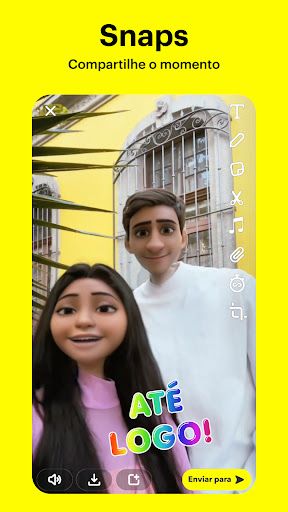
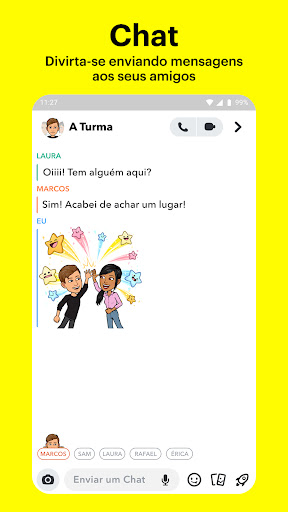
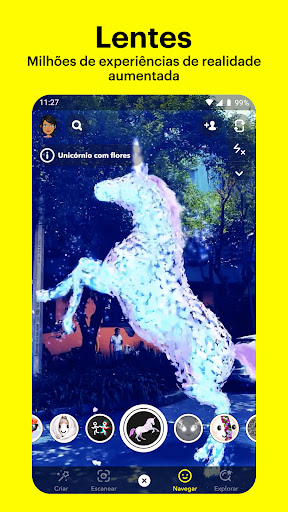
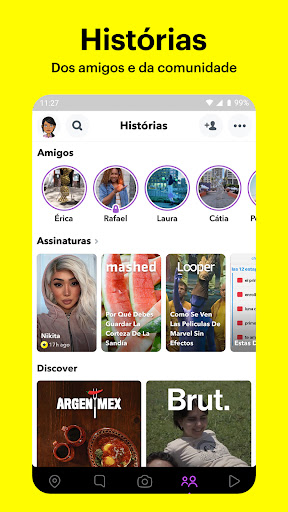
Snapchat é um jeito rápido e divertido de compartilhar o momento com seus amigos e familiares
SNAP
• O Snapchat é aberto diretamente na câmera, basta tocar para tirar uma foto ou manter o botão pressionado para fazer um vídeo.
• Expresse seus sentimentos com Lentes, Filtros, Bitmojis e muito mais!
• Experimente diariamente novas lentes criadas pela comunidade do Snapchat!
CHAT
• Mantenha o contato com seus amigos por mensagens em tempo real ou compartilhe sua rotina com as Histórias em Grupo.
• Participe de um Video Chat com até 16 amigos por vez. Você pode até usar as Lentes e os Filtros durante a conversa!
• Expresse seus sentimentos com Friendmojis, que são Bitmojis exclusivos, feitos especialmente para você e seus amigos.
HISTÓRIAS
• Veja as Histórias dos seus amigos para saber como anda o dia deles.
• Veja as Histórias da comunidade do Snapchat com base nos seus interesses.
• Descubra as novidades e nossos programas originais exclusivos.
HOLOFOTE
• O Holofote mostra o melhor conteúdo do Snapchat!
• Envie seus Snaps ou relaxe e aproveite o conteúdo.
• Escolha seus favoritos e compartilhe com seus amigos.
MAPA
• Compartilhe sua localização com seus melhores amigos ou saia do radar com o Modo Fantasma.
• Veja o que seus amigos estão fazendo em um mapa personalizado, onde eles podem compartilhar a localização com você.
• Explore as Histórias Ao Vivo da comunidade próxima a você ou de pessoas de todo o mundo!
MEMÓRIAS
• Salve fotos e vídeos ilimitados de seus momentos favoritos.
• Edite e envie momentos antigos para seus amigos ou salve-os no Rolo da Câmera.
• Crie Histórias a partir das suas Memórias favoritas e compartilhe-as com amigos e familiares.
PERFIL DE AMIZADE
• Todas as amizades têm seu perfil especial, onde você pode ver os momentos que tiveram juntos.
• Descubra coisas novas em comum com os Carimbos: veja há quanto tempo vocês são amigos, sua compatibilidade astrológica, o estilo dos seus Bitmojis e muito mais!
• Os Perfis de Amizade só aparecem para você e seu amigo verem o que torna a amizade de vocês tão especial.
Bom Snapping!
Aviso: os Snapchatters sempre podem registrar ou salvar suas mensagens tirando um print, usando outra câmera ou de outras formas. Esteja ciente do que você mostra nos seus Snaps!
Para obter uma descrição completa de nossas práticas de privacidade, consulte nosso Centro de Privacidade.
Mostre mais

1. Faça o download do instalador do MEmu e conclua a instalação

2. Inicie o MEmu e depois abra o Google Play na página inicial

3. Pesquise Snapchat no Google Play
Install
4. Baixe e Instale Snapchat
5. Na conclusão da instalação, clique no ícone para iniciar

6. º Experimente o Snapchat no PC com o MEmu.
O MEmu Play é o melhor emulador Android gratuito, com 50 milhões de utilizadores a desfrutar da sua experiência superior com aplicações Android. A tecnologia de virtualização do MEmu permite-lhe executar milhares de aplicações Android sem problemas no seu computador, mesmo as mais exigentes.
Tela maior com gráficos melhores; Longa duração e sem limitação de bateria ou dados móveis.
Suporte completo ao Mapaeamento de Teclas para controle preciso do teclado e mouse ou gamepad.
Várias contas de jogos ou tarefas em um único PC de uma só vez com o Gerenciador de várias instâncias.
Use Snapchat on PC by following steps: