Stripchat
تاریخ بهروزرسانی
نسخه کنونی
1.0.1
ارائهکننده

در مورد استفاده بیش از حد در هنگام استفاده از Stripchat بر روی تلفن همراه خود ، نگران نباشید ، خود را از صفحه ریز رها کنید و از استفاده از برنامه در یک صفحه نمایش بسیار بزرگتر لذت ببرید. از این پس ، تجربه تمام صفحه برنامه خود را با صفحه کلید و ماوس دریافت کنید .Mmu تمام ویژگی های شگفت انگیز مورد نظر شما را ارائه می دهد: نصب سریع و نصب آسان ، کنترل های بصری ، محدودیت بیشتر باتری ، داده های تلفن همراه و تماس های مزاحم. نام تجاری جدید MEmu 9 بهترین انتخاب برای استفاده از Stripchat در رایانه شما است. با جذب ما ، مدیر چند نمونه باعث می شود همزمان 2 یا چند حساب را باز کنید. و از همه مهمتر ، موتور انحصاری منحصر به فرد ما می تواند پتانسیل کامل کامپیوتر شما را آزاد کند ، همه چیز را صاف و لذت بخش کند.
بیشتر نشان بده
از تجربه فوقالعاده استفاده از Stripchat در کامپیوتر با MEmu Play لذت ببرید. این یک شبیهساز اندروید رایگان و قدرتمند است که هزاران برنامه اندروید را برای نسخه دسکتاپ در اختیار شما قرار میدهد. Stripchat helps users who want real time webcam entertainment with options to watch, chat, and personalize the experience on mobile.

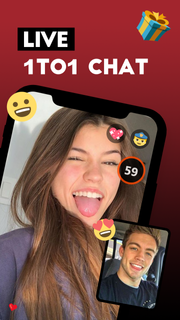
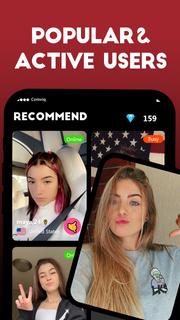
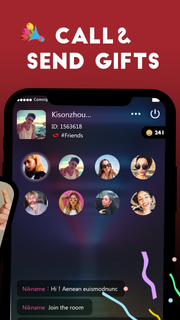
Stripchat helps users who want real time webcam entertainment with options to watch, chat, and personalize the experience on mobile. You can join free rooms and decide when to pay for extras if you want more interaction. Because the platform runs smoothly in mobile browsers, it feels familiar and quick to navigate. In addition, the Stripchat app approach favors flexible access, so you can start watching in seconds and stay in control of what you see and how you engage. What you can do on StripchatExplore free public shows You can browse many live rooms and watch free public shows without pressure to upgrade. Public chat lets you send messages, react, and follow performers for future sessions. This creates a simple starting point before deciding on any paid options.Control the action with tokens Stripchat supports real time tipping and interactive tools powered by tokens. Typical tip menu examples include setting toy vibration patterns, requesting a pose, starting a game, voting in a poll, or unlocking a short private moment. Clear on screen prompts show the expected token amount and the action that follows so you always know what you are paying for.Go private for one on one time When you want full attention, you can start a private session or a direct video call. Stripchat keeps the experience focused, with controls for the duration and options to record your private session if the room allows recording. This format suits users who prefer a calmer space without public chat activity.Browse many categories including VR The platform offers a wide range of categories that cover different preferences and interests. You can filter by tags, find LGBTQ+ friendly rooms, and even enter VR cams for a more immersive view. VR shows run in the mobile browser, which avoids extra downloads and keeps setup simple.Rely on built in security tools Stripchat uses encryption and secure servers for account and payment flows. Two factor authentication adds another layer during sign in. For private communication, Plasma Messenger supports end to end encrypted chat so sensitive messages stay protected within the platform. Availability of Stripchat on AndroidThere is no official Stripchat APK or native Android app. Access happens in your mobile browser or through the progressive web app using Add to Home Screen. The PWA installs a discreet icon labeled SC and can support quick access and notifications. Because updates roll out on the server, the Stripchat latest version loads automatically without manual updating. Many unofficial APK clones claim to offer the service, but they often miss features or break account functions. For consistent access and the full toolset, use the official site or the PWA path. Tokens and tipping basics on StripchatTokens are the platform currency used to trigger interactive actions. You might tip to start a toy response, request a short custom action, vote in a poll that steers the show, or start a private minute. Public shows remain available without tokens, so you can watch first and decide later. Clear pricing is shown in each room, helping you manage spend and avoid surprises. VR viewing made simple on StripchatVR rooms are designed to work in the browser on supported devices and headsets. To enter VR, put on your headset, open the site in the headset browser, and tap Enter VR inside the room. This path keeps setup fast and avoids separate downloads or extra installations. How to use Stripchat on AndroidThe platform runs smoothly in mobile browsers and also supports the Stripchat PWA for quick access. You can watch free shows, then decide if tokens or private sessions make sense for you. Setup takes only a moment and keeps controls within easy reach on your phone. Open your mobile browser, type the site address, and load the homepage. Create an account or sign in, then complete any basic profile steps if prompted. Add to Home Screen to install the PWA icon named SC for faster access and notifications. Browse categories, enter a room, try public chat, and follow models you enjoy. When ready, purchase tokens to tip, join games or polls, start private calls, or tap Enter VR in supported rooms. Get started with Stripchat on mobileStripchat provides free public shows, real time interaction, and private sessions in a mobile friendly interface. If you plan to download Stripchat, first consider the PWA option for instant access from your home screen. This setup keeps watching, chatting, and premium controls easy to reach on Android.
بیشتر نشان بده

1. نصب کننده Memu را دانلود کرده و راه اندازی را تمام کنید

2. Memu را اجرا کنید و سپس گوگل پلی را بر روی دستکتاپ باز کنید

3. Stripchat را بر روی گوگل پلی جستجو کنید
Install
4. Stripchat را دانلود و نصب کنید
5. پس از اتمام نصب روی آیکون کلیک کنید تا اجرا شود

6. با استفاده از MEmu، Stripchat را روی کامپیوتر خود تجربه کنید.
MEmu در حال حاضر بهترین شبیهساز رایگان اندروید است که ۵۰ میلیون کاربر از تجربه استثنایی برنامههای اندروید لذت میبرند. فناوری مجازیسازی MEmu به شما امکان میدهد هزاران برنامه اندروید، حتی بازیهای با گرافیک بالا را به راحتی روی رایانه خود اجرا کنید.
صفحه نمایش بزرگتر با گرافیک بهتر؛ زمان طولانی تر، بدون محدودیت باتری یا داده تلفن همراه.
پشتیبانی کامل از Keymapping برای کنترل دقیق صفحه کلید و ماوس یا گیم پد.
چندین حساب بازی یا وظایف در یک رایانه شخصی در یک زمان با مدیریت همزمان همه
Use Stripchat on PC by following steps: