Tomato
تاریخ بهروزرسانی
نسخه کنونی
1.4.3
ارائهکننده

در مورد استفاده بیش از حد در هنگام استفاده از Tomato بر روی تلفن همراه خود ، نگران نباشید ، خود را از صفحه ریز رها کنید و از استفاده از برنامه در یک صفحه نمایش بسیار بزرگتر لذت ببرید. از این پس ، تجربه تمام صفحه برنامه خود را با صفحه کلید و ماوس دریافت کنید .Mmu تمام ویژگی های شگفت انگیز مورد نظر شما را ارائه می دهد: نصب سریع و نصب آسان ، کنترل های بصری ، محدودیت بیشتر باتری ، داده های تلفن همراه و تماس های مزاحم. نام تجاری جدید MEmu 9 بهترین انتخاب برای استفاده از Tomato در رایانه شما است. با جذب ما ، مدیر چند نمونه باعث می شود همزمان 2 یا چند حساب را باز کنید. و از همه مهمتر ، موتور انحصاری منحصر به فرد ما می تواند پتانسیل کامل کامپیوتر شما را آزاد کند ، همه چیز را صاف و لذت بخش کند.
بیشتر نشان بده
از تجربه فوقالعاده استفاده از Tomato در کامپیوتر با MEmu Play لذت ببرید. این یک شبیهساز اندروید رایگان و قدرتمند است که هزاران برنامه اندروید را برای نسخه دسکتاپ در اختیار شما قرار میدهد. Tomato helps users turn a FreeStyle Libre sensor with a MiaoMiao reader into steady, phone based glucose tracking throughout the day.
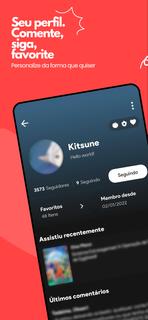
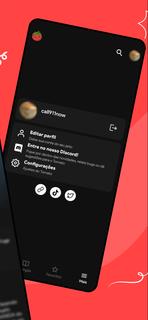
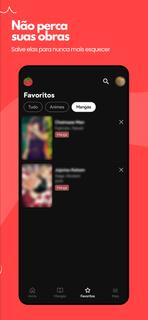
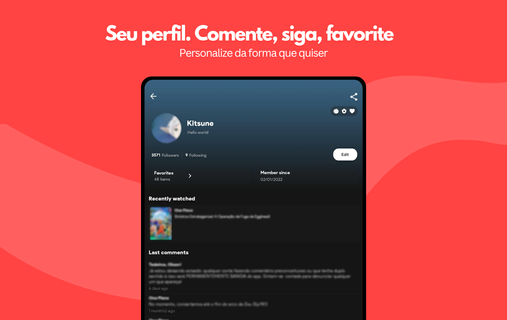
Tomato helps users turn a FreeStyle Libre sensor with a MiaoMiao reader into steady, phone based glucose tracking throughout the day. It is built for routine use, so alerts, watch support, and privacy minded design keep attention on data instead of distractions. Additionally, unit preferences and background updates support everyday habits at home, work, or exercise. With a clear setup and ad free interface, Tomato APK gives users a straightforward way to check live numbers and understand patterns without adding complexity to busy schedules.Tomato FeaturesStable CGM and alarmsTomato pairs FreeStyle Libre sensors with a MiaoMiao reader to create phone based continuous monitoring. You can set thresholds for highs, lows, and signal loss, then choose tones, vibration, and repeat behavior to match daily routines. To keep readings flowing, disable battery optimization for Tomato. Accuracy still depends on the sensor, so confirm with fingersticks when decisions are critical.Remote follow and privacy controlsCaregivers and family can view live glucose through simple channels like Messenger. Subscribers can enable Remote Monitor and Internet Alarm features for broader reach. This works best with a data connection and within the appâs privacy controls. Occasional users may rely on Messenger follow, while frequent travelers might prefer the added reliability of subscription internet alerts.Insights, logging, and unit preferencesTomato summarizes trends with distribution charts, daily patterns, and an estimated A1C that reflects recent activity. When you log insulin doses, carb counts, or exercise, post meal rises and activity related dips become easier to see in context. Estimated A1C is an approximation and does not replace lab results. The app supports mg/dL and mmol/L, so units align with clinic reports.Integrations and Wear OS supportFor connected tools, Tomato can sync CGM data to NightScout and broadcast readings to AndroidAPS to coordinate routines. On the wrist, Wear OS complications show current glucose and trend arrows at a glance, and the watch can display the latest value if connectivity drops. Integrations are optional and can be enabled only when needed.Get started with TomatoTomato focuses on stable CGM, practical alerts, and clear insights for daily routines. Before setup, check storage, review permissions, and prepare your FreeStyle Libre and MiaoMiao hardware. To begin, download Tomato, then fine tune thresholds, units, and sharing options, and consider disabling battery optimization to keep background updates reliable.
بیشتر نشان بده

1. نصب کننده Memu را دانلود کرده و راه اندازی را تمام کنید

2. Memu را اجرا کنید و سپس گوگل پلی را بر روی دستکتاپ باز کنید

3. Tomato را بر روی گوگل پلی جستجو کنید
Install
4. Tomato را دانلود و نصب کنید
5. پس از اتمام نصب روی آیکون کلیک کنید تا اجرا شود

6. با استفاده از MEmu، Tomato را روی کامپیوتر خود تجربه کنید.
MEmu در حال حاضر بهترین شبیهساز رایگان اندروید است که ۵۰ میلیون کاربر از تجربه استثنایی برنامههای اندروید لذت میبرند. فناوری مجازیسازی MEmu به شما امکان میدهد هزاران برنامه اندروید، حتی بازیهای با گرافیک بالا را به راحتی روی رایانه خود اجرا کنید.
صفحه نمایش بزرگتر با گرافیک بهتر؛ زمان طولانی تر، بدون محدودیت باتری یا داده تلفن همراه.
پشتیبانی کامل از Keymapping برای کنترل دقیق صفحه کلید و ماوس یا گیم پد.
چندین حساب بازی یا وظایف در یک رایانه شخصی در یک زمان با مدیریت همزمان همه
Use Tomato on PC by following steps: