
GoreBox
Mise à jour
Version actuelle
15.13.20
Proposée par

Avec toute la passion que vous avez à jouer GoreBox, vos mains ne sont pas sensées se limiter à l’infime écran de votre téléphone. Jouez comme un pro et ayez le contrôle total de votre jeu à l’aide du clavier et de la souris. MEmu satisfait toutes vos attentes. Téléchargez et jouez GoreBox sur PC. Jouez aussi longtemps que vous souhaitez sans aucune limitation de batterie, de données mobiles et d’appels embêtants. La toute nouvelle version de MEmu 9 est la meilleure option de jouer GoreBox sur PC. Réalisé par nos experts, l’e magnifique système d’affectation de touches prédéfini fait de GoreBox un jeu réaliste sur PC. Le gestionnaire multi-instances de MEmu permet 2 ou plusieurs comptes de jeu sur le même appareil. Et le plus important, le moteur d’émulation exclusif peut libérer le plein potentiel de votre PC, ce qui facilite tout.
Afficher plus
Téléchargez GoreBox avec le simulateur d’Android MEmu sur votre PC. Profitez de jouer sur un grand écran. GoreBox is a chaotic, physics-driven sandbox game where creativity meets unrestrained destruction.
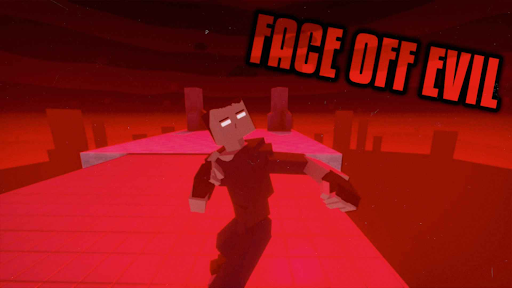
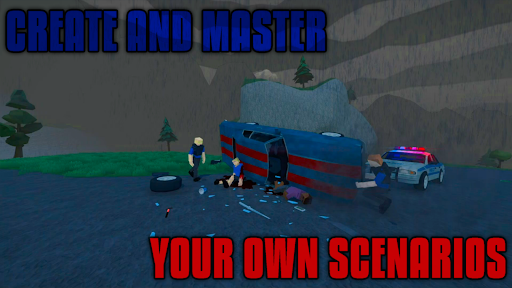
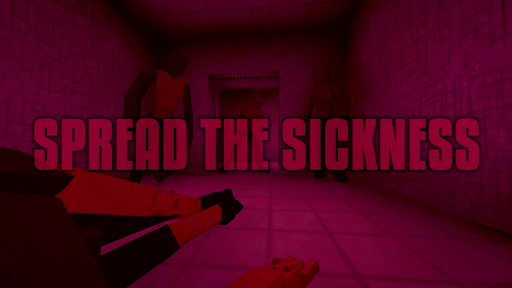
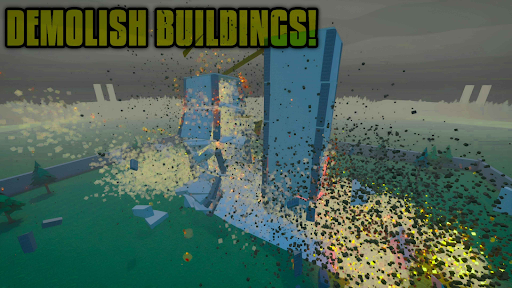
GoreBox is a chaotic, physics-driven sandbox game where creativity meets unrestrained destruction. Unleash your wildest ideas in an environment that puts ultimate power in your hands.
Step into a world where the Reality Crusher lets you spawn, manipulate, and obliterate anything you desire. Engage in brutal combat with an extensive arsenal of weapons and explosives, and witness the raw effects of realistic ragdoll physics and an intense gore system that brings dismemberment to life.
Want to shape your world? Use the built-in Map Editor to design unique environments, or explore countless community-created maps and mods through the in-game Workshop. Customize your character’s appearance with skins, armor, and accessories to make them truly your own.
Battle alongside friends or foes with cross-platform multiplayer, using the chat system and trading features to strategize and trade items. Master vehicle mechanics to race, drift, or wreak havoc with realistic physics. Spawn and interact with NPCs for role-playing or orchestrate complex, action-packed scenarios.
Push your creativity even further with unique mechanics like lifestyle items—smoke cigarettes, drink alcohol, or test out potent syringes with game-changing effects. Keep an eye on your character's health and status using the Body Inspector, but beware: the Uncoha Virus can turn you (or NPCs) into ravenous mutants, spreading a zombie-like infection across the world.
Engage in randomly generated missions for endless action, or test your mettle in intense boss fights. And if you’re ready for a new level of immersion, head to the in-game gym to work out and build your character’s strength.
With GoreBox, the only limit is your imagination. Craft, destroy, and dominate in a world where chaos reigns supreme. How will you shape the madness?
But remember, in GoreBox time won't be the only thing you're killing.
Afficher plus

1. Téléchargez l'installateur MEmu et terminez l'installation

2. Démarrez MEmu puis ouvrez Google Play sur la page d'accueil

3. Recherchez GoreBox dans Google Play
Install
4. Téléchargez et installez GoreBox
5. Une fois l'installation terminée, cliquez sur l'icône pour démarrer

6. Profitez de jouer GoreBox sur PC avec MEmu
Le lecteur d'application MEmu est le meilleur émulateur Android gratuit, et 50 millions de personnes profitent déjà de sa fantastique expérience de jeu Android. La technologie de virtualisation MEmu vous donne la possibilité de jouer à des milliers de jeux Android sur votre PC sans aucune difficulté, même aux plus gourmands.
L’écran plus grand avec de meilleurs graphismes; Une longue durée, sans limitation de batterie ou de données mobiles.
Soutien du Keymapping pour un contrôle précis du clavier et de la souris ou de la manette de jeu
Plusieurs comptes de jeu ou tâches sur un seul PC en même temps avec le gestionnaire de multi-instance.
Play GoreBox on PC by following steps: