GoreBox
Aktualisiert
Aktuelle Version
15.13.20
Angeboten von

Bei all Ihrer Leidenschaft für das Spielen von GoreBox sollten Ihre Hände nicht auf einen winzigen Bildschirm Ihres Telefons beschränkt sein. Spielen Sie wie ein Profi und übernehmen Sie die volle Kontrolle über Ihr Spiel mit Tastatur und Maus. MEmu bietet Ihnen all die Dinge, die Sie erwarten. Laden Sie GoreBox herunter und spielen Sie es auf dem PC. Spielen Sie so lange, wie Sie wollen, ohne Grenzwerte für Akku, mobile Daten und störende Anrufe. Das brandneue MEmu 9 ist die beste Wahl, um GoreBox auf dem PC zu spielen. Das exquisite voreingestellte Tastaturbelegungssystem, das mit unserem Fachwissen vorbereitet wurde, macht GoreBox zu einem echten PC-Spiel. Der MEmu Multi-Instanz-Manager ermöglicht das Spielen von 2 oder mehr Konten auf demselben Gerät. Und das Wichtigste: Unsere exklusive Emulations-Engine kann das volle Potenzial Ihres PCs freisetzen und für reibungslose Abläufe sorgen.
Mehr anzeigen
Laden Sie Play GoreBox auf dem PC mit MEmu Android Emulator. Viel Spaß beim Spielen auf großmundieren. GoreBox is a chaotic, physics-driven sandbox game where creativity meets unrestrained destruction.
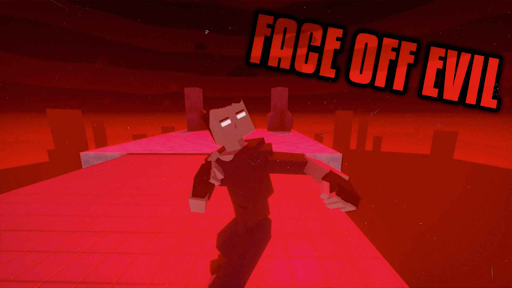
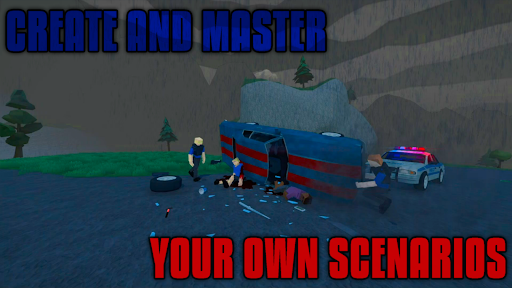
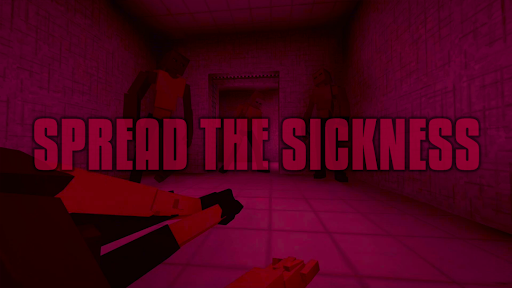
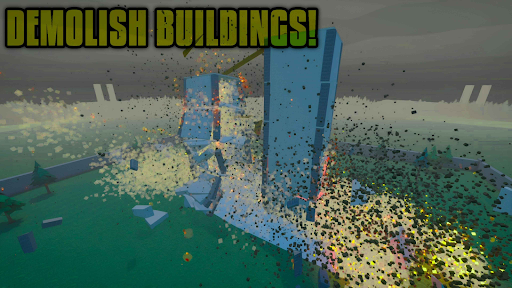
GoreBox is a chaotic, physics-driven sandbox game where creativity meets unrestrained destruction. Unleash your wildest ideas in an environment that puts ultimate power in your hands.
Step into a world where the Reality Crusher lets you spawn, manipulate, and obliterate anything you desire. Engage in brutal combat with an extensive arsenal of weapons and explosives, and witness the raw effects of realistic ragdoll physics and an intense gore system that brings dismemberment to life.
Want to shape your world? Use the built-in Map Editor to design unique environments, or explore countless community-created maps and mods through the in-game Workshop. Customize your character’s appearance with skins, armor, and accessories to make them truly your own.
Battle alongside friends or foes with cross-platform multiplayer, using the chat system and trading features to strategize and trade items. Master vehicle mechanics to race, drift, or wreak havoc with realistic physics. Spawn and interact with NPCs for role-playing or orchestrate complex, action-packed scenarios.
Push your creativity even further with unique mechanics like lifestyle items—smoke cigarettes, drink alcohol, or test out potent syringes with game-changing effects. Keep an eye on your character's health and status using the Body Inspector, but beware: the Uncoha Virus can turn you (or NPCs) into ravenous mutants, spreading a zombie-like infection across the world.
Engage in randomly generated missions for endless action, or test your mettle in intense boss fights. And if you’re ready for a new level of immersion, head to the in-game gym to work out and build your character’s strength.
With GoreBox, the only limit is your imagination. Craft, destroy, and dominate in a world where chaos reigns supreme. How will you shape the madness?
But remember, in GoreBox time won't be the only thing you're killing.
Mehr anzeigen

1. Laden das MEmu-Installationsprogramm herunter und beenden die Installation

2. MEmu starten und Google Play auf der Homepage öffnen

3. Suchen GoreBox in Google Play
Install
4. Herunterladen und Installieren GoreBox
5. Klicken nach Abschluss der Installation auf das Symbol, um es zu starten

6. Viel Spaß beim Spielen von GoreBox auf dem PC mit MEmu
MEmu App Player ist der beste kostenlose Android-Emulator und 50 Millionen Menschen genießen bereits seine hervorragende Android-Gaming-Erfahrung. Mit der MEmu-Virtualisierungstechnologie können Sie Tausende von Android-Spielen problemlos auf Ihrem PC spielen, selbst bei grafikintensiven Spielen.
BGrößeres Bild mit besserer Grafik; Keine unterbrechungen, keine sorgen um Akku
Komplette Tastenbelegung unterstützt mit Maus und Tastatur oder Controller
Mit dem „Multi-Instance-Manager“ können Sie mehrere Spielkonten oder Spiele gleichzeitig auf einem PC ausführen.
Play GoreBox on PC by following steps: