Newtro Boxing
Mise à jour
Version actuelle
1.0.12
Proposée par

Avec toute la passion que vous avez à jouer Newtro Boxing, vos mains ne sont pas sensées se limiter à l’infime écran de votre téléphone. Jouez comme un pro et ayez le contrôle total de votre jeu à l’aide du clavier et de la souris. MEmu satisfait toutes vos attentes. Téléchargez et jouez Newtro Boxing sur PC. Jouez aussi longtemps que vous souhaitez sans aucune limitation de batterie, de données mobiles et d’appels embêtants. La toute nouvelle version de MEmu 9 est la meilleure option de jouer Newtro Boxing sur PC. Réalisé par nos experts, l’e magnifique système d’affectation de touches prédéfini fait de Newtro Boxing un jeu réaliste sur PC. Le gestionnaire multi-instances de MEmu permet 2 ou plusieurs comptes de jeu sur le même appareil. Et le plus important, le moteur d’émulation exclusif peut libérer le plein potentiel de votre PC, ce qui facilite tout.
Afficher plus
Téléchargez Newtro Boxing avec le simulateur d’Android MEmu sur votre PC. Profitez de jouer sur un grand écran. Montez sur le ring et hissez-vous au sommet dans Newtro Boxing.
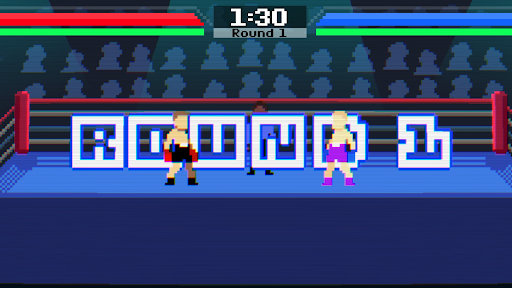
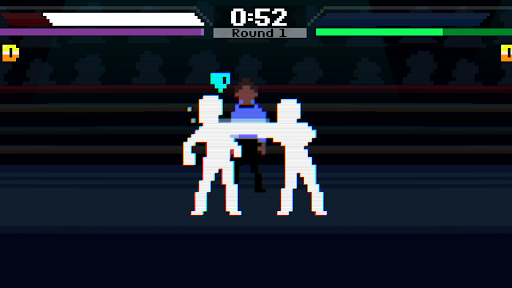
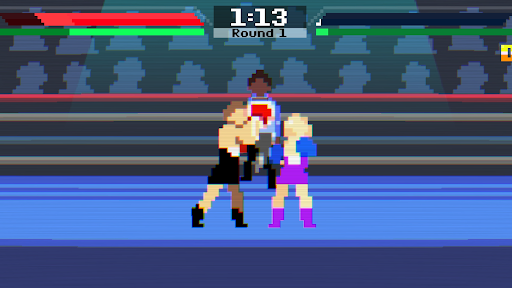
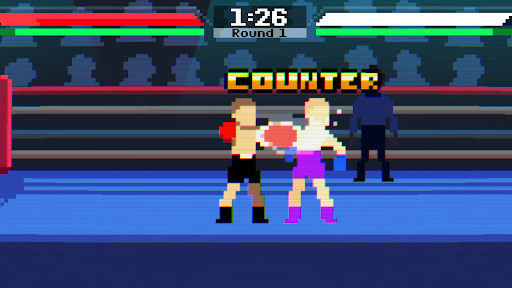
Montez sur le ring et hissez-vous au sommet dans Newtro Boxing.
Un jeu de boxe arcade au rythme effréné, aux commandes réactives, aux combats techniques et aux K.O. spectaculaires. Maîtrisez chaque coup, déjouez vos adversaires et devenez le champion incontesté.
■ ■ Fonctionnalités ■ ■
- Action de boxe arcade frénétique
- Maîtrisez les jabs, les directs, les crochets, les uppercuts et les contres dévastateurs
- Système d'équilibre dynamique avec knockdowns, KO et TKO
- Affrontez des adversaires toujours plus redoutables et devenez champion
- Bâtissez votre légende à travers les générations et transmettez le flambeau au prochain boxeur
- Graphismes et animations pixel art réalisés à la main, sublimés par des effets visuels et un éclairage modernes
- Conçu spécifiquement pour mobile avec des commandes intuitives et une jouabilité fluide
- Entièrement jouable hors ligne — aucune connexion Internet requise
- Sans publicité ni achats intégrés
■ ■ Chaque combat compte ■ ■
La victoire ne se résume pas à marteler les boutons.
Étudiez votre adversaire, réagissez au bon moment et utilisez le timing, la distance et les contre-attaques pour prendre l'avantage. Chaque coup peut faire basculer le match.
Parviendrez-vous à vaincre tous les challengers, à remporter la ceinture de champion et à devenir le champion de boxe ultime ? Montez sur le ring et prouvez votre talent dans Newtro Boxing.
Newtro Boxing est un jeu hors ligne. Vos données de jeu sont stockées sur votre appareil. La suppression de l'application peut entraîner la suppression définitive de vos données. Veuillez en tenir compte avant de désinstaller le jeu.
Signalements de bugs et suggestions : snowgames0629@gmail.com
Afficher plus

1. Téléchargez l'installateur MEmu et terminez l'installation

2. Démarrez MEmu puis ouvrez Google Play sur la page d'accueil

3. Recherchez Newtro Boxing dans Google Play
Install
4. Téléchargez et installez Newtro Boxing
5. Une fois l'installation terminée, cliquez sur l'icône pour démarrer

6. Profitez de jouer Newtro Boxing sur PC avec MEmu
Le lecteur d'application MEmu est le meilleur émulateur Android gratuit, et 50 millions de personnes profitent déjà de sa fantastique expérience de jeu Android. La technologie de virtualisation MEmu vous donne la possibilité de jouer à des milliers de jeux Android sur votre PC sans aucune difficulté, même aux plus gourmands.
L’écran plus grand avec de meilleurs graphismes; Une longue durée, sans limitation de batterie ou de données mobiles.
Soutien du Keymapping pour un contrôle précis du clavier et de la souris ou de la manette de jeu
Plusieurs comptes de jeu ou tâches sur un seul PC en même temps avec le gestionnaire de multi-instance.
Play Newtro Boxing on PC by following steps: