Newtro Boxing
Updated
Current Version
1.0.12
Offered By

With your passion for Newtro Boxing, you shouldn’t have to limit yourself to the small screen of a phone. Play like a pro and take full control of the game using a keyboard and mouse. MEmu gives you everything you’re looking for. Download and play Newtro Boxing on PC. Play as long as you want — no more worries about battery life, mobile data, or unexpected calls. The all-new MEmu 9 is the best way to play Newtro Boxing on PC. With our expertly designed keymapping system, Newtro Boxing feels just like a real PC game. The MEmu multi-instance manager lets you run two or more accounts on the same device at the same time. Most importantly, our exclusive emulation engine unlocks your PC’s full potential, delivering smooth and seamless performance.
Show more
Download Newtro Boxing on PC with MEmu Android Emulator. Enjoy playing on big screen. Step into the ring and fight your way to the top in Newtro Boxing.
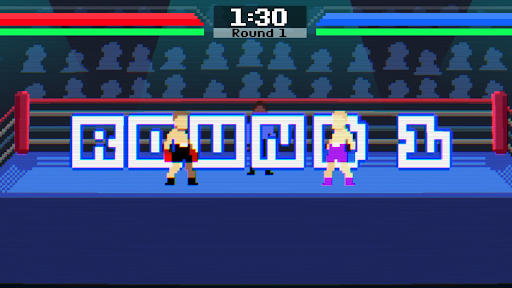
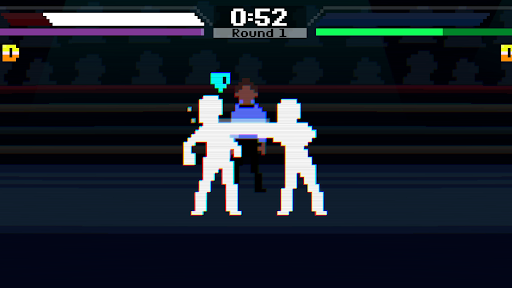
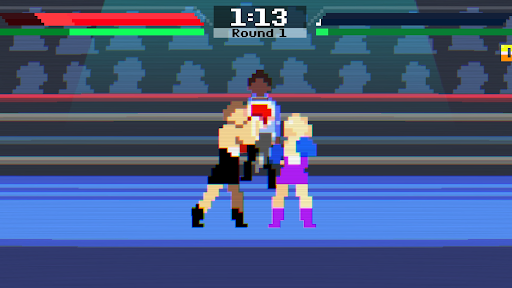
Step into the ring and fight your way to the top in Newtro Boxing.
A fast-paced arcade boxing game featuring responsive controls, skill-based combat, and satisfying knockouts. Master every punch, outsmart your opponents, and fight your way to become the undisputed champion.
■ ■ Features ■ ■
- Fast-paced arcade boxing action
- Master jabs, straights, hooks, uppercuts, and powerful counters
- Dynamic balance system with knockdowns, KO, and TKO
- Climb through increasingly challenging opponents and become the champion
- Build your legacy across generations and pass the torch to the next boxer
- Hand-crafted pixel art and animation, enhanced with modern lighting and visual effects
- Designed specifically for mobile with intuitive controls and smooth gameplay
- Fully playable offline — no internet connection required
- No ads and no in-app purchases
■ ■ Every Fight Matters ■ ■
Victory isn't about button mashing.
Study your opponent, react at the right moment, and use timing, spacing, and counterattacks to gain the upper hand. Every punch can change the outcome of the match.
Can you conquer every challenger, claim the championship belt, and become the ultimate boxing champion?
Step into the ring and prove your skills in Newtro Boxing.
Newtro Boxing is an offline game. Your game data is stored on your device. Deleting the app may permanently delete your game data, so please keep this in mind before uninstalling the game.
Bug Reports & Suggestions: snowgames0629@gmail.com
Show more

1. Download MEmu installer and finish the setup

2. Start MEmu then open Google Play on the desktop

3. Search Newtro Boxing in Google Play
Install
4. Download and Install Newtro Boxing
5. On install completion click the icon to start

6. Enjoy playing Newtro Boxing on PC with MEmu
MEmu Play is the best Android emulator and 100 million people already enjoy its superb Android gaming experience. The MEmu virtualization technology empowers you to play thousands of Android games smoothly on your PC, even the most graphic-intensive ones.
Bigger screen with better graphics; Long duration, without limitation of battery or mobile data.
Full Keymapping support for precise control of keyboard and mouse or gamepad.
Multiple game accounts or tasks on single PC at one time with Multi-Instance manager.
Play Newtro Boxing on PC by following steps: