PRAGMATA
Mise à jour
Version actuelle
Proposée par

Avec toute la passion que vous avez à jouer PRAGMATA, vos mains ne sont pas sensées se limiter à l’infime écran de votre téléphone. Jouez comme un pro et ayez le contrôle total de votre jeu à l’aide du clavier et de la souris. MEmu satisfait toutes vos attentes. Téléchargez et jouez PRAGMATA sur PC. Jouez aussi longtemps que vous souhaitez sans aucune limitation de batterie, de données mobiles et d’appels embêtants. La toute nouvelle version de MEmu 9 est la meilleure option de jouer PRAGMATA sur PC. Réalisé par nos experts, l’e magnifique système d’affectation de touches prédéfini fait de PRAGMATA un jeu réaliste sur PC. Le gestionnaire multi-instances de MEmu permet 2 ou plusieurs comptes de jeu sur le même appareil. Et le plus important, le moteur d’émulation exclusif peut libérer le plein potentiel de votre PC, ce qui facilite tout.
Afficher plus
Téléchargez PRAGMATA avec le simulateur d’Android MEmu sur votre PC. Profitez de jouer sur un grand écran. PRAGMATA is Capcom’s highly anticipated new intellectual property, offering a bold and immersive science fiction action adventure set in a haunting vision of the near future.
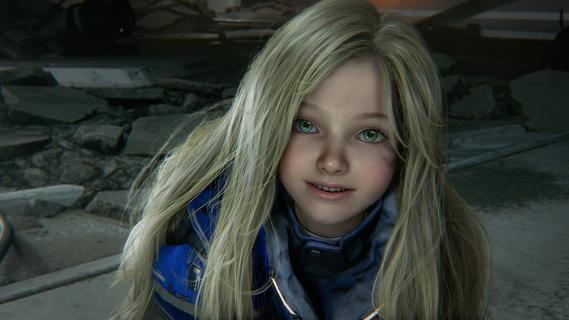
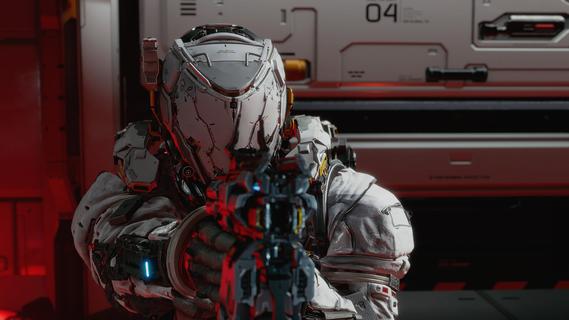
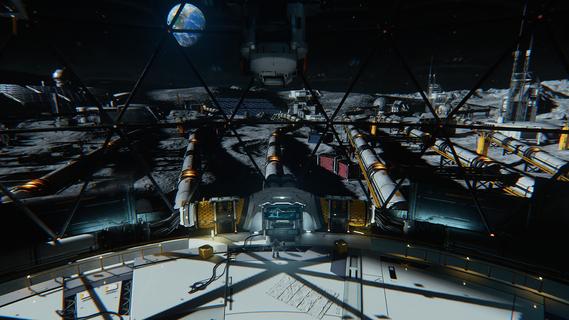
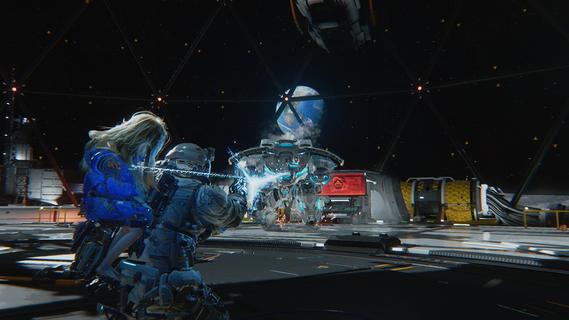
PRAGMATA is Capcom’s highly anticipated new intellectual property, offering a bold and immersive science fiction action adventure set in a haunting vision of the near future. Designed as a sweeping journey that blends narrative depth, innovative gameplay, and striking visuals, PRAGMATA challenges players to explore the unknown, unravel mysteries, and survive against overwhelming odds. Setting and StoryThe narrative unfolds in a cold, labyrinthine lunar research station, where humanity’s last hopes and buried secrets converge. Earth, battered by environmental catastrophe and disaster, has driven scientists, survivors, and outcasts to seek sanctuary beyond their home planet. Amidst the stark metallic halls and perpetual silence of the moon, echoes of the past mingle with the dangers of the present. Players step into the boots of Hugh, a skilled hacker with a tragic past and a burning drive for answers. By his side is Diana, an android companion endowed with advanced artificial intelligence and a childlike curiosity about the world. Their partnership, marked by unspoken trust and mutual dependence, serves as the emotional core of the game. Together, they must navigate the desolate lunar base, hacking into its ancient mainframes and piecing together the fate of its missing crew. Gameplay FeaturesPRAGMATA sets itself apart by merging classic action-adventure gameplay with innovative hacking mechanics: Dynamic Exploration: The lunar research station offers a vast, interconnected environment teeming with secrets and surprises. Players must solve environmental puzzles, unlock sealed sections, and uncover audiologs that hint at the facility’s dark history. Hacking Systems: Hugh’s unique abilities let players breach digital security, override robotic threats, manipulate surveillance, and even influence the lunar station’s gravity. The integration of hacking into combat and traversal provides endless creative strategies for overcoming challenges. Diana’s Support: As a companion, Diana does more than follow orders—she evolves alongside Hugh. Her AI grows from shy to assertive, learning to assist with hacking, defend against rogue robots, and offer insights that shape story outcomes. Tense Encounters: The moon station harbors unpredictable dangers: malfunctioning androids, rogue security systems, and mysterious anomalies that challenge both wits and reflexes. Every encounter tests the synergy between Hugh and Diana. Visuals and AtmospherePRAGMATA leverages Capcom’s RE Engine, showcasing breathtaking visuals: from vast domed landscapes gazing out upon space, to the cold, claustrophobic corridors where shadows play tricks on the eye. The game’s art direction blends high-tech realism with haunting surrealism, immersing players in a world that is both beautiful and unsettling. Narrative DepthThe story explores themes of identity, memory, and humanity’s search for hope in extraordinary circumstances. Through branching choices and dialogue, players influence the fate of Hugh, Diana, and the survivors they encounter. PRAGMATA’s narrative places equal emphasis on heart-stopping action and emotional resonance, inviting players to shape their own version of this lunar odyssey. Multiplayer and ReplayabilityWhile primarily a single-player experience, PRAGMATA offers time trials, challenge modes, and online leaderboards for players who master its hacking and combat systems. Hidden endings, multiple narrative paths, and evolving AI interactions with Diana further encourage replayability. ConclusionPRAGMATA stands as one of Capcom’s most ambitious forays into science fiction, promising a gripping blend of action, atmosphere, and narrative intrigue. With its innovative mechanics and unforgettable characters, it positions itself as a standout title for fans of immersive sci-fi adventures.
Afficher plus

1. Téléchargez l'installateur MEmu et terminez l'installation

2. Démarrez MEmu puis ouvrez Google Play sur la page d'accueil

3. Recherchez PRAGMATA dans Google Play
Install
4. Téléchargez et installez PRAGMATA
5. Une fois l'installation terminée, cliquez sur l'icône pour démarrer

6. Profitez de jouer PRAGMATA sur PC avec MEmu
Le lecteur d'application MEmu est le meilleur émulateur Android gratuit, et 50 millions de personnes profitent déjà de sa fantastique expérience de jeu Android. La technologie de virtualisation MEmu vous donne la possibilité de jouer à des milliers de jeux Android sur votre PC sans aucune difficulté, même aux plus gourmands.
L’écran plus grand avec de meilleurs graphismes; Une longue durée, sans limitation de batterie ou de données mobiles.
Soutien du Keymapping pour un contrôle précis du clavier et de la souris ou de la manette de jeu
Plusieurs comptes de jeu ou tâches sur un seul PC en même temps avec le gestionnaire de multi-instance.
Play PRAGMATA on PC by following steps: