Story Match
Mise à jour
Version actuelle
2.2.2
Proposée par

Avec toute la passion que vous avez à jouer Story Match, vos mains ne sont pas sensées se limiter à l’infime écran de votre téléphone. Jouez comme un pro et ayez le contrôle total de votre jeu à l’aide du clavier et de la souris. MEmu satisfait toutes vos attentes. Téléchargez et jouez Story Match sur PC. Jouez aussi longtemps que vous souhaitez sans aucune limitation de batterie, de données mobiles et d’appels embêtants. La toute nouvelle version de MEmu 9 est la meilleure option de jouer Story Match sur PC. Réalisé par nos experts, l’e magnifique système d’affectation de touches prédéfini fait de Story Match un jeu réaliste sur PC. Le gestionnaire multi-instances de MEmu permet 2 ou plusieurs comptes de jeu sur le même appareil. Et le plus important, le moteur d’émulation exclusif peut libérer le plein potentiel de votre PC, ce qui facilite tout.
Afficher plus
Téléchargez Story Match avec le simulateur d’Android MEmu sur votre PC. Profitez de jouer sur un grand écran. ⭐ Welcome to Story Match – A Classic Match 3 Puzzle Game with Heartfelt Story Episodes!
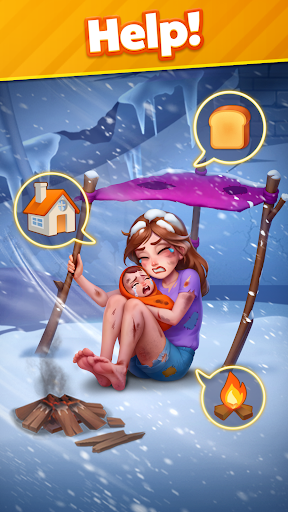
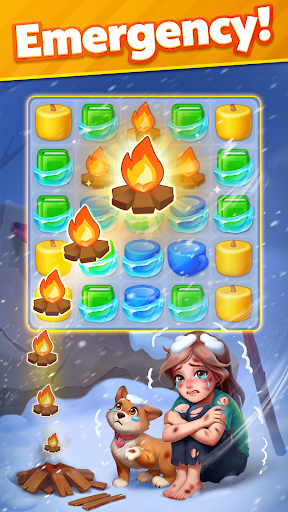
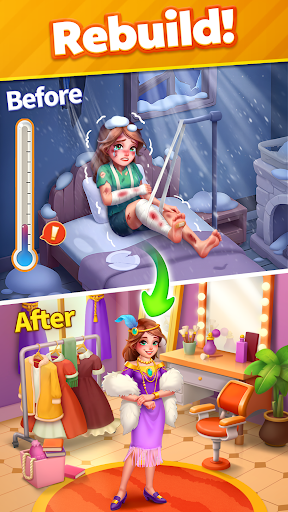
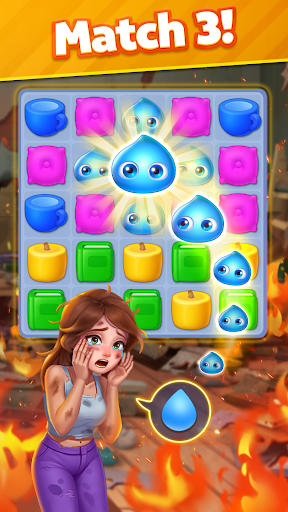
⭐ Welcome to Story Match – A Classic Match 3 Puzzle Game with Heartfelt Story Episodes!
Match 3, follow touching stories, and help characters in need find hope and a second chance!
Match 3 Gameplay & Touching Stories
As you conquer challenging match 3 levels, uplift these characters, restore hope, and witness their heartwarming transformations.
SOS! The destiny of these people lies in your hands!
Struggle family, heart-broken lady, lonely children, poor siblings, desperate man..... All of them urgently need your HELP!
1⃣ Train your brain and conquer match 3 games.
2⃣ Solve puzzle to help your friends in the storyline.
3⃣ Fix problems, mend broken storylines and rewrite destinies.
4⃣ Let your puzzle-solving skills pave the way to brighter days!
Key Features
* Easy but fun match 3 puzzles
* Follow the heartfelt stoires
* Dynamic & addictive gameplay
* Unlock new story episodes
* Fresh puzzle-solving experience
* Creative elements in levels
* 100% free to play game
* Sharpen your brain and find joy
* Ideal time killer and IQ boost
* Stimulate your brainpower
* Exciting challenge & events
* Playable online and offline
* No internet, no wifi required
Be a Story Match rescue hero!
Restore hope and joy, rebuild houses and home, and make a twist at the end of those sad stories!
Start playing anywhere, anytime!
Download Story Match offline game now and embark on a journey of match 3 adventure puzzles with heartfelt story. Play now to have fun!
Afficher plus

1. Téléchargez l'installateur MEmu et terminez l'installation

2. Démarrez MEmu puis ouvrez Google Play sur la page d'accueil

3. Recherchez Story Match dans Google Play
Install
4. Téléchargez et installez Story Match
5. Une fois l'installation terminée, cliquez sur l'icône pour démarrer

6. Profitez de jouer Story Match sur PC avec MEmu
Le lecteur d'application MEmu est le meilleur émulateur Android gratuit, et 50 millions de personnes profitent déjà de sa fantastique expérience de jeu Android. La technologie de virtualisation MEmu vous donne la possibilité de jouer à des milliers de jeux Android sur votre PC sans aucune difficulté, même aux plus gourmands.
L’écran plus grand avec de meilleurs graphismes; Une longue durée, sans limitation de batterie ou de données mobiles.
Soutien du Keymapping pour un contrôle précis du clavier et de la souris ou de la manette de jeu
Plusieurs comptes de jeu ou tâches sur un seul PC en même temps avec le gestionnaire de multi-instance.
Play Story Match on PC by following steps: