Valheim
Mise à jour
Version actuelle
Proposée par

Avec toute la passion que vous avez à jouer Valheim, vos mains ne sont pas sensées se limiter à l’infime écran de votre téléphone. Jouez comme un pro et ayez le contrôle total de votre jeu à l’aide du clavier et de la souris. MEmu satisfait toutes vos attentes. Téléchargez et jouez Valheim sur PC. Jouez aussi longtemps que vous souhaitez sans aucune limitation de batterie, de données mobiles et d’appels embêtants. La toute nouvelle version de MEmu 9 est la meilleure option de jouer Valheim sur PC. Réalisé par nos experts, l’e magnifique système d’affectation de touches prédéfini fait de Valheim un jeu réaliste sur PC. Le gestionnaire multi-instances de MEmu permet 2 ou plusieurs comptes de jeu sur le même appareil. Et le plus important, le moteur d’émulation exclusif peut libérer le plein potentiel de votre PC, ce qui facilite tout.
Afficher plus
Téléchargez Valheim avec le simulateur d’Android MEmu sur votre PC. Profitez de jouer sur un grand écran. Valheim is a collaborative exploration and survival game for 1-10 players set in a procedurally generated world inspired by Norse mythology.
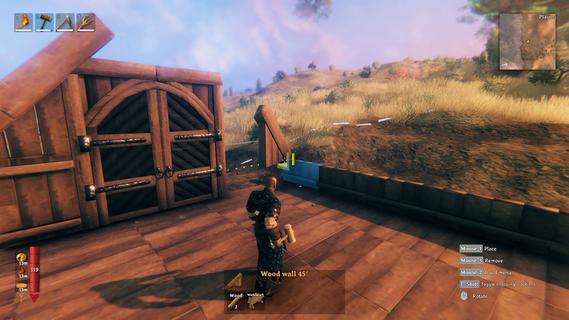
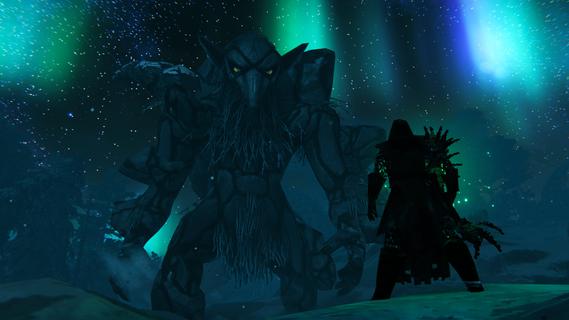
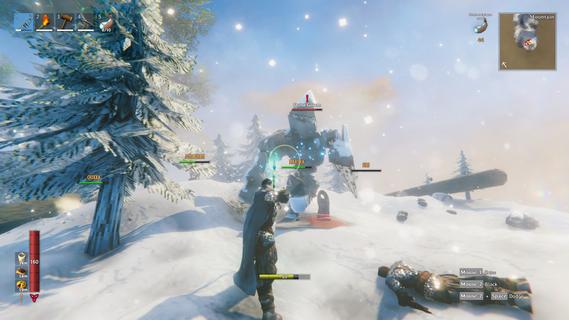
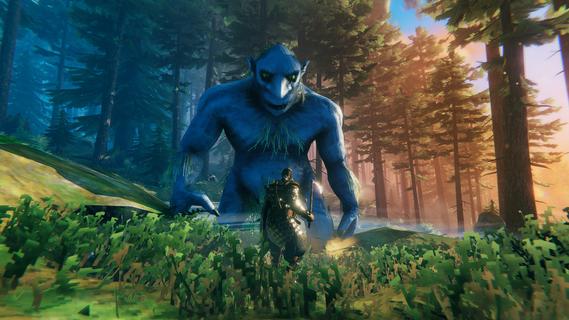
Valheim is a collaborative exploration and survival game for 1-10 players set in a procedurally generated world inspired by Norse mythology. Craft powerful weapons, construct elaborate halls, and slay mighty foes to prove yourself to Odin!Discover an immersive procedurally generated world, with different biomes that each have their distinct environments, unique resources and dangerous enemies. Become a Viking and sail the open seas in search of lands unknown, alone or with up to nine friends!The Tenth World has been corrupted by hateful forces, in the shape of mighty regional bosses known as the Forsaken. Hone your skills with axes, blades and bows, and prepare yourself by crafting the very best equipment â for it is only by defeating these Forsaken that you will advance in your progress and prove yourself to the Allfather.Raise Viking longhouses and build bases that offer reprieve from the dangers ahead. Whether you build a small shelter, an entire village or a mountain-side fortress, defence and structural integrity are important, as is decorating it for maximum comfort!As you discover new materials, you will learn new recipes for crafting, building and cooking â all that a Viking might need! The food system is rewarding rather than punishing, granting you boons and benefits depending on what you eat, and is directly tied to the combat system, where your health and stamina might be just the thing that makes a difference between life and death.Community-translated languagesIn addition to the officially supported languages, Valheim has several community-translated languages. As the name would suggest, these are all translated by fans and members of the community, and the process is frequently ongoing. Thus, we cannot guarantee the quality or completeness of any specific translation.
Afficher plus

1. Téléchargez l'installateur MEmu et terminez l'installation

2. Démarrez MEmu puis ouvrez Google Play sur la page d'accueil

3. Recherchez Valheim dans Google Play
Install
4. Téléchargez et installez Valheim
5. Une fois l'installation terminée, cliquez sur l'icône pour démarrer

6. Profitez de jouer Valheim sur PC avec MEmu
Le lecteur d'application MEmu est le meilleur émulateur Android gratuit, et 50 millions de personnes profitent déjà de sa fantastique expérience de jeu Android. La technologie de virtualisation MEmu vous donne la possibilité de jouer à des milliers de jeux Android sur votre PC sans aucune difficulté, même aux plus gourmands.
L’écran plus grand avec de meilleurs graphismes; Une longue durée, sans limitation de batterie ou de données mobiles.
Soutien du Keymapping pour un contrôle précis du clavier et de la souris ou de la manette de jeu
Plusieurs comptes de jeu ou tâches sur un seul PC en même temps avec le gestionnaire de multi-instance.
Play Valheim on PC by following steps: