Ai Vista
Mise à jour
Version actuelle
1.0.17
Proposée par

Ne vous inquiétez plus des surcharges lorsque vous utilisez Ai Vista sur votre téléphone portable, libérez-vous de l'écran minuscule et profitez de l'application sur un écran beaucoup plus grand. Désormais, vous pouvez utiliser votre application en plein écran avec le clavier et la souris. MEmu vous offre toutes les fonctionnalités surprenantes que vous attendiez : installation rapide et configuration facile, commandes intuitives, plus de limitations de batterie, de données mobiles et d'appels dérangeants. Le tout nouveau MEmu 9 est le meilleur choix pour utiliser Ai Vista sur votre ordinateur. Codé avec notre absorption, le gestionnaire multi-instance permet d'ouvrir 2 ou plusieurs comptes en même temps. Et le plus important, notre moteur d'émulation exclusif peut libérer tout le potentiel de votre PC, rendre tout cela fluide et agréable.
Afficher plus
Téléchargez Ai Vista avec le simulateur d’Android MEmu sur votre PC. Profitez de jouer sur un grand écran. AI Vista is a revolutionary AI-powered art app designed for anyone looking to express their unique personality on social media.
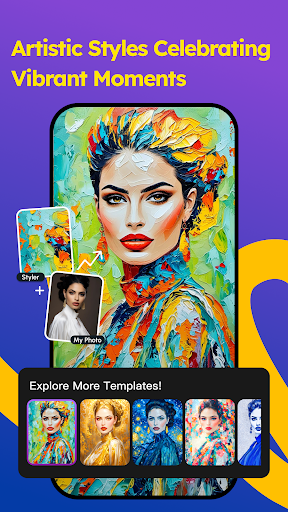
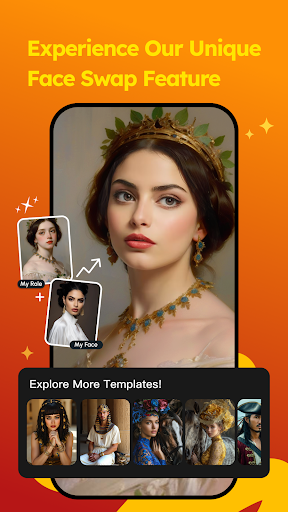
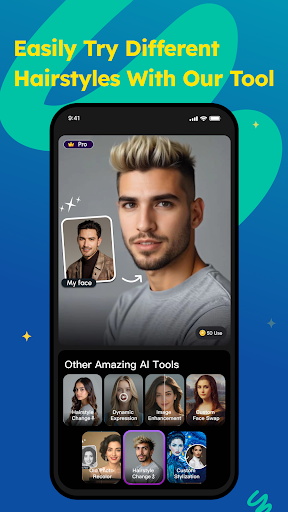
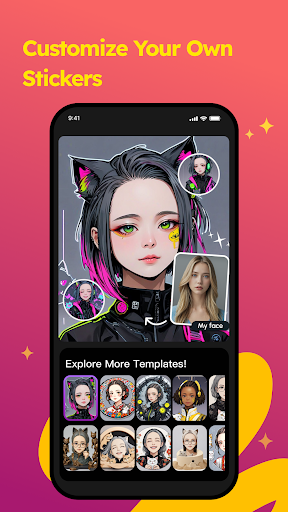
AI Vista is a revolutionary AI-powered art app designed for anyone looking to express their unique personality on social media. With an extensive array of styles, from the whimsy of Pixar to the elegance of fine art, your regular portraits will transform into captivating pieces of art.
Want your travel photos to stand out from the crowd? Or hoping to boost confidence in your selfies? With AI Vista's advanced technology, you can transform ordinary images into captivating masterpieces that grab attention on social media. Just a click away, your photos will shine, easily earning likes and comments. How about giving it a try?
Key Features:
Diverse Styles: Choose from dreamy realism to Pixar, and everything in between.
Explore AI: Dive into the limitless possibilities of AI and create unique art pieces.
Personalized Display: Easily gain likes and followers with a standout social media avatar.
Filter Styles:
●Pixar Style: Step into a fairy tale.
●Claymation: Sculpted from clay.
●Enchanted: A blend of reality and fantasy.
●Watercolor: A translucent watercolor masterpiece.
●Jade: Delve into the world of jade.
●Picturesque: Capture every moment eternally.
●American Comics: Unleash extraordinary imagination.
Experience AI Vista’s charm with a 3-day free trial, unlocking all premium features to maximize your creative potential!
Download AI Vista now, and start turning your social media into a gallery of personalized art. Join us on a creative journey and let your avatar shine with unmatched brilliance!
**Purchases, Subscriptions, Promotional Codes, Auto Renewals, Changes to Fees and Withdrawal Right**
• Subscription length: weekly,yearly
• Your payment will be charged to your iTunes Account as soon as you confirm your purchase.
• You can manage your subscriptions and turn off auto-renewal from your Account Settings after the purchase.
• Your subscription will renew automatically, unless you turn off auto-renew at least 24 hours before the end of the current period.
• The cost of renewal will be charged to your account in the 24 hours prior to the end of the current period.
• When canceling a subscription, your subscription will stay active until the end of the period. Auto-renewal will be disabled, but the current subscription will not be refunded.
• Any unused portion of a free trial period, if offered, will be forfeited when purchasing a subscription.
These Terms and any associated purchase validity are independent of each other, meaning the termination of one does not affect the validity of the other.
PRIVACY:https://aivista.lucki.fun/h5/agreement/vista_privacy_en.html
ABOUT US:https://aivista.lucki.fun/h5/agreement/vista_about_us_en.html
TERMS:https://aivista.lucki.fun/h5/agreement/vista_terms_en.html
Afficher plus

1. Téléchargez l'installateur MEmu et terminez l'installation

2. Démarrez MEmu puis ouvrez Google Play sur la page d'accueil

3. Recherchez Ai Vista dans Google Play
Install
4. Téléchargez et installez Ai Vista
5. Une fois l'installation terminée, cliquez sur l'icône pour démarrer

6. Utiliser MEmu pour utiliser Ai Vista sur votre ordinateur
MEmu Play est actuellement le meilleur émulateur Android gratuit, avec 50 millions d'utilisateurs qui profitent d'une expérience Android exceptionnelle. La technologie de virtualisation de MEmu vous permet de jouer facilement à des milliers d'applications Android sur votre ordinateur, même les plus gourmandes en ressources.
L’écran plus grand avec de meilleurs graphismes; Une longue durée, sans limitation de batterie ou de données mobiles.
Soutien du Keymapping pour un contrôle précis du clavier et de la souris ou de la manette de jeu
Plusieurs comptes de jeu ou tâches sur un seul PC en même temps avec le gestionnaire de multi-instance.
Use Ai Vista on PC by following steps: