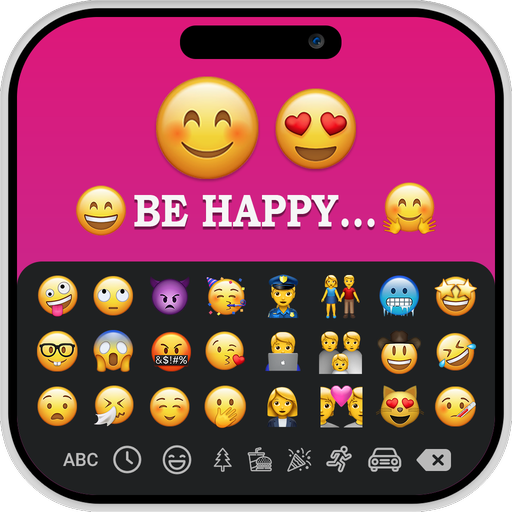
iOS Emojis For Story
Mise à jour
Version actuelle
1.0.5
Proposée par

Ne vous inquiétez plus des surcharges lorsque vous utilisez iOS Emojis For Story sur votre téléphone portable, libérez-vous de l'écran minuscule et profitez de l'application sur un écran beaucoup plus grand. Désormais, vous pouvez utiliser votre application en plein écran avec le clavier et la souris. MEmu vous offre toutes les fonctionnalités surprenantes que vous attendiez : installation rapide et configuration facile, commandes intuitives, plus de limitations de batterie, de données mobiles et d'appels dérangeants. Le tout nouveau MEmu 9 est le meilleur choix pour utiliser iOS Emojis For Story sur votre ordinateur. Codé avec notre absorption, le gestionnaire multi-instance permet d'ouvrir 2 ou plusieurs comptes en même temps. Et le plus important, notre moteur d'émulation exclusif peut libérer tout le potentiel de votre PC, rendre tout cela fluide et agréable.
Afficher plus
Téléchargez iOS Emojis For Story avec le simulateur d’Android MEmu sur votre PC. Profitez de jouer sur un grand écran. The iOS Emoji for Story app provides you with various font styles to add to your text and iOS emoji’s.

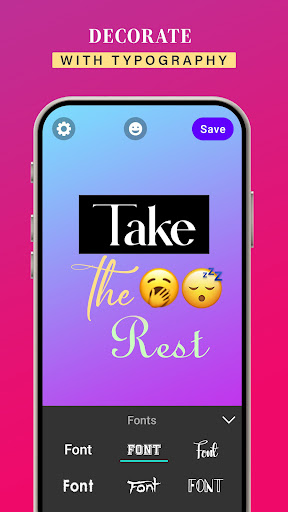
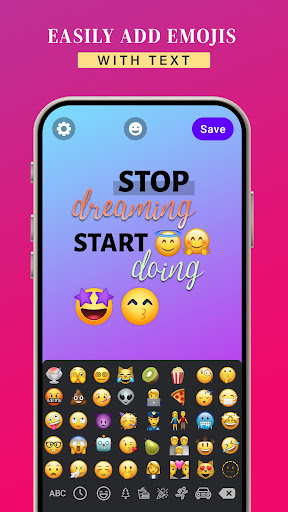
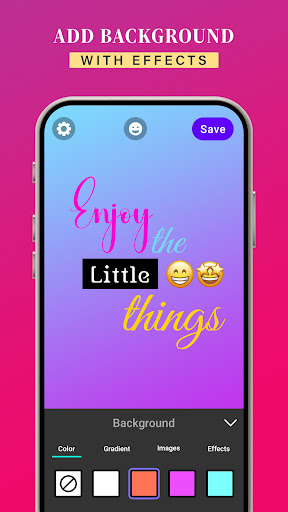
The iOS Emoji for Story app provides you with various font styles to add to your text and iOS emoji’s. By using the iOS Emoji for Story app, you can enter your own text and then change the text style. It also allows you to use background colors, gradients, and images to your text and iOS emoji’s. In addition, you can apply effects like shadow, radius, and opacity to your text and emoji’s.
The iOS Emoji for Story app has the ability to change the font style of your text. It provides a variety of font styles to add to your text.
The iOS Emoji for Story app allows you to modify text colors, gradients, and images, you can align your text by using the letter spacing and line spacing features of this app.
After creating images by adding your own text and iOS emoji’s, tap the save button to save the images to your gallery, Then simply select them from a gallery and add them to your story to make it more creative.
KEY FEATURES:-
➤Allows you to create your own images by adding text and iOS emoji’s
➤Enables you to use iOS Emoji’s while creating story
➤Allows you to modify text colors, gradients, and images
➤Ability to add background colors to your images
➤Easy to use iOS Emoji’s on your Android device
➤Ability to change the font style
➤It is available for free download
➤User-friendly application to enhance your story
The iOS Emoji’s for Story is an application for creating creative, fun, bright, and colorful posts, messages for social media.
Download the iOS Emoji’s for Story app to access iOS emoji’s on any Android device.
Afficher plus

1. Téléchargez l'installateur MEmu et terminez l'installation

2. Démarrez MEmu puis ouvrez Google Play sur la page d'accueil

3. Recherchez iOS Emojis For Story dans Google Play
Install
4. Téléchargez et installez iOS Emojis For Story
5. Une fois l'installation terminée, cliquez sur l'icône pour démarrer

6. Utiliser MEmu pour utiliser iOS Emojis For Story sur votre ordinateur
MEmu Play est actuellement le meilleur émulateur Android gratuit, avec 50 millions d'utilisateurs qui profitent d'une expérience Android exceptionnelle. La technologie de virtualisation de MEmu vous permet de jouer facilement à des milliers d'applications Android sur votre ordinateur, même les plus gourmandes en ressources.
L’écran plus grand avec de meilleurs graphismes; Une longue durée, sans limitation de batterie ou de données mobiles.
Soutien du Keymapping pour un contrôle précis du clavier et de la souris ou de la manette de jeu
Plusieurs comptes de jeu ou tâches sur un seul PC en même temps avec le gestionnaire de multi-instance.
Use iOS Emojis For Story on PC by following steps: