Beat.ly: AI music video maker
Mise à jour
Version actuelle
1
Proposée par

Ne vous inquiétez plus des surcharges lorsque vous utilisez Beat.ly: AI music video maker sur votre téléphone portable, libérez-vous de l'écran minuscule et profitez de l'application sur un écran beaucoup plus grand. Désormais, vous pouvez utiliser votre application en plein écran avec le clavier et la souris. MEmu vous offre toutes les fonctionnalités surprenantes que vous attendiez : installation rapide et configuration facile, commandes intuitives, plus de limitations de batterie, de données mobiles et d'appels dérangeants. Le tout nouveau MEmu 9 est le meilleur choix pour utiliser Beat.ly: AI music video maker sur votre ordinateur. Codé avec notre absorption, le gestionnaire multi-instance permet d'ouvrir 2 ou plusieurs comptes en même temps. Et le plus important, notre moteur d'émulation exclusif peut libérer tout le potentiel de votre PC, rendre tout cela fluide et agréable.
Afficher plus
Téléchargez Beat.ly: AI music video maker avec le simulateur d’Android MEmu sur votre PC. Profitez de jouer sur un grand écran. Top 10 FREE HD music video maker and photo slideshow maker on Google Play in 40+ countries worldwide!
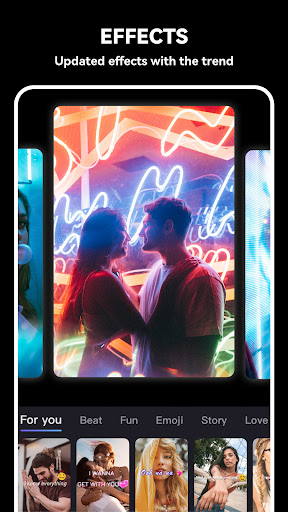
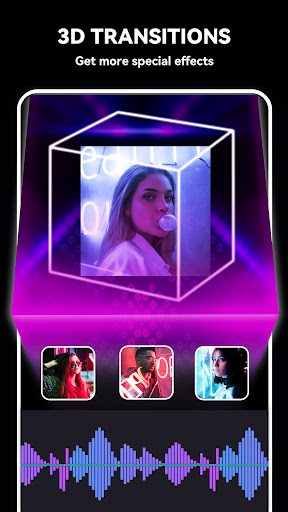
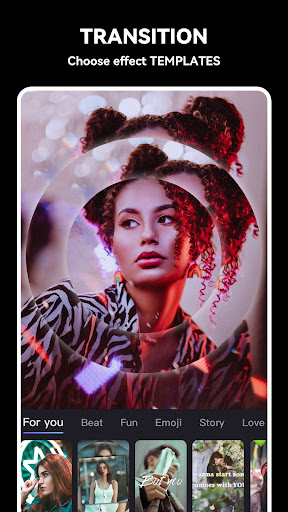
Top 10 FREE HD music video maker and photo slideshow maker on Google Play in 40+ countries worldwide! Find best trendy templates, popular music, stunning transitions and video effects in Beat.ly!
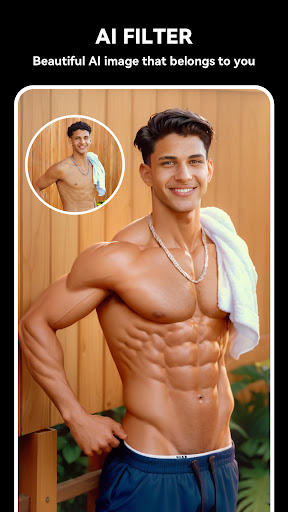
【New!】AI art templates are now available in Beat.ly!
Using the latest AI templates, you can convert your photos into various styles of digital ACG art with one click, and make the before and after comparison pictures into aesthetic music videos.
- Pre-set AI art templates make it easy to generate AI art without any trouble composing prompts.
- Turn your portrait photos into aesthetic digital arts in styles of cute, devil's, innocent, Christmas...
- See what your pet looks like to AI: little princess, angel, cute devil...
- Make your romantic anime art with a couple photo
Beat.ly - Customized music video editor designed for influencers & vloggers, top mini movie maker and HD pro music video maker, photo slideshow maker with music, helps you easily add music to video, edit video with music and pic for Facebook, Instagram, Whatsapp, Musical.ly, etc.
Features:
• Beat.ly offers amounts of templates with great effects + transitions, updated constantly.
• Each beat.ly transition follows the exact music rhythm and make your video stand out.
• Dozens of high-quality FREE music can perfectly meet users’ different requirements.
• Share your creative videos to Facebook, Instagram, and other SNS anytime and anywhere.
Music Video Maker & Effects
* Beat.ly provides an extremely high-quality editing process.
* Amounts of mv templates with great effects + transitions.
* The distinctive transition follows the exact music rhythm.
* Create slideshows with an UNLIMITED mix of Photos clips.
* Easy-to-use free movie maker and no crop app.
Merge Photo to Video
* Merge multi photos into one music video without losing quality.
* Free music video maker for YouTube, Instagram, Musical.ly, etc.
Add Music to Video
* Beat.ly is a photo to video maker with varieties of background music.
* Find the background music that fits your need when making a photo video.
* Add music to video, mix photos with music, edit videos with music and photos.
* Video editing app with music. Add music to video.
* Free music video maker with effects, video clip editing app
Photo Slideshow Maker
* Photo slideshow maker, merge photos to create slideshow with music.
* Mix photos with videos, add custom photo cover for video.
* Free music video make with effects, new trend video editing app.
Save Video to Album
* Beat.ly provides 720P HD export without losing quality.
* Save or export video to your phone at any time.
* Make music video from pics and song with this free and easy-to-use clip maker.
* Turn your photos & video clips into cool trend video with music and transitions!
* Free video editor with great effects, trendy music video maker & clip editing app.
Share Video Seamlessly
* Custom video export resolution, HD pro video editor (720P), professional movie maker.
* Free video editor with great effects + transitions, trendy music video maker & clip editing app.
* Share music videos to all social apps YouTube, Instagram, Facebook, Whatsapp, etc.
One more thing…
For more photo editing tips and beat.ly tutorials, follow us on social media!
Instagram: https://www.instagram.com/beat.ly_official/
TikTok: https://www.tiktok.com/@beatly_app
Beat.ly is a powerful HD music video maker & video editor, photo slideshow maker with music. As a free music video maker, it's great for turning your photos & video clips into cool trend video with music and transitions!
Any questions for Beat.ly (FREE music video maker with effects, photo slideshow maker with music)?
Please contact us at beat.sub@outlook.com.
Afficher plus

1. Téléchargez l'installateur MEmu et terminez l'installation

2. Démarrez MEmu puis ouvrez Google Play sur la page d'accueil

3. Recherchez Beat.ly: AI music video maker dans Google Play
Install
4. Téléchargez et installez Beat.ly: AI music video maker
5. Une fois l'installation terminée, cliquez sur l'icône pour démarrer

6. Utiliser MEmu pour utiliser Beat.ly: AI music video maker sur votre ordinateur
MEmu Play est actuellement le meilleur émulateur Android gratuit, avec 50 millions d'utilisateurs qui profitent d'une expérience Android exceptionnelle. La technologie de virtualisation de MEmu vous permet de jouer facilement à des milliers d'applications Android sur votre ordinateur, même les plus gourmandes en ressources.
L’écran plus grand avec de meilleurs graphismes; Une longue durée, sans limitation de batterie ou de données mobiles.
Soutien du Keymapping pour un contrôle précis du clavier et de la souris ou de la manette de jeu
Plusieurs comptes de jeu ou tâches sur un seul PC en même temps avec le gestionnaire de multi-instance.
Use Beat.ly: AI music video maker on PC by following steps: