
Beat.ly: AI music video maker
อัปเดตเมื่อ
เวอร์ชันปัจจุบัน
1
ให้บริการโดย

เมื่อใช้ Beat.ly: AI music video maker บนโทรศัพท์ของคุณไม่ต้องกังวลกับการชาร์จไฟมากเกินไปปลดปล่อยตัวคุณเองจากหน้าจอขนาดเล็กและสนุกกับการใช้แอพนี้บนหน้าจอขนาดใหญ่ จากนี้ไปรับประสบการณ์เต็มหน้าจอของแอปพลิเคชันของคุณด้วยคีย์บอร์ดและเมาส์ MEmu มีคุณสมบัติที่น่าแปลกใจที่คุณคาดหวัง: การติดตั้งที่รวดเร็วและการตั้งค่าที่ง่ายควบคุมได้ง่ายไม่ จำกัด แบตเตอรี่ข้อมูลมือถือและการโทรที่รบกวน MEmu 9 ใหม่ล่าสุดเป็นตัวเลือกที่ดีที่สุดสำหรับการใช้ Meitu – โปรแกรมแก้ไขภาพแนวธรรมชาติ บนคอมพิวเตอร์ของคุณ ด้วยรหัสการดูดซึมของเราผู้จัดการหลายอินสแตนซ์ทำให้สามารถเปิดบัญชี 2 บัญชีขึ้นไปในเวลาเดียวกันได้ และที่สำคัญที่สุดเอ็นจิ้นจำลองพิเศษของเราสามารถปลดปล่อยศักยภาพของPCของคุณและทำให้ทุกอย่างราบรื่นและสนุกสนาน
แสดงเพิ่มเติม
ดาวน์โหลด Beat.ly: AI music video maker บน PC ด้วย MEmu Android Emulator สนุกกับการเล่นบนหน้าจอขนาดใหญ่ Top 10 FREE HD music video maker and photo slideshow maker on Google Play in 40+ countries worldwide!
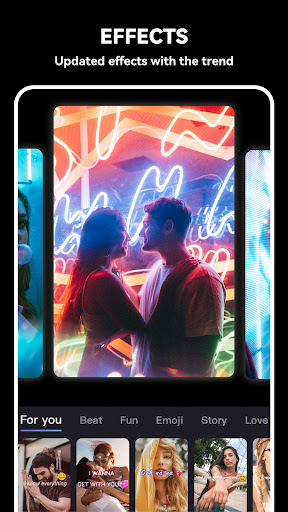
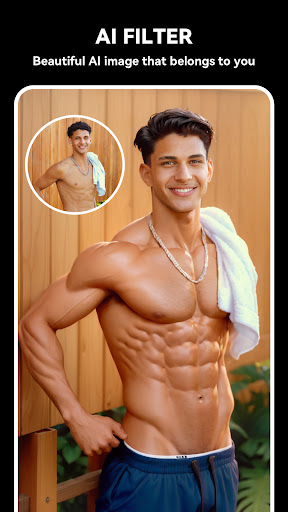
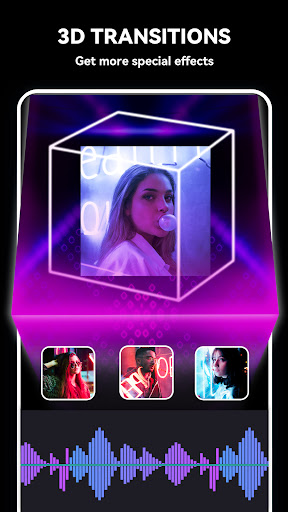
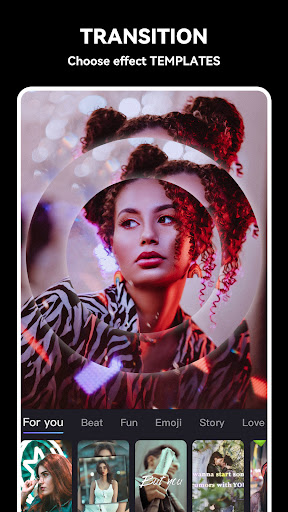
Top 10 FREE HD music video maker and photo slideshow maker on Google Play in 40+ countries worldwide! Find best trendy templates, popular music, stunning transitions and video effects in Beat.ly!
【New!】AI art templates are now available in Beat.ly!
Using the latest AI templates, you can convert your photos into various styles of digital ACG art with one click, and make the before and after comparison pictures into aesthetic music videos.
- Pre-set AI art templates make it easy to generate AI art without any trouble composing prompts.
- Turn your portrait photos into aesthetic digital arts in styles of cute, devil's, innocent, Christmas...
- See what your pet looks like to AI: little princess, angel, cute devil...
- Make your romantic anime art with a couple photo
Beat.ly - Customized music video editor designed for influencers & vloggers, top mini movie maker and HD pro music video maker, photo slideshow maker with music, helps you easily add music to video, edit video with music and pic for Facebook, Instagram, Whatsapp, Musical.ly, etc.
Features:
• Beat.ly offers amounts of templates with great effects + transitions, updated constantly.
• Each beat.ly transition follows the exact music rhythm and make your video stand out.
• Dozens of high-quality FREE music can perfectly meet users’ different requirements.
• Share your creative videos to Facebook, Instagram, and other SNS anytime and anywhere.
Music Video Maker & Effects
* Beat.ly provides an extremely high-quality editing process.
* Amounts of mv templates with great effects + transitions.
* The distinctive transition follows the exact music rhythm.
* Create slideshows with an UNLIMITED mix of Photos clips.
* Easy-to-use free movie maker and no crop app.
Merge Photo to Video
* Merge multi photos into one music video without losing quality.
* Free music video maker for YouTube, Instagram, Musical.ly, etc.
Add Music to Video
* Beat.ly is a photo to video maker with varieties of background music.
* Find the background music that fits your need when making a photo video.
* Add music to video, mix photos with music, edit videos with music and photos.
* Video editing app with music. Add music to video.
* Free music video maker with effects, video clip editing app
Photo Slideshow Maker
* Photo slideshow maker, merge photos to create slideshow with music.
* Mix photos with videos, add custom photo cover for video.
* Free music video make with effects, new trend video editing app.
Save Video to Album
* Beat.ly provides 720P HD export without losing quality.
* Save or export video to your phone at any time.
* Make music video from pics and song with this free and easy-to-use clip maker.
* Turn your photos & video clips into cool trend video with music and transitions!
* Free video editor with great effects, trendy music video maker & clip editing app.
Share Video Seamlessly
* Custom video export resolution, HD pro video editor (720P), professional movie maker.
* Free video editor with great effects + transitions, trendy music video maker & clip editing app.
* Share music videos to all social apps YouTube, Instagram, Facebook, Whatsapp, etc.
One more thing…
For more photo editing tips and beat.ly tutorials, follow us on social media!
Instagram: https://www.instagram.com/beat.ly_official/
TikTok: https://www.tiktok.com/@beatly_app
Beat.ly is a powerful HD music video maker & video editor, photo slideshow maker with music. As a free music video maker, it's great for turning your photos & video clips into cool trend video with music and transitions!
Any questions for Beat.ly (FREE music video maker with effects, photo slideshow maker with music)?
Please contact us at beat.sub@outlook.com.
แสดงเพิ่มเติม

1. ดาวน์โหลดตัวติดตั้ง MEmu และสิ้นสุดการติดตั้ง

2. เริ่ม MEmu จากนั้นเปิด Google Play บนหน้าแรก

3. ค้นหา Beat.ly: AI music video maker ใน Google Play
Install
4. ดาวน์โหลดและติดตั้ง Beat.ly: AI music video maker
5. เมื่อติดตั้งเสร็จให้คลิกที่ไอคอนเพื่อเริ่มใช้งาน

6. ใช้ MEmu เพื่อสัมผัสประสบการณ์ Beat.ly: AI music video maker บนคอมพิวเตอร์ของคุณ
MEmu Play คือโปรแกรมจำลอง Android ที่ดีที่สุด มีผู้ใช้มากกว่า 50 ล้านคน มอบประสบการณ์การใช้งานแอป Android ขั้นสุดยอดให้กับคุณ เทคโนโลยีจำลองเสมือนของ MEmu ช่วยให้คุณรันแอป Android หลายพันแอปบนคอมพิวเตอร์ได้อย่างราบรื่น แม้แอปที่กินทรัพยากรเครื่องสูงที่สุด
จอใหญ่และกราฟฟิกสวยกว่า; เล่นได้นาน, ไม่ต้องใช้แบตเตอรี่โทรศัพท์หรือเน็ตโทรศัพท์.
ระบบปรับแต่งปุ่มคีย์บอร์ดและเม้าส์ตามที่คุณเลือก
เล่นมากกว่าหนึ่งเกมบน PC ในเวลาเดียวกันด้วยระบบหลายจอหรือ Multi-Instance manager.
Use Beat.ly: AI music video maker on PC by following steps: