BFF Test: Quiz Your Friends
Mise à jour
Version actuelle
11.7
Proposée par

Ne vous inquiétez plus des surcharges lorsque vous utilisez BFF Test: Quiz Your Friends sur votre téléphone portable, libérez-vous de l'écran minuscule et profitez de l'application sur un écran beaucoup plus grand. Désormais, vous pouvez utiliser votre application en plein écran avec le clavier et la souris. MEmu vous offre toutes les fonctionnalités surprenantes que vous attendiez : installation rapide et configuration facile, commandes intuitives, plus de limitations de batterie, de données mobiles et d'appels dérangeants. Le tout nouveau MEmu 9 est le meilleur choix pour utiliser BFF Test: Quiz Your Friends sur votre ordinateur. Codé avec notre absorption, le gestionnaire multi-instance permet d'ouvrir 2 ou plusieurs comptes en même temps. Et le plus important, notre moteur d'émulation exclusif peut libérer tout le potentiel de votre PC, rendre tout cela fluide et agréable.
Afficher plus
Profitez d'une expérience BFF Test: Quiz Your Friends exceptionnelle sur PC grâce à MEmu Play. Cet émulateur Android gratuit et performant vous donne accès à des milliers d'applications Android pour votre ordinateur. Restez en contact avec vos amis et travaillez plus efficacement ! We all want to be surrounded by friends.
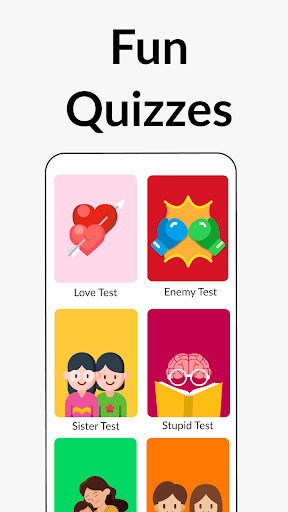
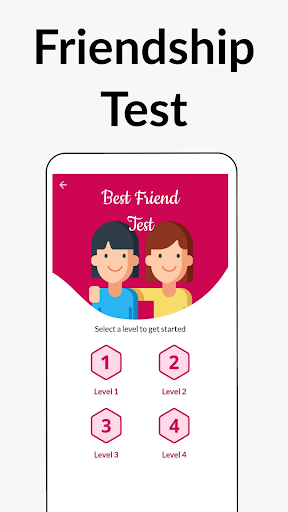
We all want to be surrounded by friends. True friendship is precious to us all. Have you ever wondered which of your friend is truly your BFF (Best Friend Forever)?
Now, you have an app to test the strength of your friendship with your friends and get your friendship score. This app can not only be used as a compatibility test, but will also keep you engaged and entertained along the way.
How does the BFF Friendship Test app work?
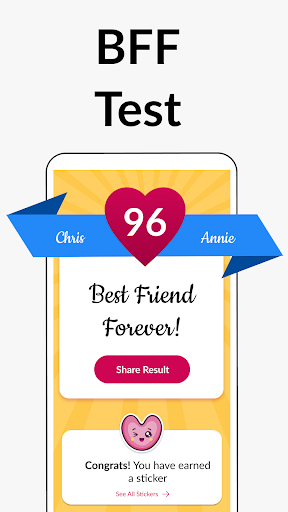
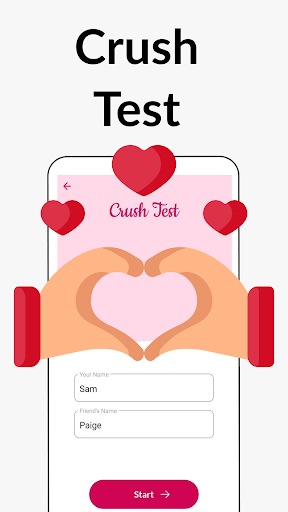
The process is simple. You just need to enter yours and your friend's name in the BFF Friendship to start the friendship compatibility test. You then answer 10 simple questions about your friendship in this playful quiz. At the end of this fun little quiz you can see the friendship score in the buddy meter.
What is special about the BFF quiz? What kind of questions can expect here?
The friendship quiz tries to cover all aspects of this special BFF bond. The questions revolve around how much you know about your friends, how much you trust them and how does their presence in your life make you feel. Each question is designed carefully to help you gauge the closeness of this friendship bond and how compatible you are with this person. The questions help you realise if you already are at BFF level with this friend or if your friendship bond needs a little more work.
How many times I can take the quiz?
You can take the quiz as many times as you like. You can take the BFF quiz for each and every friend of yours. The app offers 4 sets of unique questions. This allows you to take the friendship quiz again even for the same friend. We are constantly in the process of adding more content to the BFF Friendship app. Our aim is to ensure that you never get bored even if you take the quiz the tenth time.
Can I share the friendship score with my friend?
Absolutely! You can not only share the results of the BFF test with your closest friends but you even have to share the result with the world. The app offers various share options at the end of the quiz which include (but are not limited to) Whatsapp, Instagram, Facebook and more.
Share the result and testimony of your real friendship with your friends, colleagues, families and in turn ask them to share their result, and for this, all they have to do is answer the fun trivia quiz questions from the BFF test app.
The friendship meter quiz is free for all users to play. There is no charge for playing this quiz or for checking the score in the buddy meter after the end of the BFF Test quiz. What are you waiting for? Install the BFF Friendship Test App with fun friendship quizzes, check your friendship bond, compatibility and share with friends to celebrate the friendship with your buddies.
Please note the BFF Test app has been developed only for fun and entertainment purpose and has no intention to hurt the user or anyone's feelings.The application uses a numerical algorithm and should be used only for fun or entertainment and should not be treated otherwise.
We are constantly working hard on making the ""BFF Test"" app better and more fun for you and your true pals. We need your constant support to get going. Please feel free to send us an email for any queries/suggestions/problems or if you just want to say hi. We would love to hear from you. Enjoy your friends quiz app, you can play as many quizzes as you want!
Afficher plus

1. Téléchargez l'installateur MEmu et terminez l'installation

2. Démarrez MEmu puis ouvrez Google Play sur la page d'accueil

3. Recherchez BFF Test: Quiz Your Friends dans Google Play
Install
4. Téléchargez et installez BFF Test: Quiz Your Friends
5. Une fois l'installation terminée, cliquez sur l'icône pour démarrer

6. Utiliser MEmu pour utiliser BFF Test: Quiz Your Friends sur votre ordinateur
MEmu Play est actuellement le meilleur émulateur Android gratuit, avec 50 millions d'utilisateurs qui profitent d'une expérience Android exceptionnelle. La technologie de virtualisation de MEmu vous permet de jouer facilement à des milliers d'applications Android sur votre ordinateur, même les plus gourmandes en ressources.
L’écran plus grand avec de meilleurs graphismes; Une longue durée, sans limitation de batterie ou de données mobiles.
Soutien du Keymapping pour un contrôle précis du clavier et de la souris ou de la manette de jeu
Plusieurs comptes de jeu ou tâches sur un seul PC en même temps avec le gestionnaire de multi-instance.
Use BFF Test: Quiz Your Friends on PC by following steps: