
BFF Test: Quiz Your Friends
Updated
Current Version
11.7
Offered By

Stop worrying about high battery drain when using BFF Test: Quiz Your Friends on your phone. Free yourself from the tiny screen and enjoy the app on a much larger display. From now on, get a full-screen experience of your app with the convenience of a keyboard and mouse. MEmu offers you all the surprising features you’d expect: quick installation and easy setup, intuitive controls, and no more worries about battery life, mobile data, or unexpected calls. The all-new MEmu 9 is the choice for using BFF Test: Quiz Your Friends on your computer. With the MEmu multi-instance manager, you can run two or more accounts at the same time. Most importantly, our exclusive emulation engine unlocks your PC’s full potential, delivering smooth and enjoyable performance.
Show more
Enjoy superb experience of using BFF Test: Quiz Your Friends on PC with MEMU App Player. It's a powerful free Android emulator which provides you with thousands of android apps for their desktop version. Enjoy connecting with friends and polishing your work with higher efficiency! We all want to be surrounded by friends.
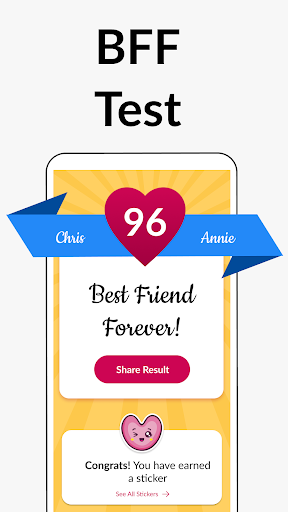
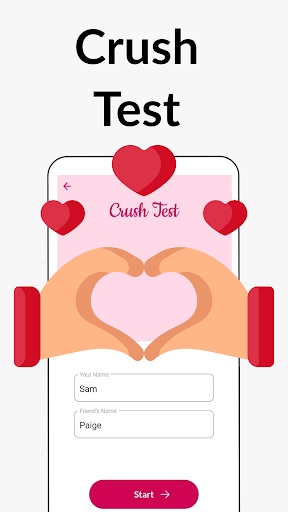
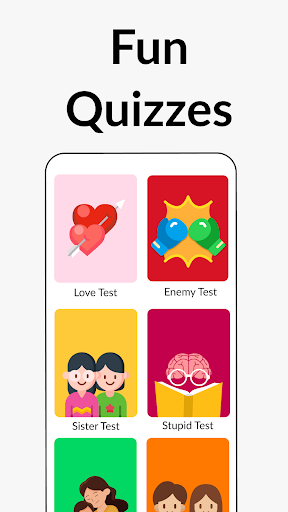
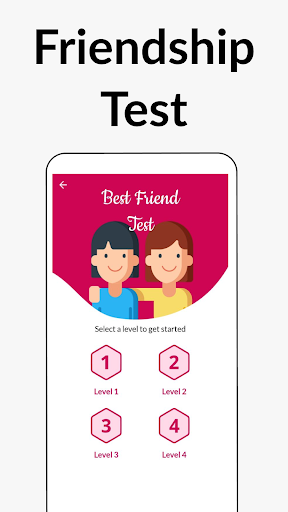
We all want to be surrounded by friends. True friendship is precious to us all. Have you ever wondered which of your friend is truly your BFF (Best Friend Forever)?
Now, you have an app to test the strength of your friendship with your friends and get your friendship score. This app can not only be used as a compatibility test, but will also keep you engaged and entertained along the way.
How does the BFF Friendship Test app work?
The process is simple. You just need to enter yours and your friend's name in the BFF Friendship to start the friendship compatibility test. You then answer 10 simple questions about your friendship in this playful quiz. At the end of this fun little quiz you can see the friendship score in the buddy meter.
What is special about the BFF quiz? What kind of questions can expect here?
The friendship quiz tries to cover all aspects of this special BFF bond. The questions revolve around how much you know about your friends, how much you trust them and how does their presence in your life make you feel. Each question is designed carefully to help you gauge the closeness of this friendship bond and how compatible you are with this person. The questions help you realise if you already are at BFF level with this friend or if your friendship bond needs a little more work.
How many times I can take the quiz?
You can take the quiz as many times as you like. You can take the BFF quiz for each and every friend of yours. The app offers 4 sets of unique questions. This allows you to take the friendship quiz again even for the same friend. We are constantly in the process of adding more content to the BFF Friendship app. Our aim is to ensure that you never get bored even if you take the quiz the tenth time.
Can I share the friendship score with my friend?
Absolutely! You can not only share the results of the BFF test with your closest friends but you even have to share the result with the world. The app offers various share options at the end of the quiz which include (but are not limited to) Whatsapp, Instagram, Facebook and more.
Share the result and testimony of your real friendship with your friends, colleagues, families and in turn ask them to share their result, and for this, all they have to do is answer the fun trivia quiz questions from the BFF test app.
The friendship meter quiz is free for all users to play. There is no charge for playing this quiz or for checking the score in the buddy meter after the end of the BFF Test quiz. What are you waiting for? Install the BFF Friendship Test App with fun friendship quizzes, check your friendship bond, compatibility and share with friends to celebrate the friendship with your buddies.
Please note the BFF Test app has been developed only for fun and entertainment purpose and has no intention to hurt the user or anyone's feelings.The application uses a numerical algorithm and should be used only for fun or entertainment and should not be treated otherwise.
We are constantly working hard on making the ""BFF Test"" app better and more fun for you and your true pals. We need your constant support to get going. Please feel free to send us an email for any queries/suggestions/problems or if you just want to say hi. We would love to hear from you. Enjoy your friends quiz app, you can play as many quizzes as you want!
Show more

1. Download MEmu installer and finish the setup

2. Start MEmu then open Google Play on the desktop

3. Search BFF Test: Quiz Your Friends in Google Play
Install
4. Download and Install BFF Test: Quiz Your Friends
5. On install completion click the icon to start

6. Enjoy using BFF Test: Quiz Your Friends on PC with MEmu
MEmu Play is the best Android emulator, and 100 million users already enjoy its superb Android app experience. Powered by advanced virtualization technology, it lets you enjoy thousands of Android apps smoothly on your PC—including the most graphics-intensive ones.
Bigger screen with better graphics; Long duration, without limitation of battery or mobile data.
Full Keymapping support for precise control of keyboard and mouse or gamepad.
Multiple game accounts or tasks on single PC at one time with Multi-Instance manager.
Use BFF Test: Quiz Your Friends on PC by following steps:

































