Clubhouse
Mise à jour
Version actuelle
1
Proposée par

Ne vous inquiétez plus des surcharges lorsque vous utilisez Clubhouse sur votre téléphone portable, libérez-vous de l'écran minuscule et profitez de l'application sur un écran beaucoup plus grand. Désormais, vous pouvez utiliser votre application en plein écran avec le clavier et la souris. MEmu vous offre toutes les fonctionnalités surprenantes que vous attendiez : installation rapide et configuration facile, commandes intuitives, plus de limitations de batterie, de données mobiles et d'appels dérangeants. Le tout nouveau MEmu 9 est le meilleur choix pour utiliser Clubhouse sur votre ordinateur. Codé avec notre absorption, le gestionnaire multi-instance permet d'ouvrir 2 ou plusieurs comptes en même temps. Et le plus important, notre moteur d'émulation exclusif peut libérer tout le potentiel de votre PC, rendre tout cela fluide et agréable.
Afficher plus
Téléchargez Clubhouse avec le simulateur d’Android MEmu sur votre PC. Profitez de jouer sur un grand écran. Clubhouse is a place to listen in on fascinating conversations, talk with the world’s most amazing people, and make new friends from all walks of life.
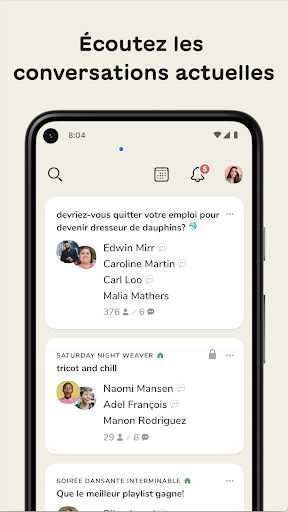
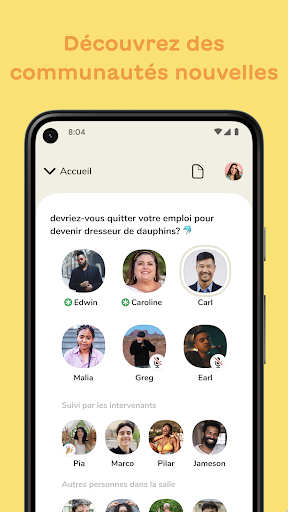
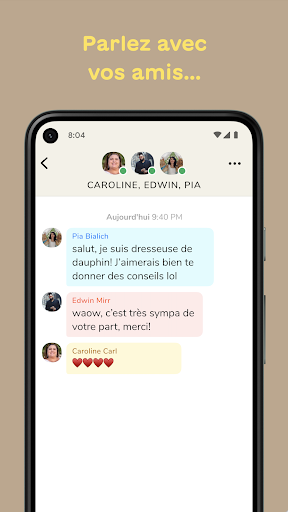
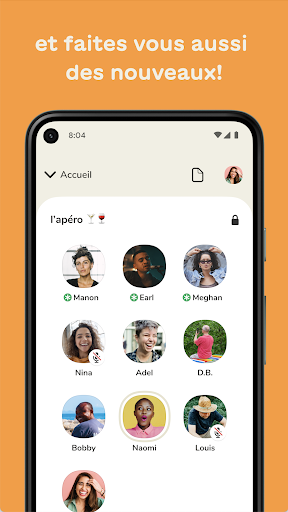
Clubhouse is a place to listen in on fascinating conversations, talk with the world’s most amazing people, and make new friends from all walks of life. It’s so much more than just social media or audio – everyone can be a creator, all you need is your voice!
* Explore conversations from the hallway. Discover millions of audio rooms, filled with fascinating and unexpected conversations. Search to find conversations on every topic — meditation, crypto, fashion, bluegrass, green energy, movies, breaking news, urban planning, social justice, or communities that somehow combine all of these things into one and then some. Can’t find the perfect topic? Start a room of your own to make new friends who love the same stuff as you!
* Listen in, or share your thoughts. Drop into rooms while you’re commuting, walking your dog, or running in the park. The magic of Clubhouse is witnessing the most unlikely collisions of people. Sit back and listen, or raise your hand if you’d like to talk!
* Talk with your friends. See what your friends are up to from the hallway and meet new people from around the world. Clubhouse is a place where you bump into old friends and make new ones, too!
* Host a room, create and express yourself using just the sound of your voice. Every day, people are telling jokes, reading the morning news, making music together, and sharing deep thoughts. Everyone is a creator with social audio, and the world is waiting to hear from you.
* Build your profile. Clubhouse is about creativity. Personalize your profile photo, change it for a given room topic, or create a perfect bio that brings your authentic self to the world. Curate the Replays and Clubs that exist on your profile.
* Create a club to build a community of your own. Decide on the rules and manage conversations. Open it to the community or create a social club for close friends. High-quality spatial audio makes it feel like you’re in the same room together, whether you’re jamming to music or chatting with a crowd.
* Share great moments. You can jump into live podcast-style conversations or listen later to Replays. At any time, you can create and share Clips of your favorite moments or share great Replays with your friends.
Clubhouse is a place where you can create unforgettable moments with other humans, and leave feeling better than when you arrived. Welcome to our little community, we’re so happy to have you!
Afficher plus

1. Téléchargez l'installateur MEmu et terminez l'installation

2. Démarrez MEmu puis ouvrez Google Play sur la page d'accueil

3. Recherchez Clubhouse dans Google Play
Install
4. Téléchargez et installez Clubhouse
5. Une fois l'installation terminée, cliquez sur l'icône pour démarrer

6. Utiliser MEmu pour utiliser Clubhouse sur votre ordinateur
MEmu Play est actuellement le meilleur émulateur Android gratuit, avec 50 millions d'utilisateurs qui profitent d'une expérience Android exceptionnelle. La technologie de virtualisation de MEmu vous permet de jouer facilement à des milliers d'applications Android sur votre ordinateur, même les plus gourmandes en ressources.
L’écran plus grand avec de meilleurs graphismes; Une longue durée, sans limitation de batterie ou de données mobiles.
Soutien du Keymapping pour un contrôle précis du clavier et de la souris ou de la manette de jeu
Plusieurs comptes de jeu ou tâches sur un seul PC en même temps avec le gestionnaire de multi-instance.
Use Clubhouse on PC by following steps: