
Clubhouse
Aktualisiert
Aktuelle Version
1
Angeboten von

Machen Sie sich keine Sorgen mehr über überhöhte Gebühren, wenn Sie Clubhouse auf Ihrem Mobiltelefon verwenden, befreien Sie sich von dem winzigen Bildschirm und genießen Sie die Nutzung der App auf einem viel größeren Display. Von nun an können Sie Ihre App mit Tastatur und Maus im Vollbildmodus nutzen. MEmu bietet Ihnen all die überraschenden Funktionen, die Sie erwartet haben: schnelle Installation und einfache Einrichtung, intuitive Steuerung, keine Einschränkungen mehr durch Batterie, mobile Daten und störende Anrufe. Der brandneue MEmu 9 ist die beste Wahl für die Nutzung von Clubhouse auf Ihrem Computer. Mit unserer Absorption kodiert, ermöglicht der Multi-Instanz-Manager die Eröffnung von 2 oder mehr Konten zur gleichen Zeit. Und das Wichtigste, unsere exklusive Emulations-Engine kann das volle Potenzial Ihres PCs freisetzen und alles reibungslos und angenehm gestalten.
Mehr anzeigen
Laden Sie Play Clubhouse auf dem PC mit MEmu Android Emulator. Viel Spaß beim Spielen auf großmundieren. Clubhouse is a place to listen in on fascinating conversations, talk with the world’s most amazing people, and make new friends from all walks of life.
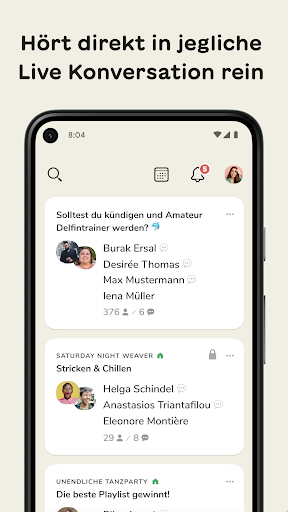
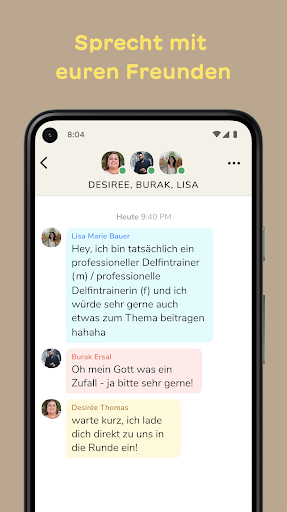
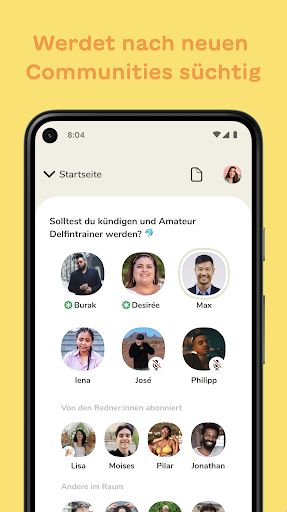
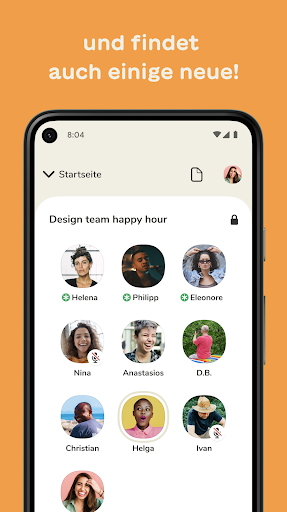
Clubhouse is a place to listen in on fascinating conversations, talk with the world’s most amazing people, and make new friends from all walks of life. It’s so much more than just social media or audio – everyone can be a creator, all you need is your voice!
* Explore conversations from the hallway. Discover millions of audio rooms, filled with fascinating and unexpected conversations. Search to find conversations on every topic — meditation, crypto, fashion, bluegrass, green energy, movies, breaking news, urban planning, social justice, or communities that somehow combine all of these things into one and then some. Can’t find the perfect topic? Start a room of your own to make new friends who love the same stuff as you!
* Listen in, or share your thoughts. Drop into rooms while you’re commuting, walking your dog, or running in the park. The magic of Clubhouse is witnessing the most unlikely collisions of people. Sit back and listen, or raise your hand if you’d like to talk!
* Talk with your friends. See what your friends are up to from the hallway and meet new people from around the world. Clubhouse is a place where you bump into old friends and make new ones, too!
* Host a room, create and express yourself using just the sound of your voice. Every day, people are telling jokes, reading the morning news, making music together, and sharing deep thoughts. Everyone is a creator with social audio, and the world is waiting to hear from you.
* Build your profile. Clubhouse is about creativity. Personalize your profile photo, change it for a given room topic, or create a perfect bio that brings your authentic self to the world. Curate the Replays and Clubs that exist on your profile.
* Create a club to build a community of your own. Decide on the rules and manage conversations. Open it to the community or create a social club for close friends. High-quality spatial audio makes it feel like you’re in the same room together, whether you’re jamming to music or chatting with a crowd.
* Share great moments. You can jump into live podcast-style conversations or listen later to Replays. At any time, you can create and share Clips of your favorite moments or share great Replays with your friends.
Clubhouse is a place where you can create unforgettable moments with other humans, and leave feeling better than when you arrived. Welcome to our little community, we’re so happy to have you!
Mehr anzeigen

1. Laden das MEmu-Installationsprogramm herunter und beenden die Installation

2. MEmu starten und Google Play auf der Homepage öffnen

3. Suchen Clubhouse in Google Play
Install
4. Herunterladen und Installieren Clubhouse
5. Klicken nach Abschluss der Installation auf das Symbol, um es zu starten

6. Verwenden Sie MEmu, um Clubhouse auf Ihrem PC zu nutzen
MEmu Play ist aktuell der beste kostenlose Android-Emulator und bietet 50 Millionen Nutzern ein überragendes Android-App-Erlebnis. Dank der Virtualisierungstechnologie von MEmu können Sie Tausende von Android-Apps problemlos auf Ihrem Computer nutzen, selbst solche mit hohen Grafikanforderungen.
BGrößeres Bild mit besserer Grafik; Keine unterbrechungen, keine sorgen um Akku
Komplette Tastenbelegung unterstützt mit Maus und Tastatur oder Controller
Mit dem „Multi-Instance-Manager“ können Sie mehrere Spielkonten oder Spiele gleichzeitig auf einem PC ausführen.
Use Clubhouse on PC by following steps: