Gencraft - AI Art Generator
Mise à jour
Version actuelle
1.2.2
Proposée par

Ne vous inquiétez plus des surcharges lorsque vous utilisez Gencraft - AI Art Generator sur votre téléphone portable, libérez-vous de l'écran minuscule et profitez de l'application sur un écran beaucoup plus grand. Désormais, vous pouvez utiliser votre application en plein écran avec le clavier et la souris. MEmu vous offre toutes les fonctionnalités surprenantes que vous attendiez : installation rapide et configuration facile, commandes intuitives, plus de limitations de batterie, de données mobiles et d'appels dérangeants. Le tout nouveau MEmu 9 est le meilleur choix pour utiliser Gencraft - AI Art Generator sur votre ordinateur. Codé avec notre absorption, le gestionnaire multi-instance permet d'ouvrir 2 ou plusieurs comptes en même temps. Et le plus important, notre moteur d'émulation exclusif peut libérer tout le potentiel de votre PC, rendre tout cela fluide et agréable.
Afficher plus
Téléchargez Gencraft - AI Art Generator avec le simulateur d’Android MEmu sur votre PC. Profitez de jouer sur un grand écran. Transform your words and images into breathtaking AI Art with Gencraft!
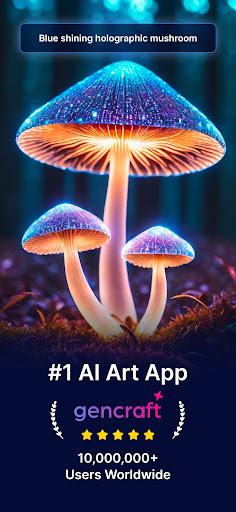
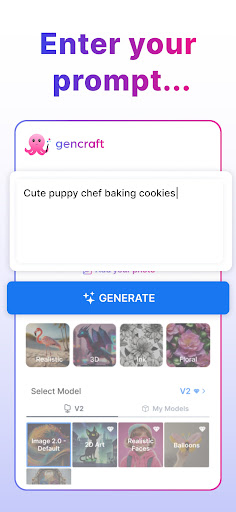
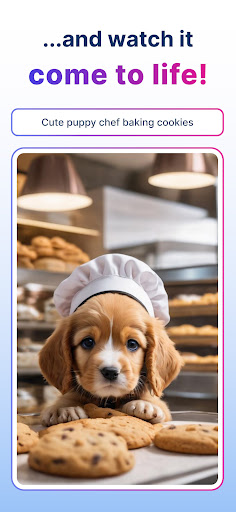
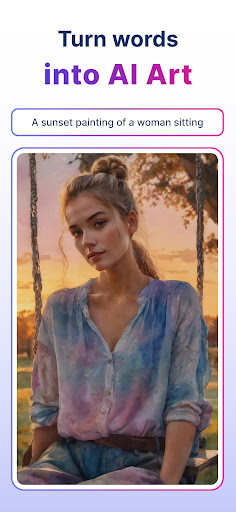
Transform your words and images into breathtaking AI Art with Gencraft! Our cutting-edge AI Art Generator allows you to create unique images for free. Simply provide a prompt, choose from a variety of beautiful AI models, and watch as Gencraft generates high-resolution images or videos in seconds. What will you create?
✨Key Features
► Turn Words into Realistic Images
Imagine a scene from your dreams or a fantastical landscape. Create characters or scenes that would take hours without Gencraft. We've got so many AI models for you to choose from - just type your prompt, and let our AI Art Generator work its magic!
► Powerful Image-to-Image Transformation
Start with an existing image and let Gencraft transform it into something entirely new. Create image variations, maintain consistent characters, and explore new artistic styles. Whether you're enhancing a photo or completely reimagining it, Gencraft provides the tools you need to bring your vision to life.
► Vibrant Community
Join our vibrant community of creators and see what others are generating. Share your art, get inspired, and collaborate with fellow artists. Gencraft's community feature allows you to connect with like-minded individuals and showcase your unique creations.
► Remix and Level Up Your Art
Take your artwork to the next level by remixing the creations of other artists. Gencraft lets you build on existing art, adding your own flair and creativity to produce something truly unique. Explore new styles, experiment with different elements, and watch your artistic skills grow.
► Become an Influencer
Develop a following and achieve influencer status with Gencraft. Share your creations on social media, engage with your audience, and build a loyal fan base. Gencraft makes it easy to turn your passion for art into a thriving online presence.
► High-Resolution Image Generation
Create stunning, high-resolution images that you can download and share. Gencraft's advanced AI technology ensures that your creations are of the highest quality, perfect for printing, sharing, or using in your projects.
► Explore Multiple AI Art Styles
From realistic portraits to abstract art, Gencraft offers a wide range of styles to choose from. Whether you're a fan of anime, oil paintings, or futuristic designs, there's something for everyone. Experiment with different styles and discover the one that suits your artistic vision.
► Share Your Creations
Easily share your AI-generated art directly to social media platforms. Show off your creativity and inspire others with your unique designs. Gencraft makes sharing your art simple and seamless.
Creating AI-generated art has never been easier. Gencraft's powerful AI technology is designed to turn your ideas into stunning visuals. Join thousands of creators and start your artistic journey with Gencraft today!
For any feedback or questions, reach out to us at support@gencraft.com.
FAQ: https://gencraft.com/faq
Privacy Policy: https://gencraft.com/privacy
Terms of Service: https://gencraft.com/terms
Afficher plus

1. Téléchargez l'installateur MEmu et terminez l'installation

2. Démarrez MEmu puis ouvrez Google Play sur la page d'accueil

3. Recherchez Gencraft - AI Art Generator dans Google Play
Install
4. Téléchargez et installez Gencraft - AI Art Generator
5. Une fois l'installation terminée, cliquez sur l'icône pour démarrer

6. Utiliser MEmu pour utiliser Gencraft - AI Art Generator sur votre ordinateur
MEmu Play est actuellement le meilleur émulateur Android gratuit, avec 50 millions d'utilisateurs qui profitent d'une expérience Android exceptionnelle. La technologie de virtualisation de MEmu vous permet de jouer facilement à des milliers d'applications Android sur votre ordinateur, même les plus gourmandes en ressources.
L’écran plus grand avec de meilleurs graphismes; Une longue durée, sans limitation de batterie ou de données mobiles.
Soutien du Keymapping pour un contrôle précis du clavier et de la souris ou de la manette de jeu
Plusieurs comptes de jeu ou tâches sur un seul PC en même temps avec le gestionnaire de multi-instance.
Use Gencraft - AI Art Generator on PC by following steps: