Live TV: Live Sports Streaming
Mise à jour
Version actuelle
1.0.3
Proposée par

Ne vous inquiétez plus des surcharges lorsque vous utilisez Live TV: Live Sports Streaming sur votre téléphone portable, libérez-vous de l'écran minuscule et profitez de l'application sur un écran beaucoup plus grand. Désormais, vous pouvez utiliser votre application en plein écran avec le clavier et la souris. MEmu vous offre toutes les fonctionnalités surprenantes que vous attendiez : installation rapide et configuration facile, commandes intuitives, plus de limitations de batterie, de données mobiles et d'appels dérangeants. Le tout nouveau MEmu 9 est le meilleur choix pour utiliser Live TV: Live Sports Streaming sur votre ordinateur. Codé avec notre absorption, le gestionnaire multi-instance permet d'ouvrir 2 ou plusieurs comptes en même temps. Et le plus important, notre moteur d'émulation exclusif peut libérer tout le potentiel de votre PC, rendre tout cela fluide et agréable.
Afficher plus
Profitez d'une expérience Live TV: Live Sports Streaming exceptionnelle sur PC grâce à MEmu Play. Cet émulateur Android gratuit et performant vous donne accès à des milliers d'applications Android pour votre ordinateur. Restez en contact avec vos amis et travaillez plus efficacement ! Live TV: Live Sports Streaming is an all-in-one live TV streaming app that lets you watch TV channels, movies, and TV shows anytime.
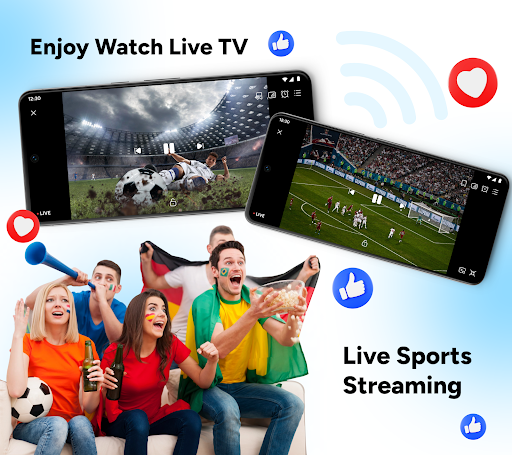
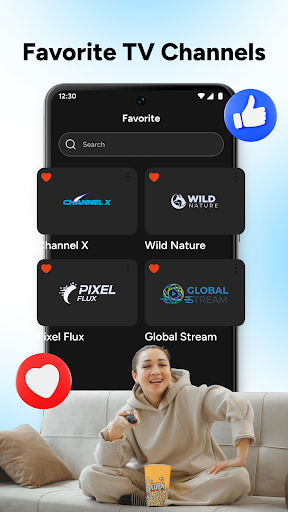
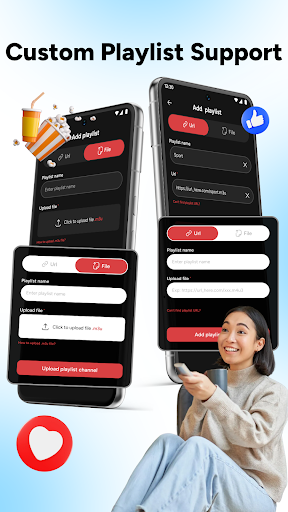
Live TV: Live Sports Streaming is an all-in-one live TV streaming app that lets you watch TV channels, movies, and TV shows anytime. From daily entertainment to exciting live sports streaming, this app brings your favorite content together in one simple TV live experience.
Enjoy smooth playback, organized categories, and full control over how you watch TV and movies on your device.
Key Features of this Live Movies and TV Shows App:
Smart Live TV Categories
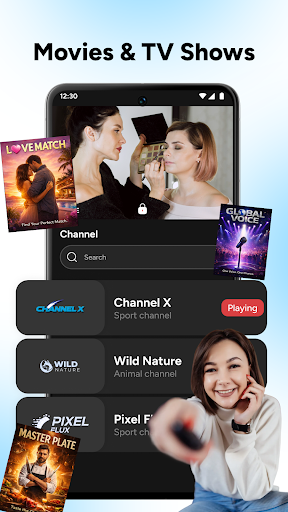
Browse live TV channels easily with clear categories like sports, drama, reality, cooking, travel, and more. This layout helps you quickly find what you want to watch TV without wasting time searching.
Live Sports Streaming Experience
Watch live sports TV with stable playback and fast channel access. Follow football and other sports events live, making it easy to watch sports wherever you are.
Movies And TV Shows Hub
Enjoy a wide collection of movies and TV shows in one movies app. Switch smoothly between TV and movies without changing platforms.
Playlist And Channel Manager
Add your own playlists via URL or file and organize channels your way. Rename, delete, or manage channels easily using the built-in live player.
⭐ Favorites And Viewing History
Save your favorite TV channels for quick access and revisit recently watched content anytime. Your TV live streaming history helps you continue watching without interruption.
Fast Search And Simple Player
Use quick search to find channels instantly and enjoy a clean live TV streaming player. The interface is designed for comfortable viewing and easy control.
Live TV: Live Sports Streaming is the perfect choice if you want to watch live TV, enjoy movies and TV, and follow live sports streaming in one powerful app. Everything is designed to give you a simple, flexible, and enjoyable viewing experience.
Download Live TV: Live Sports Streaming today, explore unlimited TV channels, and don’t forget to rate and review the app to help us improve your TV live experience even more!
Afficher plus

1. Téléchargez l'installateur MEmu et terminez l'installation

2. Démarrez MEmu puis ouvrez Google Play sur la page d'accueil

3. Recherchez Live TV: Live Sports Streaming dans Google Play
Install
4. Téléchargez et installez Live TV: Live Sports Streaming
5. Une fois l'installation terminée, cliquez sur l'icône pour démarrer

6. Utiliser MEmu pour utiliser Live TV: Live Sports Streaming sur votre ordinateur
MEmu Play est actuellement le meilleur émulateur Android gratuit, avec 50 millions d'utilisateurs qui profitent d'une expérience Android exceptionnelle. La technologie de virtualisation de MEmu vous permet de jouer facilement à des milliers d'applications Android sur votre ordinateur, même les plus gourmandes en ressources.
L’écran plus grand avec de meilleurs graphismes; Une longue durée, sans limitation de batterie ou de données mobiles.
Soutien du Keymapping pour un contrôle précis du clavier et de la souris ou de la manette de jeu
Plusieurs comptes de jeu ou tâches sur un seul PC en même temps avec le gestionnaire de multi-instance.
Use Live TV: Live Sports Streaming on PC by following steps: