Navigraph Charts
Mise à jour
Version actuelle
8.37.1
Proposée par

Ne vous inquiétez plus des surcharges lorsque vous utilisez Navigraph Charts sur votre téléphone portable, libérez-vous de l'écran minuscule et profitez de l'application sur un écran beaucoup plus grand. Désormais, vous pouvez utiliser votre application en plein écran avec le clavier et la souris. MEmu vous offre toutes les fonctionnalités surprenantes que vous attendiez : installation rapide et configuration facile, commandes intuitives, plus de limitations de batterie, de données mobiles et d'appels dérangeants. Le tout nouveau MEmu 9 est le meilleur choix pour utiliser Navigraph Charts sur votre ordinateur. Codé avec notre absorption, le gestionnaire multi-instance permet d'ouvrir 2 ou plusieurs comptes en même temps. Et le plus important, notre moteur d'émulation exclusif peut libérer tout le potentiel de votre PC, rendre tout cela fluide et agréable.
Afficher plus
Téléchargez Navigraph Charts avec le simulateur d’Android MEmu sur votre PC. Profitez de jouer sur un grand écran. Looking for the most comprehensive software solution for flight simulation?
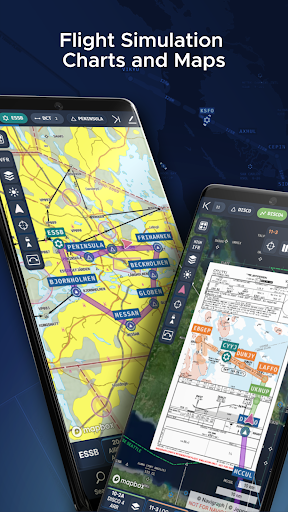
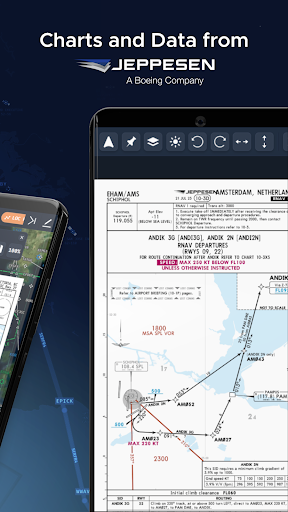
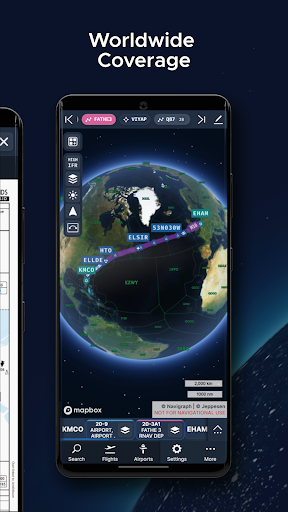
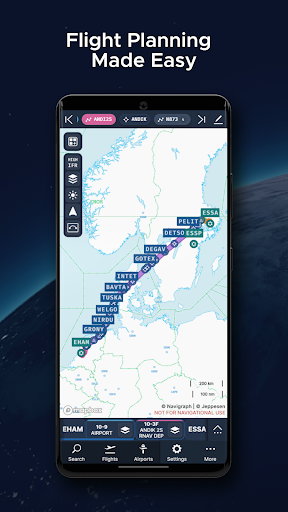
Looking for the most comprehensive software solution for flight simulation? Navigraph Charts is your co-pilot.
Navigraph Charts 8 has been developed with emphasis on delivering a seamless and intuitive experience, reducing the pilot workload in all phases of the simulated flight.
Why you'll always want Navigraph Charts with you in the cockpit:
- Only provider of Jeppesen charts and navigation data for flight simulation.
- Access to IFR chart coverage at over 7,000 airport worldwide.
- Charts and data sourced from Jeppesen and updated every 28 days according to the AIRAC calendar.
- Largest dataset of its kind in the world.
- Most up-to-date and modern navigation software for flight simulation.
- Simulator sceneries, flight plans, charts, navigation systems, and addon software are all in sync with data from the same source.
- Great support.
New features in Navigraph Charts 8:
- Worldwide VFR Charts powered by Jeppesen VFR data
- Seamless Zoom
- 3D Globe Projection
- Autopinning of Procedure Charts
- Runway Crosswind and Airport Weather Information
- Vector Charts
Navigraph Unlimited features:
- Moving Maps
- Zoom all the way down to gate level.
- 3D globe projection helps visualize Great Circle distances and polar routes.
- Saves time and effort by automatically organizing relevant airport charts to pinboard.
- Weather information including runway crosswinds updated in real-time.
- No commitment - cancel any time you like.
Moving Maps compatible with Microsoft Flight Simulator, X-Plane and Prepar3d.
For the best user experience, we recommend using a tablet. Support for smaller displays is under development. Navigraph Charts is also available as a stand alone software on desktop computers, and can also be accessed on any web browser via https://charts.navigraph.com.
For complete terms of service, please visit https://navigraph.com/legal/terms-of-service
For privacy policy, please visit https://navigraph.com/legal/privacy-policy
Afficher plus

1. Téléchargez l'installateur MEmu et terminez l'installation

2. Démarrez MEmu puis ouvrez Google Play sur la page d'accueil

3. Recherchez Navigraph Charts dans Google Play
Install
4. Téléchargez et installez Navigraph Charts
5. Une fois l'installation terminée, cliquez sur l'icône pour démarrer

6. Utiliser MEmu pour utiliser Navigraph Charts sur votre ordinateur
MEmu Play est actuellement le meilleur émulateur Android gratuit, avec 50 millions d'utilisateurs qui profitent d'une expérience Android exceptionnelle. La technologie de virtualisation de MEmu vous permet de jouer facilement à des milliers d'applications Android sur votre ordinateur, même les plus gourmandes en ressources.
L’écran plus grand avec de meilleurs graphismes; Une longue durée, sans limitation de batterie ou de données mobiles.
Soutien du Keymapping pour un contrôle précis du clavier et de la souris ou de la manette de jeu
Plusieurs comptes de jeu ou tâches sur un seul PC en même temps avec le gestionnaire de multi-instance.
Use Navigraph Charts on PC by following steps: