
Thermomix Cookidoo App
Mise à jour
Version actuelle
1.7.9
Proposée par

Ne vous inquiétez plus des surcharges lorsque vous utilisez Thermomix Cookidoo App sur votre téléphone portable, libérez-vous de l'écran minuscule et profitez de l'application sur un écran beaucoup plus grand. Désormais, vous pouvez utiliser votre application en plein écran avec le clavier et la souris. MEmu vous offre toutes les fonctionnalités surprenantes que vous attendiez : installation rapide et configuration facile, commandes intuitives, plus de limitations de batterie, de données mobiles et d'appels dérangeants. Le tout nouveau MEmu 9 est le meilleur choix pour utiliser Thermomix Cookidoo App sur votre ordinateur. Codé avec notre absorption, le gestionnaire multi-instance permet d'ouvrir 2 ou plusieurs comptes en même temps. Et le plus important, notre moteur d'émulation exclusif peut libérer tout le potentiel de votre PC, rendre tout cela fluide et agréable.
Afficher plus
Téléchargez Thermomix Cookidoo App avec le simulateur d’Android MEmu sur votre PC. Profitez de jouer sur un grand écran. The Official Thermomix® Cookidoo® App gives you access to the growing universe of mouth-watering Thermomix® Guided Cooking recipes.
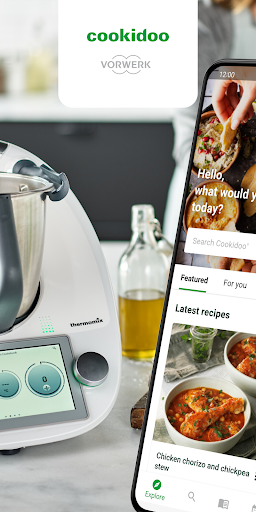
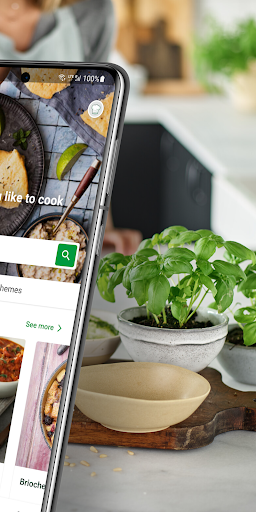
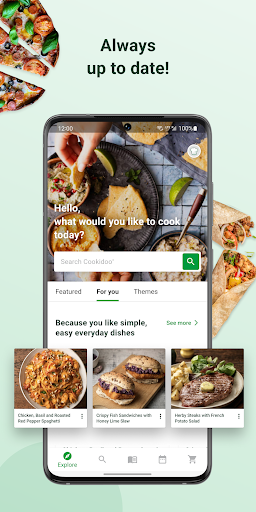
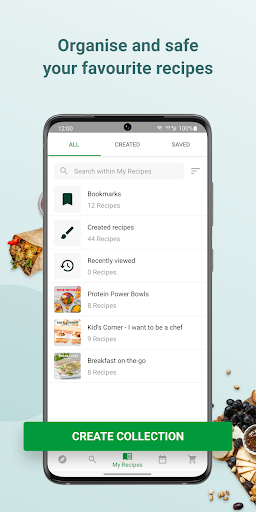
The Official Thermomix® Cookidoo® App gives you access to the growing universe of mouth-watering Thermomix® Guided Cooking recipes. You pick and choose which recipes go with you wherever you are. Create an account and get cooking!
SMART @ HEART
Connect to Cookidoo® and access over 70,000 worldwide recipes directly from your app and through the screen of the Thermomix® TM6. Also be sure to check out the new exclusive step-by-step photos and videos, making cooking easier than ever.
YOUR THERMOMIX® COOKIDOO® ACCOUNT
To use the app, you need to have your Thermomix® Cookidoo® username and password. Your local Thermomix® Cookidoo® website will tell you how to create your account for the app.
GET INSPIRED
Wondering what you are cooking today? Discover hundreds of ideas for every taste, season and occasion! With Cookidoo® Membership you get instant access to every recipe on Cookidoo®. Everything’s on the menu! Our weekly suggestions, thematic pages and editor picks will point you in the right direction.
CREATED RECIPES
Discover our newest Cookidoo® feature! You can create, import and modify your favourite recipes, save them all in one place and cook them with your Thermomix®. Your Thermomix®, your way.
PLAN AND COOK
Planning is easy and fun, add recipes to your planner and find the recipes ready for cooking when you need them. The Cook Today button on each recipe lets you schedule a recipe with a single click.
MAKE IT YOUR OWN
Create your own recipe lists to manage your recipes the way you want. Bookmark any recipe you find appealing so you can find it later. You can also view recipes you scheduled in the past.
COOK-KEY® BRINGS GUIDED COOKING TO YOUR FINGER TIPS
Cook-Key® connects your Thermomix® TM5 to Cookidoo®. Enjoy sending your recipe favourites, weekly planning and recipe collections from the Android App to your Thermomix®.
Afficher plus

1. Téléchargez l'installateur MEmu et terminez l'installation

2. Démarrez MEmu puis ouvrez Google Play sur la page d'accueil

3. Recherchez Thermomix Cookidoo App dans Google Play
Install
4. Téléchargez et installez Thermomix Cookidoo App
5. Une fois l'installation terminée, cliquez sur l'icône pour démarrer

6. Utiliser MEmu pour utiliser Thermomix Cookidoo App sur votre ordinateur
MEmu Play est actuellement le meilleur émulateur Android gratuit, avec 50 millions d'utilisateurs qui profitent d'une expérience Android exceptionnelle. La technologie de virtualisation de MEmu vous permet de jouer facilement à des milliers d'applications Android sur votre ordinateur, même les plus gourmandes en ressources.
L’écran plus grand avec de meilleurs graphismes; Une longue durée, sans limitation de batterie ou de données mobiles.
Soutien du Keymapping pour un contrôle précis du clavier et de la souris ou de la manette de jeu
Plusieurs comptes de jeu ou tâches sur un seul PC en même temps avec le gestionnaire de multi-instance.
Use Thermomix Cookidoo App on PC by following steps: