Ultra HD Downloader & Player
Mise à jour
Version actuelle
1.1.0
Proposée par

Ne vous inquiétez plus des surcharges lorsque vous utilisez Ultra HD Downloader & Player sur votre téléphone portable, libérez-vous de l'écran minuscule et profitez de l'application sur un écran beaucoup plus grand. Désormais, vous pouvez utiliser votre application en plein écran avec le clavier et la souris. MEmu vous offre toutes les fonctionnalités surprenantes que vous attendiez : installation rapide et configuration facile, commandes intuitives, plus de limitations de batterie, de données mobiles et d'appels dérangeants. Le tout nouveau MEmu 9 est le meilleur choix pour utiliser Ultra HD Downloader & Player sur votre ordinateur. Codé avec notre absorption, le gestionnaire multi-instance permet d'ouvrir 2 ou plusieurs comptes en même temps. Et le plus important, notre moteur d'émulation exclusif peut libérer tout le potentiel de votre PC, rendre tout cela fluide et agréable.
Afficher plus
Profitez d'une expérience Ultra HD Downloader & Player exceptionnelle sur PC grâce à MEmu Play. Cet émulateur Android gratuit et performant vous donne accès à des milliers d'applications Android pour votre ordinateur. Restez en contact avec vos amis et travaillez plus efficacement ! Ultra HD Downloader & Player – The Ultimate HD Video Downloader & PlayerLooking for a powerful, all-in-one tool to save and play your favorite media?
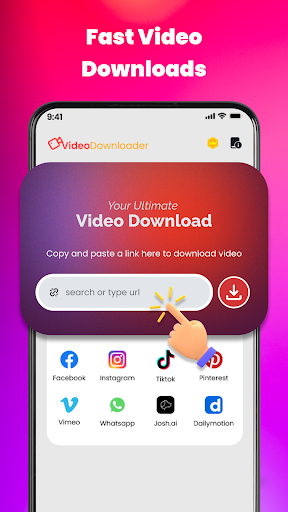
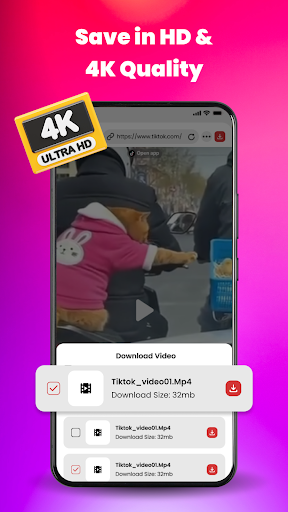
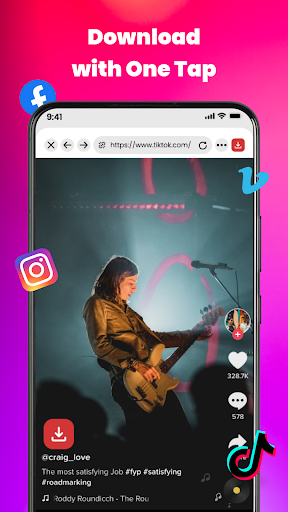
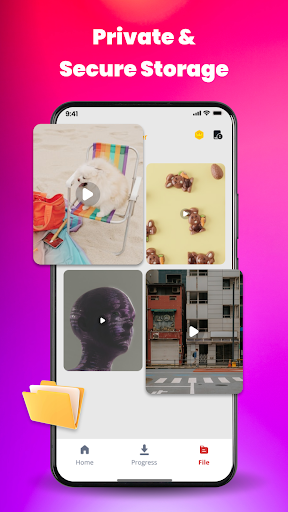
Ultra HD Downloader & Player – The Ultimate HD Video Downloader & PlayerLooking for a powerful, all-in-one tool to save and play your favorite media?
Meet our Video Downloader, the most efficient solution to download videos, save music, and enjoy offline entertainment in high quality!
Key Features:
- High-Speed Downloader: Download HD, 4K, and UHD videos at lightning speed.
- All Format Support: Play and download in all major formats: MP4, MKV, M4V, MOV, AVI, WMV, and more.
- Auto-Detect Videos: Built-in Private Browser automatically detects video links from any website for one-tap downloading.
- Social Media Saver: Easily save stories, reels, and trending videos from all popular social platforms.
- Powerful Video Player: Smooth playback with background play, pop-up window, and smart gesture controls.
- Private Folder: Keep your personal videos safe in a password-protected folder.
- Batch Downloading: Download multiple files simultaneously in the background without interruption.
How to Use:
- Use the built-in browser to visit your favorite sites.
- Let the app auto-detect the video link or paste the URL manually.
- Select your preferred resolution (HD, 4K) and click Download.
- Enjoy your video offline with the integrated HD Player!
Why choose us?
- Our app is not just a video downloader; it’s a comprehensive file manager and music downloader designed for the best user experience.
- Whether you need an MP4 downloader for movies or a story saver for social media, we’ve got you covered.
Afficher plus

1. Téléchargez l'installateur MEmu et terminez l'installation

2. Démarrez MEmu puis ouvrez Google Play sur la page d'accueil

3. Recherchez Ultra HD Downloader & Player dans Google Play
Install
4. Téléchargez et installez Ultra HD Downloader & Player
5. Une fois l'installation terminée, cliquez sur l'icône pour démarrer

6. Utiliser MEmu pour utiliser Ultra HD Downloader & Player sur votre ordinateur
MEmu Play est actuellement le meilleur émulateur Android gratuit, avec 50 millions d'utilisateurs qui profitent d'une expérience Android exceptionnelle. La technologie de virtualisation de MEmu vous permet de jouer facilement à des milliers d'applications Android sur votre ordinateur, même les plus gourmandes en ressources.
L’écran plus grand avec de meilleurs graphismes; Une longue durée, sans limitation de batterie ou de données mobiles.
Soutien du Keymapping pour un contrôle précis du clavier et de la souris ou de la manette de jeu
Plusieurs comptes de jeu ou tâches sur un seul PC en même temps avec le gestionnaire de multi-instance.
Use Ultra HD Downloader & Player on PC by following steps: