Ultra HD Downloader & Player
अपडेट किया गया
वर्तमान वर्शन
1.1.0
संसाधन

Ultra HD Downloader & Player पर अपनी मोबाइल डेटा सीमा पार करने को अलविदा कहें और छोटी स्क्रीन की सीमाओं से मुक्त होकर बड़े डिस्प्ले के लाभों का अनुभव करें। अब, आप अपने कीबोर्ड और माउस का उपयोग करके फुल-स्क्रीन मोड में टॉपर्स क्लैन की शक्ति का अनुभव कर सकते हैं। MEmu Play में वे सभी बेहतरीन सुविधाएँ हैं जिनकी आप अपेक्षा करते हैं: त्वरित इंस्टॉलेशन और आसान सेटअप, सहज नियंत्रण, बैटरी की आवश्यकता नहीं, और कोई डेटा या कॉल समय सीमा नहीं। नया MEmu 9 आपके कंप्यूटर पर Ultra HD Downloader & Player का उपयोग करने के लिए सबसे अच्छा विकल्प है। हमारा मालिकाना मल्टी-इंस्टेंस मैनेजर एक साथ दो या अधिक खातों को चलाने का समर्थन करता है। इससे भी महत्वपूर्ण बात यह है कि हमारा अनूठा इम्यूलेशन इंजन आपके कंप्यूटर के प्रदर्शन का पूरा उपयोग करता है, जिससे एक सहज और निर्बाध अनुभव मिलता है।
और दिखाएं
MEmu Play के साथ PC पर Ultra HD Downloader & Player इस्तेमाल करने के शानदार अनुभव का आनंद लें। यह एक शक्तिशाली मुफ़्त Android एमुलेटर है जो आपको डेस्कटॉप वर्ज़न के लिए हज़ारों Android ऐप्स उपलब्ध कराता है। दोस्तों से जुड़ने और अपने काम को और भी बेहतर बनाने का आनंद लें! Ultra HD Downloader & Player – The Ultimate HD Video Downloader & PlayerLooking for a powerful, all-in-one tool to save and play your favorite media?
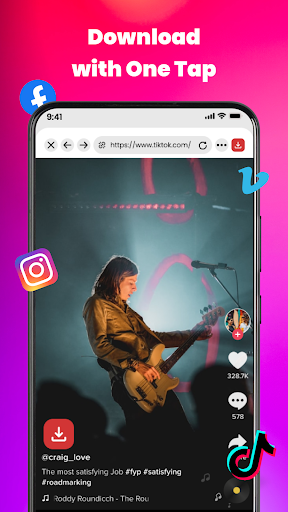
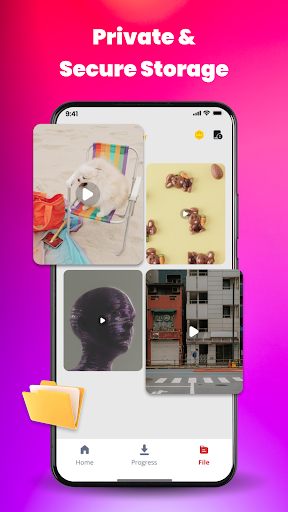
Ultra HD Downloader & Player – The Ultimate HD Video Downloader & PlayerLooking for a powerful, all-in-one tool to save and play your favorite media?
Meet our Video Downloader, the most efficient solution to download videos, save music, and enjoy offline entertainment in high quality!
Key Features:
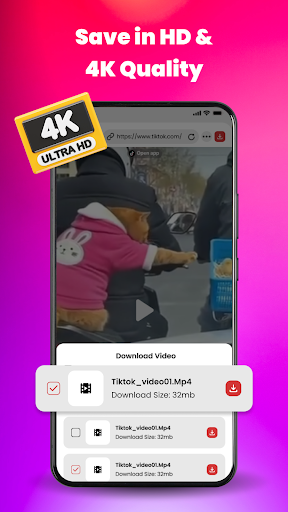
- High-Speed Downloader: Download HD, 4K, and UHD videos at lightning speed.
- All Format Support: Play and download in all major formats: MP4, MKV, M4V, MOV, AVI, WMV, and more.
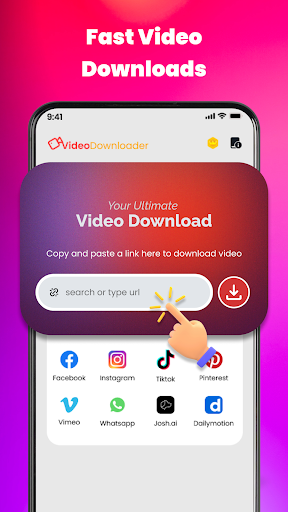
- Auto-Detect Videos: Built-in Private Browser automatically detects video links from any website for one-tap downloading.
- Social Media Saver: Easily save stories, reels, and trending videos from all popular social platforms.
- Powerful Video Player: Smooth playback with background play, pop-up window, and smart gesture controls.
- Private Folder: Keep your personal videos safe in a password-protected folder.
- Batch Downloading: Download multiple files simultaneously in the background without interruption.
How to Use:
- Use the built-in browser to visit your favorite sites.
- Let the app auto-detect the video link or paste the URL manually.
- Select your preferred resolution (HD, 4K) and click Download.
- Enjoy your video offline with the integrated HD Player!
Why choose us?
- Our app is not just a video downloader; it’s a comprehensive file manager and music downloader designed for the best user experience.
- Whether you need an MP4 downloader for movies or a story saver for social media, we’ve got you covered.
और दिखाएं

1. MEmu इंस्टॉलर को डाउनलोड करें और इंस्टॉलेशन को पूरा करें

2. MEmu शुरू करें फिर होमपेज पर Google Play खोलें

3. Google Play में Ultra HD Downloader & Player खोजें
Install
4. Ultra HD Downloader & Player डाउनलोड कर इंस्टॉल करें
5. इंस्टॉल पूरा होने पर आइकन दबाएं

6. MEmu का उपयोग करके अपने कंप्यूटर पर Ultra HD Downloader & Player का अनुभव करें
MEmu Play सबसे बेहतरीन मुफ़्त Android एमुलेटर है और 5 करोड़ लोग पहले ही इसके शानदार Android ऐप अनुभव का आनंद ले चुके हैं। MEmu 9 वर्चुअलाइज़ेशन तकनीक आपको अपने PC पर हज़ारों Android ऐप्स, यहाँ तक कि सबसे ज़्यादा ग्राफ़िक्स वाले ऐप्स भी, आसानी से चलाने की सुविधा देती है।
असीमित बैटरी या मोबाइल डेटा के साथ बेहतर ग्राफिक्स के साथ बड़ी स्क्रीन; लंबी अवधि।
कीबोर्ड और माउस या गेमपैड के उत्तम नियंत्रण के लिए संपूर्ण कीमैपिंग का समर्थन करता हैं।
एक ही पीसी पर मल्टी-इंस्टेंस मैनेजर के साथ एक समय में कई गेम खाते या कार्य कर सकते हैं।
Use Ultra HD Downloader & Player on PC by following steps: