
Virtual SIM
Mise à jour
Version actuelle
4.2.0
Proposée par

Ne vous inquiétez plus des surcharges lorsque vous utilisez Virtual SIM sur votre téléphone portable, libérez-vous de l'écran minuscule et profitez de l'application sur un écran beaucoup plus grand. Désormais, vous pouvez utiliser votre application en plein écran avec le clavier et la souris. MEmu vous offre toutes les fonctionnalités surprenantes que vous attendiez : installation rapide et configuration facile, commandes intuitives, plus de limitations de batterie, de données mobiles et d'appels dérangeants. Le tout nouveau MEmu 9 est le meilleur choix pour utiliser Virtual SIM sur votre ordinateur. Codé avec notre absorption, le gestionnaire multi-instance permet d'ouvrir 2 ou plusieurs comptes en même temps. Et le plus important, notre moteur d'émulation exclusif peut libérer tout le potentiel de votre PC, rendre tout cela fluide et agréable.
Afficher plus
Téléchargez Virtual SIM avec le simulateur d’Android MEmu sur votre PC. Profitez de jouer sur un grand écran. HAVE YOUR PERSONAL MOBILE OR LANDLINE NUMBER FROM MANY COUNTRIES, RECEIVE AND MAKE CALLS LIKE YOU LIVE THERE.
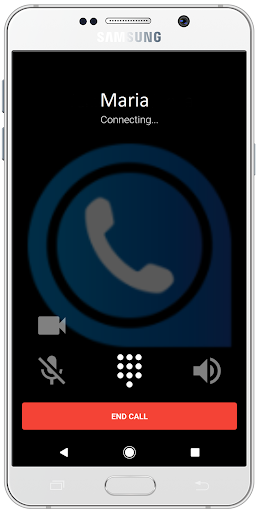
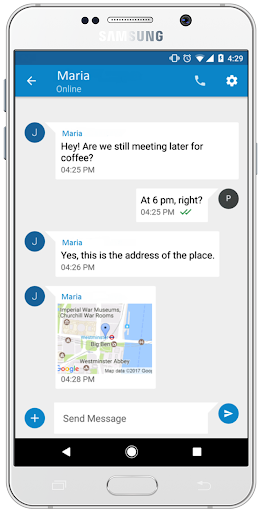
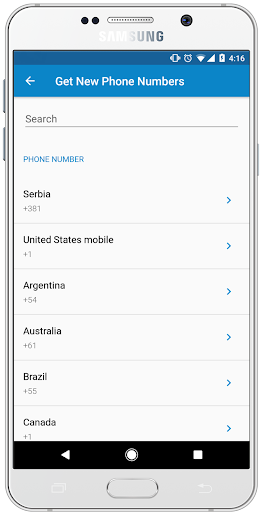
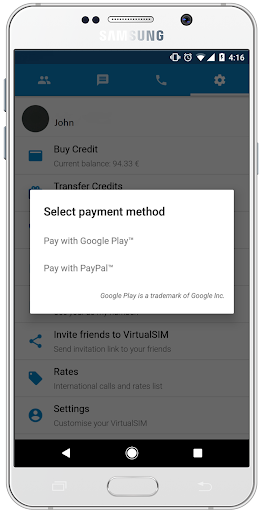
HAVE YOUR PERSONAL MOBILE OR LANDLINE NUMBER FROM MANY COUNTRIES, RECEIVE AND MAKE CALLS LIKE YOU LIVE THERE
Virtual SIM gives you a chance to be in touch with anyone, anytime, anywhere!
As soon as you download the app we give you a trial FREE US MOBILE NUMBER for one day, that can be registered on many social networks. Our numbers are rented on a monthly bases (you need to subscribe for the number every month) and you have a choice of numbers from many countries.
PAY ATTENTION: Most of our numbers are landline and we do not support SMS feature, except for the mobile numbers that we have from: USA, UK, Sweden, Lithuania, Poland, Israel, Finland... Even for those mobile numbers there are limitations regarding from which mobile networks they can receive SMS.
We have exclusive low rates for 120 countries so you can call for as low as 0.04$/min . Also, all app to app calls and chatting is free! To register you have to use mobile phone number.
So, what do we offer?
• Real mobile and landline numbers from many countries
• Mobile numbers that can be registered on many social networks
• Our rates for calls and messages are really low
• Totally Ad free experience
• Push notifications so that you don`t miss any calls or messages
• Free app to app chat
• Free app to app calls
• Video, photo and location sharing
• Availability and privacy settings (you can be available, busy or offline for every number that you buy)
• Try our new voice changer service. Make a free call to one of ours test numbers by calling #381765410001 or ####381765410002. - Additional charges apply when calling other numbers.
We are more than happy to answer any of your questions or solve potential problems, just send us an e-mail to the following address support@virtualsimapp.com
LEAVE US A REVIEW! YOUR FEEDBACK IS HIGHLY APPRECIATED!
CHECK OUR WEB SITE https://www.virtualsimapp.com
READ OUR PRIVACY POLICY https://www.virtualsimapp.com/privacy.html
Afficher plus

1. Téléchargez l'installateur MEmu et terminez l'installation

2. Démarrez MEmu puis ouvrez Google Play sur la page d'accueil

3. Recherchez Virtual SIM dans Google Play
Install
4. Téléchargez et installez Virtual SIM
5. Une fois l'installation terminée, cliquez sur l'icône pour démarrer

6. Utiliser MEmu pour utiliser Virtual SIM sur votre ordinateur
MEmu Play est actuellement le meilleur émulateur Android gratuit, avec 50 millions d'utilisateurs qui profitent d'une expérience Android exceptionnelle. La technologie de virtualisation de MEmu vous permet de jouer facilement à des milliers d'applications Android sur votre ordinateur, même les plus gourmandes en ressources.
L’écran plus grand avec de meilleurs graphismes; Une longue durée, sans limitation de batterie ou de données mobiles.
Soutien du Keymapping pour un contrôle précis du clavier et de la souris ou de la manette de jeu
Plusieurs comptes de jeu ou tâches sur un seul PC en même temps avec le gestionnaire de multi-instance.
Use Virtual SIM on PC by following steps: