Virtual SIM
Atualizada
Versão atual
4.2.0
Oferecido por

Pare de se preocupar com sobrecargas ao usar Virtual SIM no seu celular, liberte-se da pequena tela e aproveite o uso do aplicativo numa tela muito maior. A partir de agora, obtenha uma experiência em tela cheia do seu aplicativo com teclado e mouse. O MEmu oferece-lhe todos os recursos surpreendentes que você esperava: instalação rápida e configuração fácil, controles intuitivos, sem mais limitações de bateria, dados móveis e chamadas perturbadoras. O novíssimo MEmu 9 é a melhor opção para usar Virtual SIM no seu computador. Codificado com a nossa absorção, o gerenciador de multi-instâncias possibilita a abertura de 2 ou mais contas ao mesmo tempo. E o mais importante, nosso mecanismo de emulação exclusivo pode liberar todo o potencial do seu PC, tornando tudo suave e agradável.
Mostre mais
Download do Virtual SIM no PC com MEmu Android Emulador: Divirta-se jogando na tela grande. HAVE YOUR PERSONAL MOBILE OR LANDLINE NUMBER FROM MANY COUNTRIES, RECEIVE AND MAKE CALLS LIKE YOU LIVE THERE.
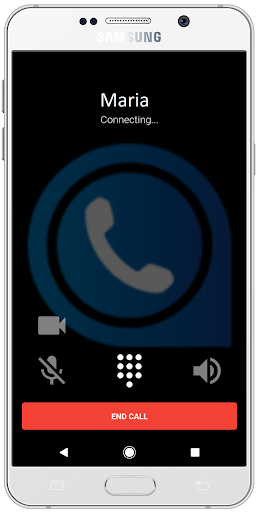
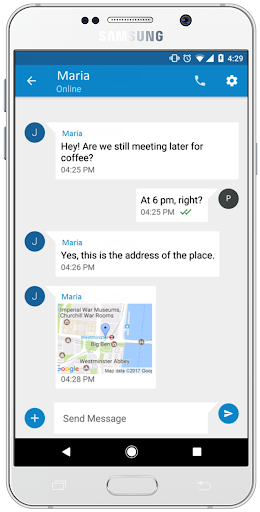
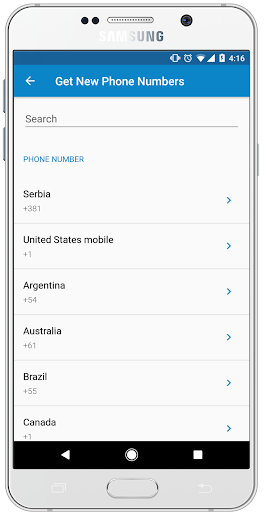
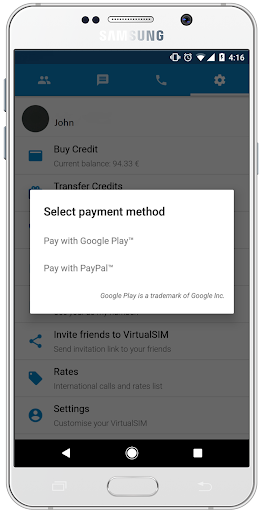
HAVE YOUR PERSONAL MOBILE OR LANDLINE NUMBER FROM MANY COUNTRIES, RECEIVE AND MAKE CALLS LIKE YOU LIVE THERE
Virtual SIM gives you a chance to be in touch with anyone, anytime, anywhere!
As soon as you download the app we give you a trial FREE US MOBILE NUMBER for one day, that can be registered on many social networks. Our numbers are rented on a monthly bases (you need to subscribe for the number every month) and you have a choice of numbers from many countries.
PAY ATTENTION: Most of our numbers are landline and we do not support SMS feature, except for the mobile numbers that we have from: USA, UK, Sweden, Lithuania, Poland, Israel, Finland... Even for those mobile numbers there are limitations regarding from which mobile networks they can receive SMS.
We have exclusive low rates for 120 countries so you can call for as low as 0.04$/min . Also, all app to app calls and chatting is free! To register you have to use mobile phone number.
So, what do we offer?
• Real mobile and landline numbers from many countries
• Mobile numbers that can be registered on many social networks
• Our rates for calls and messages are really low
• Totally Ad free experience
• Push notifications so that you don`t miss any calls or messages
• Free app to app chat
• Free app to app calls
• Video, photo and location sharing
• Availability and privacy settings (you can be available, busy or offline for every number that you buy)
• Try our new voice changer service. Make a free call to one of ours test numbers by calling #381765410001 or ####381765410002. - Additional charges apply when calling other numbers.
We are more than happy to answer any of your questions or solve potential problems, just send us an e-mail to the following address support@virtualsimapp.com
LEAVE US A REVIEW! YOUR FEEDBACK IS HIGHLY APPRECIATED!
CHECK OUR WEB SITE https://www.virtualsimapp.com
READ OUR PRIVACY POLICY https://www.virtualsimapp.com/privacy.html
Mostre mais

1. Faça o download do instalador do MEmu e conclua a instalação

2. Inicie o MEmu e depois abra o Google Play na página inicial

3. Pesquise Virtual SIM no Google Play
Install
4. Baixe e Instale Virtual SIM
5. Na conclusão da instalação, clique no ícone para iniciar

6. º Experimente o Virtual SIM no PC com o MEmu.
O MEmu Play é o melhor emulador Android gratuito, com 50 milhões de utilizadores a desfrutar da sua experiência superior com aplicações Android. A tecnologia de virtualização do MEmu permite-lhe executar milhares de aplicações Android sem problemas no seu computador, mesmo as mais exigentes.
Tela maior com gráficos melhores; Longa duração e sem limitação de bateria ou dados móveis.
Suporte completo ao Mapaeamento de Teclas para controle preciso do teclado e mouse ou gamepad.
Várias contas de jogos ou tarefas em um único PC de uma só vez com o Gerenciador de várias instâncias.
Use Virtual SIM on PC by following steps: