Webview Kiosk
Mise à jour
Version actuelle
0.26.19
Proposée par

Ne vous inquiétez plus des surcharges lorsque vous utilisez Webview Kiosk sur votre téléphone portable, libérez-vous de l'écran minuscule et profitez de l'application sur un écran beaucoup plus grand. Désormais, vous pouvez utiliser votre application en plein écran avec le clavier et la souris. MEmu vous offre toutes les fonctionnalités surprenantes que vous attendiez : installation rapide et configuration facile, commandes intuitives, plus de limitations de batterie, de données mobiles et d'appels dérangeants. Le tout nouveau MEmu 9 est le meilleur choix pour utiliser Webview Kiosk sur votre ordinateur. Codé avec notre absorption, le gestionnaire multi-instance permet d'ouvrir 2 ou plusieurs comptes en même temps. Et le plus important, notre moteur d'émulation exclusif peut libérer tout le potentiel de votre PC, rendre tout cela fluide et agréable.
Afficher plus
Profitez d'une expérience Webview Kiosk exceptionnelle sur PC grâce à MEmu Play. Cet émulateur Android gratuit et performant vous donne accès à des milliers d'applications Android pour votre ordinateur. Restez en contact avec vos amis et travaillez plus efficacement ! Webview Kiosk is a free and open-source Android application for secure, kiosk-style web browsing.
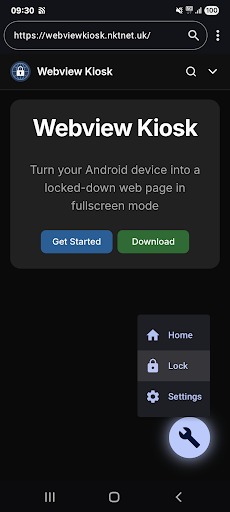
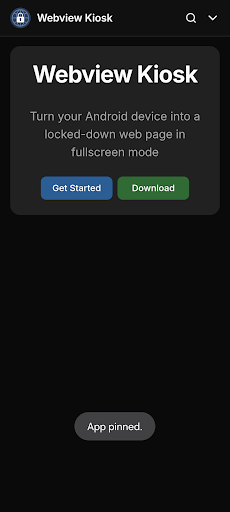
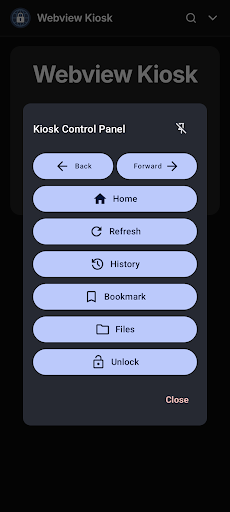
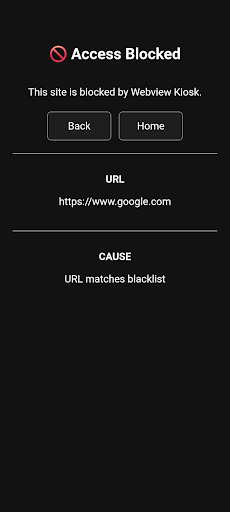
Webview Kiosk is a free and open-source Android application for secure, kiosk-style web browsing.
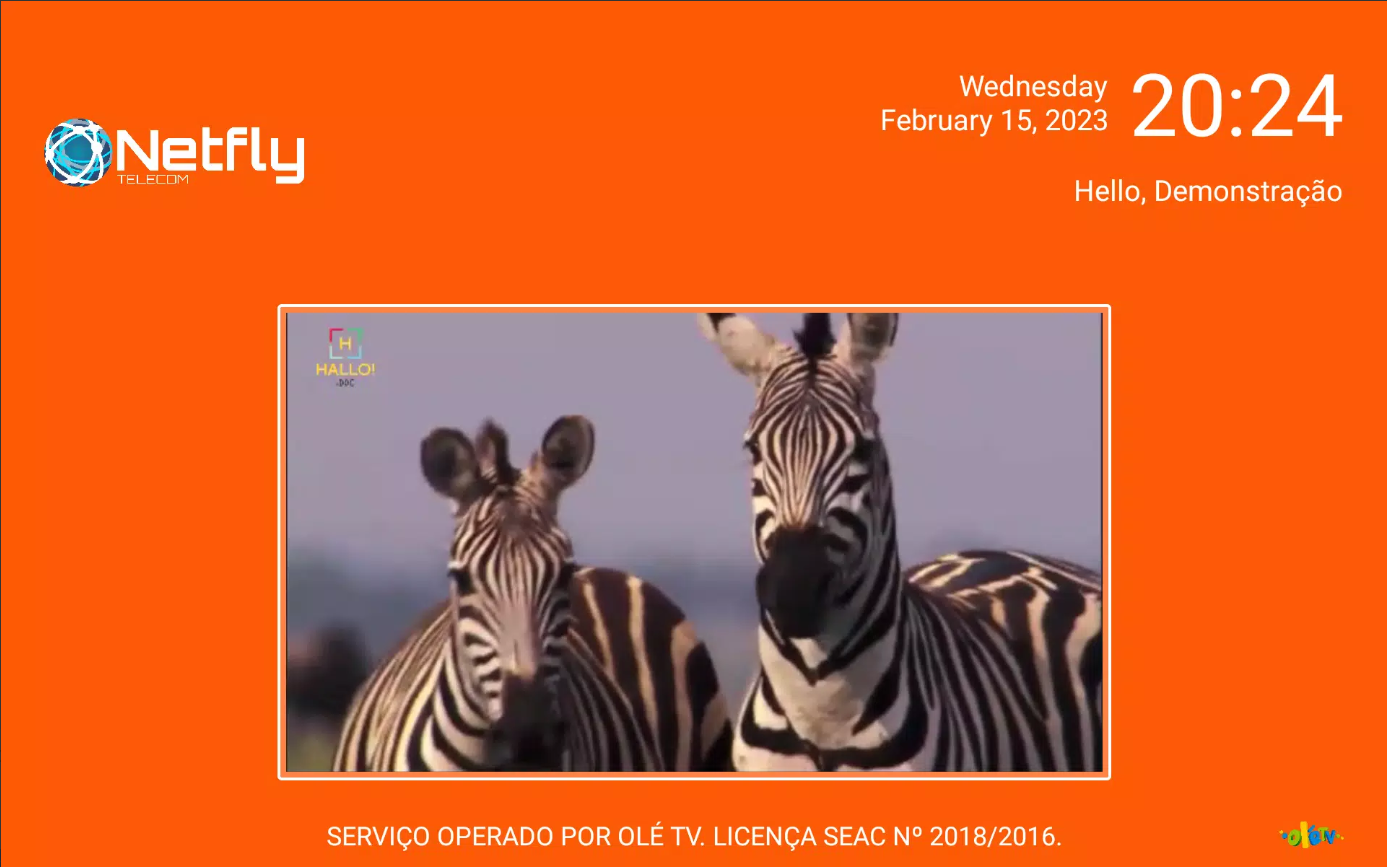
It can function as digital signage, a kid-friendly restricted browser, an immersive web reader, an interactive sign-up form, a home assistant dashboard, or simply a wall clock.
Designed for small businesses and device owners who are looking for a simple and standalone Kiosk solution.
Key Features
Core / Standalone
- Lock Task Mode (Pin): prevent access to your device's home screen, apps and status bar
- Secure Settings: configurations are protected by biometrics, device credentials or custom password
- URL Filtering: use regular expressions to control web access through a URL blacklist and whitelist
- Export/Import: backup and restore user settings in Base64 or JSON format
- Local files: display images, audio, video, HTML or PDF (using Mozilla's PDF.js) in kiosk mode
- Default Launcher: use as the home app and launch other apps in lock task mode (kiosk)
- JS Scripts: supports NFC (Near Field Communication), Eruda console, Dark Reader and custom scripts
Remote Management / Enterprise
1. MQTT (Message Queuing Telemetry Transport)
- Monitor events, update settings, execute commands and build custom automations using the API
- Requires an MQTT broker (e.g. Mosquitto, EMQX, HiveMQ, or their HomeAssistant integrations)
2. UnifiedPush
- Send commands and update settings via a decentralised push notification system
- Requires a distributor application (e.g. sunup, ntfy, gCompat-UP)
3. Managed Configurations (App Restrictions)
- For fully-managed (company-owned) devices, settings can be remotely configured via an MDM/EMM provider
- Advanced users using a device policy controller (e.g. Test DPC or OwnDroid) can also enforce configurations locally
For more details, visit https://webviewkiosk.nktnet.uk
Permissions
- INTERNET: for general web browsing
- ACCESS_NETWORK_STATE: to refresh web pages when network connectivity is restored
- CAMERA: (optional) for use with web apps that requires photo/video capture
- RECORD_AUDIO: (optional) for use with web apps that requires audio capture
- MODIFY_AUDIO_SETTINGS: for routing audio (microphone will not work without this)
- ACCESS_FINE_LOCATION: (optional) for web apps that needs precise geolocation
- ACCESS_COARSE_LOCATION: (optional) for web apps that needs approximate geolocation
- NFC: for reading and writing NFC tags using the device's NFC hardware
- INSTALL_SHORTCUT: for adding home screen launcher shortcuts on Android 7.1 and below
- QUERY_ALL_PACKAGES: to find launchable apps, device owners and lock task packages
- POST_NOTIFICATIONS: (optional) for lock task mode (kiosk) launches and MQTT
- FOREGROUND_SERVICE: for persistent notification and management with lock task and MQTT
- FOREGROUND_SERVICE_SPECIAL_USE: provides a return mechanism for opening apps in kiosk
- USE_BIOMETRIC: replaces USE_FINGERPRINT from Android 9.0 onwards
- USE_FINGERPRINT: use fingerprint hardware when accessing settings or unlocking kiosk
- WAKE_LOCK: to optionally wake the screen when receiving MQTT commands
- WRITE_EXTERNAL_STORAGE: for downloading files in Android 9.0 and below
- API (Dhizuku): to request shared device owner privileges
Contact
Questions/Feature Requests
- https://github.com/nktnet1/webview-kiosk/discussions
Bugs/Issues
- https://github.com/nktnet1/webview-kiosk/issues
Other
- support@webviewkiosk.nktnet.uk
Alternatives
- Fully Kiosk Browser Lockdown (feature-rich, but not a free kiosk solution)
- Web Kiosk (developed by Screenlite)
- FreeKiosk (developed by Rushb-fr)
- Kite AOS (developed by andrew-malitchuk)
Afficher plus

1. Téléchargez l'installateur MEmu et terminez l'installation

2. Démarrez MEmu puis ouvrez Google Play sur la page d'accueil

3. Recherchez Webview Kiosk dans Google Play
Install
4. Téléchargez et installez Webview Kiosk
5. Une fois l'installation terminée, cliquez sur l'icône pour démarrer

6. Utiliser MEmu pour utiliser Webview Kiosk sur votre ordinateur
MEmu Play est actuellement le meilleur émulateur Android gratuit, avec 50 millions d'utilisateurs qui profitent d'une expérience Android exceptionnelle. La technologie de virtualisation de MEmu vous permet de jouer facilement à des milliers d'applications Android sur votre ordinateur, même les plus gourmandes en ressources.
L’écran plus grand avec de meilleurs graphismes; Une longue durée, sans limitation de batterie ou de données mobiles.
Soutien du Keymapping pour un contrôle précis du clavier et de la souris ou de la manette de jeu
Plusieurs comptes de jeu ou tâches sur un seul PC en même temps avec le gestionnaire de multi-instance.
Use Webview Kiosk on PC by following steps: