Bloxfun
Ενημερώθηκε
Τρέχουσα έκδοση
1.6.0
Προσφέρεται από

Με όλο το πάθος σας για το παιχνίδι Bloxfun, τα χέρια σας δεν πρέπει να περιορίζονται σε μια μικροσκοπική οθόνη του τηλεφώνου σας. Παίξτε σαν επαγγελματίας και αποκτήστε τον πλήρη έλεγχο του παιχνιδιού σας με πληκτρολόγιο και ποντίκι. Το MEmu σας προσφέρει όλα όσα περιμένετε. Κατεβάστε και παίξτε Bloxfun σε υπολογιστή. Παίξτε όσο θέλετε, χωρίς άλλους περιορισμούς μπαταρίας, δεδομένων κινητής τηλεφωνίας και ενοχλητικών κλήσεων. Το ολοκαίνουργιο MEmu 9 είναι η καλύτερη επιλογή για να παίξετε Bloxfun σε υπολογιστή. Ετοιμασμένο με την εμπειρία μας, το εξαιρετικό σύστημα προκαθορισμένης αντιστοίχισης πλήκτρων καθιστά το Bloxfun ένα πραγματικό παιχνίδι υπολογιστή. Ο διαχειριστής πολλαπλών περιπτώσεων MEmu καθιστά δυνατό το παιχνίδι με 2 ή περισσότερους λογαριασμούς στην ίδια συσκευή. Και το πιο σημαντικό, η αποκλειστική μηχανή εξομοίωσης μας μπορεί να απελευθερώσει πλήρως τις δυνατότητες του υπολογιστή σας, κάνοντας τα πάντα ομαλά.
Show more
Απολαύστε την υπέροχη εμπειρία αναπαραγωγής του Bloxfun σε υπολογιστή με το MEMU App Player. Πρόκειται για έναν ισχυρό δωρεάν εξομοιωτή Android που σας επιτρέπει να παίζετε χιλιάδες παιχνίδια Android. "Bloxfun" is an open-world role-playing and simulation game.
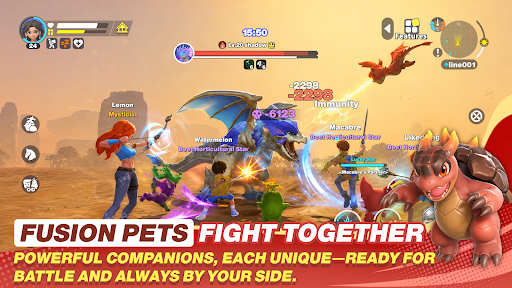
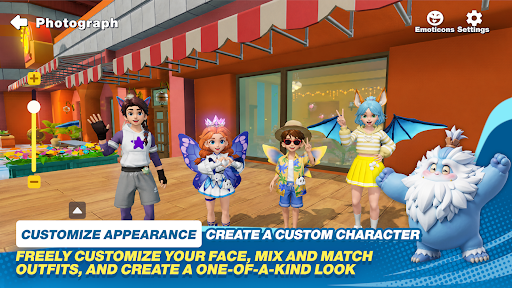
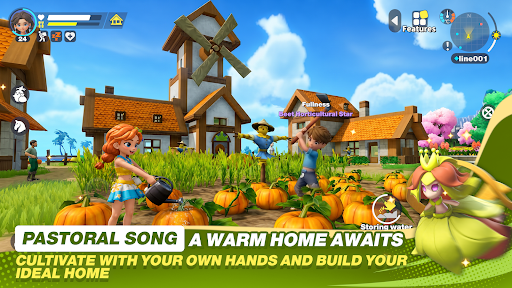
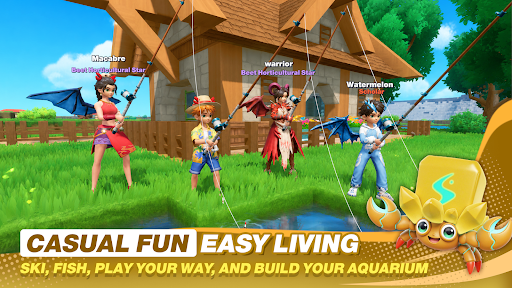
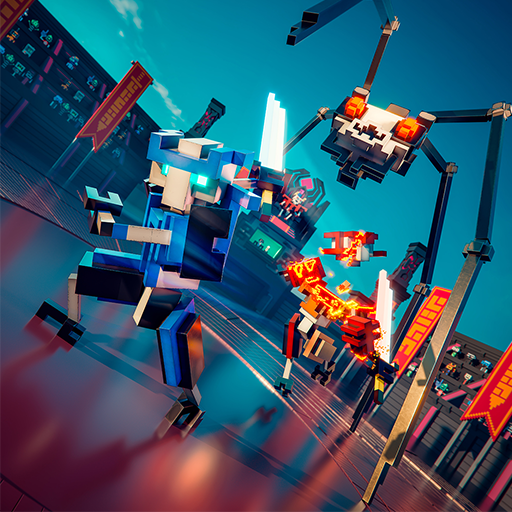
"Bloxfun" is an open-world role-playing and simulation game. You will play as a traveler without a "past," embarking on an adventure in the unfamiliar land of "Seofar," exploring lost ruins around the world, searching for lost memories, and creating a new world with other travelers.
——
The moment you set foot on the continent of "Seofar," the adventure begins...
—— Run and explore freely on the continent of "Seofar"
Travel through Wedge Rift Valley, Serpent Creek Land, Oran River Valley, Misty Deep Valley... Immerse yourself in the beauty of lush forests, tranquil lakes, verdant meadows, and feel the sunlight spreading across the land, the breeze brushing your face, as you create a world of your own with the rise and fall of the sun and moon, and the chirping of birds and insects!
—— Build a unique and cozy home
Collect resources by logging, breaking stones, and mining; dozens of items are available for crafting. Freely choose blocks of different colors and types to build your ideal structure according to your preferences. Plant trees, nurture flowers, add furniture, outdoor decorations... Experience the DIY joy of transforming a bare house into a luxurious mansion!
—— Freely socialize and establish a popular town
Homeland Circle, an interactive feature where you can collaborate with friends to build various large projects! Work together to construct amusement parks, build Ferris wheels, and more, creating a charming town of your own. Chat about daily life, have wonderful interactions, and enjoy a life of freedom!
—— Relaxing farm life: you reap what you sow
Work at sunrise, rest at sunset, and fall in love with the simple life of farming. There's a bounty of fruits, vegetables, and flowers. Perfect care might result in the chance to grow giant crops, vying for the title of the strongest farmer! Different colored flowers can also be refined into dyes, allowing you to color your furniture beautifully!
—— Capture pets to work for you
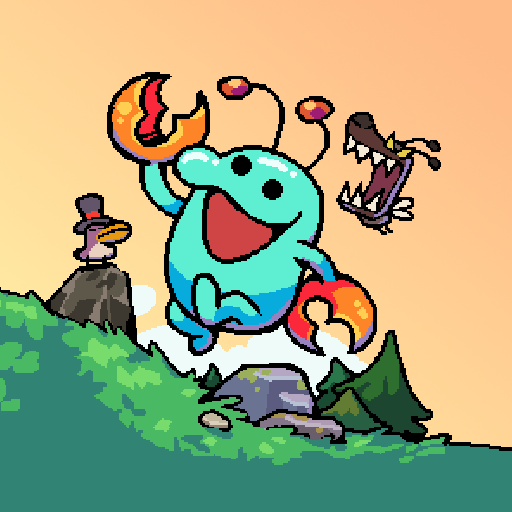
Too tired to make furniture? No time to tend to crops? No worries, pets are here to help! The continent of "Seofar" is rich in species, including "Bubu" the Radish Head, the "Armored Axe Bear," the Butterfly Spirit "Night Spirit," and more. Here you can hunt to your heart's content, capture pets for your use! They can also accompany you on adventures, battle monsters together, and bravely traverse "Seofar"!
Show more

1. Κατεβάστε το πρόγραμμα εγκατάστασης MEmu και ολοκληρώστε την εγκατάσταση

2. Ξεκινήστε το MEmu και στη συνέχεια ανοίξτε το Google Play στην επιφάνεια εργασίας

3. Αναζητήστε τον Bloxfun στο Google Play
Install
4. Λήψη και εγκατάσταση του Bloxfun
5. Μόλις ολοκληρωθεί η εγκατάσταση, κάντε κλικ στο εικονίδιο για να ξεκινήσετε

6. Enjoy playing Bloxfun on PC with MEmu
Το MEmu Play, αποτελεί την ιδανικότερη δωρεάν λύση για την εξομοίωση του λειτουργικού Android, και χρησιμοποιείται ήδη από περισσότερους από 50 εκατομμύρια χρήστες, ο οποίοι απολαμβάνουν, την καταπληκτική εμπειρία παιχνιδιού που προσφέρεται μέσω της εφαρμογής. Με τη χρήση του MEmu Virtualization, είναι δυνατή η αναπαραγωγή παιχνιδιών Android στον υπολογιστή, ακόμη και εκείνων που απαιτούν μεγάλη επεξεργαστική ισχύ γραφικών, δίχως συμβιβασμούς στην ποιότητα και στην εμπειρία χρήσης, ακριβώς όπως ένα τελευταίας γενιάς κινητό τηλέφωνο.
Μεγαλύτερη οθόνη με καλύτερα γραφικά. Μεγάλη διάρκεια ζωής, χωρίς περιορισμό μπαταρίας ή δεδομένων κινητής τηλεφωνίας.
Πλήρης υποστήριξη αντιστοίχισης πλήκτρων για ακριβή έλεγχο του πληκτρολογίου και του ποντικιού ή του gamepad.
Πολλαπλοί λογαριασμοί παιχνιδιών ή εργασίες σε έναν υπολογιστή ταυτόχρονα με τον διαχειριστή πολλαπλών περιπτώσεων.
Play Bloxfun on PC by following steps: