Catan Classic
Ενημερώθηκε
Τρέχουσα έκδοση
4.8.3
Προσφέρεται από

Με όλο το πάθος σας για το παιχνίδι Catan Classic, τα χέρια σας δεν πρέπει να περιορίζονται σε μια μικροσκοπική οθόνη του τηλεφώνου σας. Παίξτε σαν επαγγελματίας και αποκτήστε τον πλήρη έλεγχο του παιχνιδιού σας με πληκτρολόγιο και ποντίκι. Το MEmu σας προσφέρει όλα όσα περιμένετε. Κατεβάστε και παίξτε Catan Classic σε υπολογιστή. Παίξτε όσο θέλετε, χωρίς άλλους περιορισμούς μπαταρίας, δεδομένων κινητής τηλεφωνίας και ενοχλητικών κλήσεων. Το ολοκαίνουργιο MEmu 9 είναι η καλύτερη επιλογή για να παίξετε Catan Classic σε υπολογιστή. Ετοιμασμένο με την εμπειρία μας, το εξαιρετικό σύστημα προκαθορισμένης αντιστοίχισης πλήκτρων καθιστά το Catan Classic ένα πραγματικό παιχνίδι υπολογιστή. Ο διαχειριστής πολλαπλών περιπτώσεων MEmu καθιστά δυνατό το παιχνίδι με 2 ή περισσότερους λογαριασμούς στην ίδια συσκευή. Και το πιο σημαντικό, η αποκλειστική μηχανή εξομοίωσης μας μπορεί να απελευθερώσει πλήρως τις δυνατότητες του υπολογιστή σας, κάνοντας τα πάντα ομαλά.
Show more
Απολαύστε την υπέροχη εμπειρία αναπαραγωγής του Catan Classic σε υπολογιστή με το MEMU App Player. Πρόκειται για έναν ισχυρό δωρεάν εξομοιωτή Android που σας επιτρέπει να παίζετε χιλιάδες παιχνίδια Android. Play the legendary strategy game .
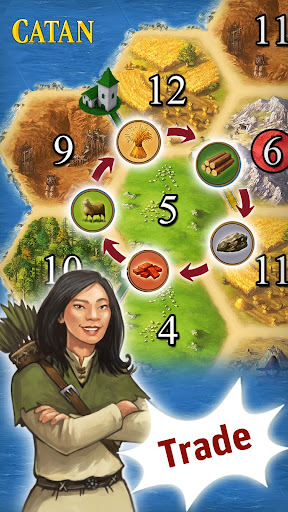
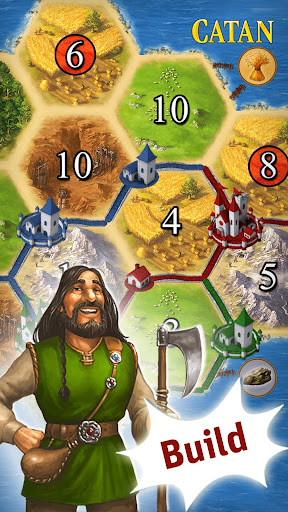
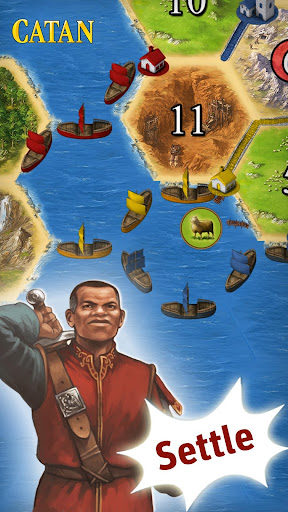
Play the legendary strategy game ... anytime, anywhere.
Play true to the original board game rules, compete with up to four players for the most settlements, the longest roads and the largest army. Trade important resources, build roads and cities, settle the island and become Lord of Catan!
Prove your strategy skills by challenging other Catan fans online via cross-platform multiplayer, or take on the AI with various computer opponents, each with their own individual characteristics.
Become Harbormaster, discover new islands, invest new trade goods and defeat the barbarians, vanquish dragons or build a canal with the additional expansions.
Basic game features:
- Play according to the original board game rules
- Synchronous online multiplayer
- Smart computer opponents with individual strategies
- Comprehensive tutorial
- The Seafarers and Cities & Knights LITE: Test the expansions in selected scenarios.
- Available languages: English, German, French, Dutch, Spanish, Portuguese, Japanese
Available expansions (in-app purchases):
- The Seafarers: Play your way through the elaborate campaign made up of 16 diverse scenarios and sail your ships to new shores.
- Cities & Knights: Protect Catan from the barbarian invasion. New gameplay mechanics add even more variety to Catan.
- The new scenarios: Vanquish dragons or build a canal with the "Enchanted Land" and "The Great Canal" scenarios.
- The Islands: Discover uncharted lands with a collection of unofficial multi-island scenarios.
- All-expansions set
*****
Catan FAQ:
Question: Why do I have to download additional files after purchasing?
Answer: The download from Google play includes the basic game data and a tool that will determine your device’s display resolution and then download the optimal graphics data for your device.
Question: Which Android security permissions does Catan need and why?
Answer: “Storage” to write data to the SD or move the game data, “Network communication” to download game data and access the In App Store and “system tools” to check if Catan is already running to resume a game.
Question: I bought one of the expansions but after an update, reinstallation of Catan or after restoring my phone the expansion seems gone?
Answer: Don’t worry; your initial purchase is already saved in your Google account. However for technical reasons you might have to select “Buy” again. Confirm and a message will tell you that you’ve already purchased it. You will NOT be billed twice!
Question: I lost my campaign progress after reinstalling, updating from or when restoring my phone. Is there any way to restore it?
Answer: Savegames from old versions can usually be restored automatically. For all other cases we’ve integrated a cheat code: Enter campaign mode and go to select player. Enter „CatanWarp*“ (* = 1–15, e.g "CatanWarp5") as your player name and confirm. Exit the game via the home button. Enter your phone’s settings menu. Select applications/manage applications/Catan/ and then “Force Stop”. Restart Catan. The campaign can now be continued from the specified level number by selecting “New scenario *”.
*****
*****
Suggestions for improvements and feature requests?
Mail to android@usm.de
We are looking forward to your feedback!
When contacting our support team, please provide details on the type of device and Android OS version used as well as a detailed description of the issue. Thank you!
For news and updates follow us on Facebook and Twitter.
*****
Show more

1. Κατεβάστε το πρόγραμμα εγκατάστασης MEmu και ολοκληρώστε την εγκατάσταση

2. Ξεκινήστε το MEmu και στη συνέχεια ανοίξτε το Google Play στην επιφάνεια εργασίας

3. Αναζητήστε τον Catan Classic στο Google Play
Install
4. Λήψη και εγκατάσταση του Catan Classic
5. Μόλις ολοκληρωθεί η εγκατάσταση, κάντε κλικ στο εικονίδιο για να ξεκινήσετε

6. Enjoy playing Catan Classic on PC with MEmu
Το MEmu Play, αποτελεί την ιδανικότερη δωρεάν λύση για την εξομοίωση του λειτουργικού Android, και χρησιμοποιείται ήδη από περισσότερους από 50 εκατομμύρια χρήστες, ο οποίοι απολαμβάνουν, την καταπληκτική εμπειρία παιχνιδιού που προσφέρεται μέσω της εφαρμογής. Με τη χρήση του MEmu Virtualization, είναι δυνατή η αναπαραγωγή παιχνιδιών Android στον υπολογιστή, ακόμη και εκείνων που απαιτούν μεγάλη επεξεργαστική ισχύ γραφικών, δίχως συμβιβασμούς στην ποιότητα και στην εμπειρία χρήσης, ακριβώς όπως ένα τελευταίας γενιάς κινητό τηλέφωνο.
Μεγαλύτερη οθόνη με καλύτερα γραφικά. Μεγάλη διάρκεια ζωής, χωρίς περιορισμό μπαταρίας ή δεδομένων κινητής τηλεφωνίας.
Πλήρης υποστήριξη αντιστοίχισης πλήκτρων για ακριβή έλεγχο του πληκτρολογίου και του ποντικιού ή του gamepad.
Πολλαπλοί λογαριασμοί παιχνιδιών ή εργασίες σε έναν υπολογιστή ταυτόχρονα με τον διαχειριστή πολλαπλών περιπτώσεων.
Play Catan Classic on PC by following steps: