Magic Chess: Go Go
Ενημερώθηκε
Τρέχουσα έκδοση
1.1.85.1742
Προσφέρεται από

Με όλο το πάθος σας για το παιχνίδι Magic Chess: Go Go, τα χέρια σας δεν πρέπει να περιορίζονται σε μια μικροσκοπική οθόνη του τηλεφώνου σας. Παίξτε σαν επαγγελματίας και αποκτήστε τον πλήρη έλεγχο του παιχνιδιού σας με πληκτρολόγιο και ποντίκι. Το MEmu σας προσφέρει όλα όσα περιμένετε. Κατεβάστε και παίξτε Magic Chess: Go Go σε υπολογιστή. Παίξτε όσο θέλετε, χωρίς άλλους περιορισμούς μπαταρίας, δεδομένων κινητής τηλεφωνίας και ενοχλητικών κλήσεων. Το ολοκαίνουργιο MEmu 9 είναι η καλύτερη επιλογή για να παίξετε Magic Chess: Go Go σε υπολογιστή. Ετοιμασμένο με την εμπειρία μας, το εξαιρετικό σύστημα προκαθορισμένης αντιστοίχισης πλήκτρων καθιστά το Magic Chess: Go Go ένα πραγματικό παιχνίδι υπολογιστή. Ο διαχειριστής πολλαπλών περιπτώσεων MEmu καθιστά δυνατό το παιχνίδι με 2 ή περισσότερους λογαριασμούς στην ίδια συσκευή. Και το πιο σημαντικό, η αποκλειστική μηχανή εξομοίωσης μας μπορεί να απελευθερώσει πλήρως τις δυνατότητες του υπολογιστή σας, κάνοντας τα πάντα ομαλά.
Show more
Απολαύστε την υπέροχη εμπειρία αναπαραγωγής του Magic Chess: Go Go σε υπολογιστή με το MEMU App Player. Πρόκειται για έναν ισχυρό δωρεάν εξομοιωτή Android που σας επιτρέπει να παίζετε χιλιάδες παιχνίδια Android. Magic Chess: Go Go - A brand new multiplayer strategy game inspired by Mobile Legends: Bang Bang.
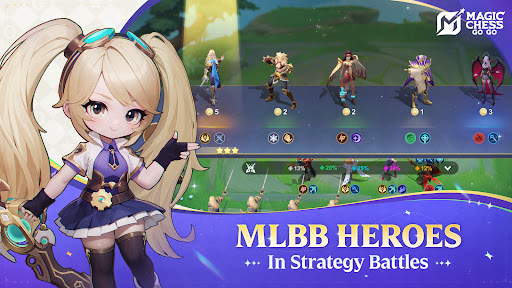
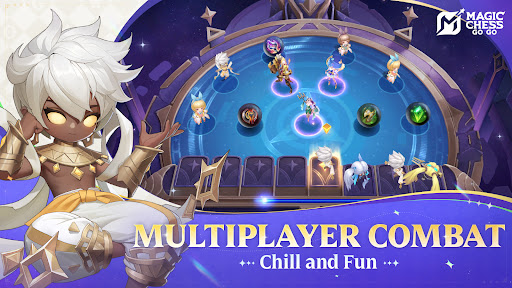
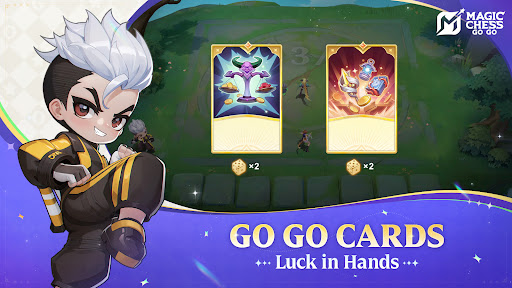
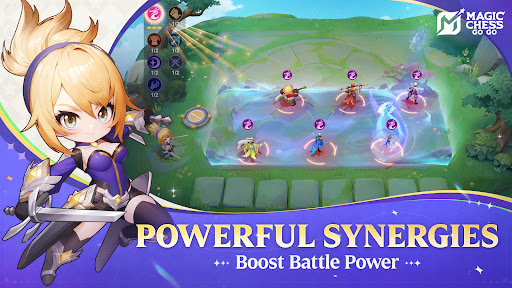
Magic Chess: Go Go - A brand new multiplayer strategy game inspired by Mobile Legends: Bang Bang. With chess-like gameplay, it's casual and easy to play anytime, anywhere with friends! Here, victory depends on strategy and a bit of luck rather than micro-controlling skills. During each round, you'll control your Commander to recruit and upgrade Heroes, build Synergies, distribute equipment, and cleverly position your pieces to outmaneuver opponents. Gradually defeat 7 other players to win the game.
FEATURES
Classic MLBB Heroes join you in battle on the Chessboard
Numerous MLBB Heroes have arrived on a new battlefield: MCGG! The era of controlling a single Hero in combat is over. Now, you'll become the ultimate strategist, commanding MLBB Heroes from various city-states to create your champion legion.
Deploy your forces, devise winning strategies, and conquer the Chessboard together!
Multiplayer battles to determine the ultimate king of chessboard
On the Chessboard, 8 players battle simultaneously. You'll compete individually, testing your strategies and tactics through multiple rounds to become the most outstanding Commander! Of course, you can also team up with friends to see if they have what it takes to reach the top. Who knows, there might be some worthy Commanders sitting right beside you!
Commander-exclusive skills unlock unique combos
Each Commander possesses powerful unique skills, offering you a distinctive battle experience. Personalized skill choices also provide you with richer tactical options. Fight alongside your favorite Commander and unlock your strongest combo to win the game!
S0 City-state Synergies debut, bringing powerful combat buffs
Various city-states from the Land of Dawn, including the Moniyan Empire, Northern Vale, and The Barren Lands, will join this new battlefield! Unlocking a certain number of city-state-exclusive Heroes will grant you powerful Synergy buffs. Each city-state's power is unique, and the situation on the Chessboard can change in an instant. Which will be your trump card Synergy and become the strongest city-state in the Land of Dawn? Let's wait and see!
You need good luck, and some super buffs
At certain stages of each match, you'll get to choose from various powerful Go Go Cards with different effects! When ahead, launch an all-out attack to extend your lead; when behind, reverse the situation for a comeback. With luck on your side, you will draw and choose the most suitable Go Go Cards, helping you claim final victory and become the king of chessboard.
Customer Service Email: mobilechess.help@moonton.com
Official Website: https://play.mc-gogo.com/
YouTube: https://www.youtube.com/@MagicChessGoGo
Show more

1. Κατεβάστε το πρόγραμμα εγκατάστασης MEmu και ολοκληρώστε την εγκατάσταση

2. Ξεκινήστε το MEmu και στη συνέχεια ανοίξτε το Google Play στην επιφάνεια εργασίας

3. Αναζητήστε τον Magic Chess: Go Go στο Google Play
Install
4. Λήψη και εγκατάσταση του Magic Chess: Go Go
5. Μόλις ολοκληρωθεί η εγκατάσταση, κάντε κλικ στο εικονίδιο για να ξεκινήσετε

6. Enjoy playing Magic Chess: Go Go on PC with MEmu
Το MEmu Play, αποτελεί την ιδανικότερη δωρεάν λύση για την εξομοίωση του λειτουργικού Android, και χρησιμοποιείται ήδη από περισσότερους από 50 εκατομμύρια χρήστες, ο οποίοι απολαμβάνουν, την καταπληκτική εμπειρία παιχνιδιού που προσφέρεται μέσω της εφαρμογής. Με τη χρήση του MEmu Virtualization, είναι δυνατή η αναπαραγωγή παιχνιδιών Android στον υπολογιστή, ακόμη και εκείνων που απαιτούν μεγάλη επεξεργαστική ισχύ γραφικών, δίχως συμβιβασμούς στην ποιότητα και στην εμπειρία χρήσης, ακριβώς όπως ένα τελευταίας γενιάς κινητό τηλέφωνο.
Μεγαλύτερη οθόνη με καλύτερα γραφικά. Μεγάλη διάρκεια ζωής, χωρίς περιορισμό μπαταρίας ή δεδομένων κινητής τηλεφωνίας.
Πλήρης υποστήριξη αντιστοίχισης πλήκτρων για ακριβή έλεγχο του πληκτρολογίου και του ποντικιού ή του gamepad.
Πολλαπλοί λογαριασμοί παιχνιδιών ή εργασίες σε έναν υπολογιστή ταυτόχρονα με τον διαχειριστή πολλαπλών περιπτώσεων.
Play Magic Chess: Go Go on PC by following steps: