Sort Dash: Color Match!
Ενημερώθηκε
Τρέχουσα έκδοση
1.9.2
Προσφέρεται από

Με όλο το πάθος σας για το παιχνίδι Sort Dash: Color Match!, τα χέρια σας δεν πρέπει να περιορίζονται σε μια μικροσκοπική οθόνη του τηλεφώνου σας. Παίξτε σαν επαγγελματίας και αποκτήστε τον πλήρη έλεγχο του παιχνιδιού σας με πληκτρολόγιο και ποντίκι. Το MEmu σας προσφέρει όλα όσα περιμένετε. Κατεβάστε και παίξτε Sort Dash: Color Match! σε υπολογιστή. Παίξτε όσο θέλετε, χωρίς άλλους περιορισμούς μπαταρίας, δεδομένων κινητής τηλεφωνίας και ενοχλητικών κλήσεων. Το ολοκαίνουργιο MEmu 9 είναι η καλύτερη επιλογή για να παίξετε Sort Dash: Color Match! σε υπολογιστή. Ετοιμασμένο με την εμπειρία μας, το εξαιρετικό σύστημα προκαθορισμένης αντιστοίχισης πλήκτρων καθιστά το Sort Dash: Color Match! ένα πραγματικό παιχνίδι υπολογιστή. Ο διαχειριστής πολλαπλών περιπτώσεων MEmu καθιστά δυνατό το παιχνίδι με 2 ή περισσότερους λογαριασμούς στην ίδια συσκευή. Και το πιο σημαντικό, η αποκλειστική μηχανή εξομοίωσης μας μπορεί να απελευθερώσει πλήρως τις δυνατότητες του υπολογιστή σας, κάνοντας τα πάντα ομαλά.
Show more
Απολαύστε την υπέροχη εμπειρία αναπαραγωγής του Sort Dash: Color Match! σε υπολογιστή με το MEMU App Player. Πρόκειται για έναν ισχυρό δωρεάν εξομοιωτή Android που σας επιτρέπει να παίζετε χιλιάδες παιχνίδια Android. Dive into Sort Dash: Color Match, the ultimate puzzle game where strategy meets color-matching in an exciting adventure.
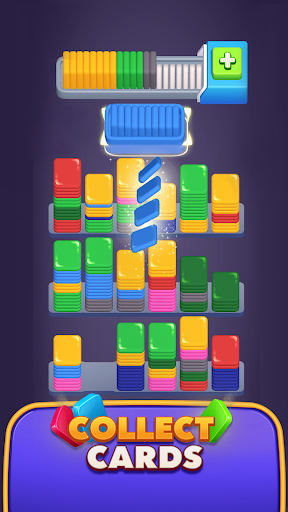
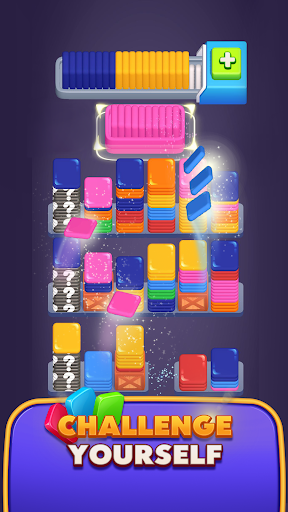
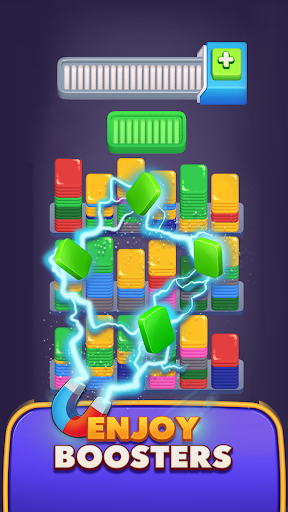
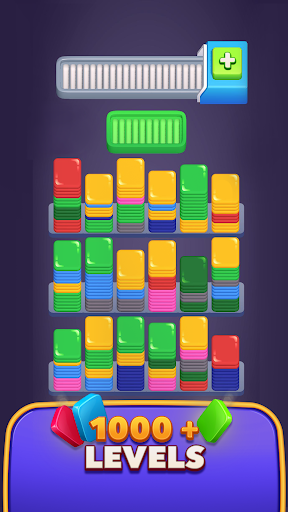
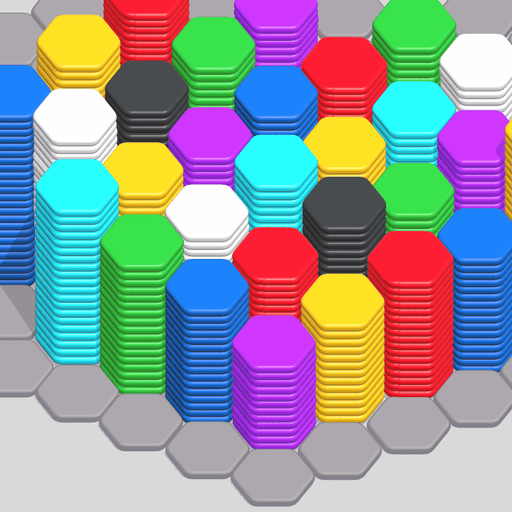
Dive into Sort Dash: Color Match, the ultimate puzzle game where strategy meets color-matching in an exciting adventure. Master the art of the match in this captivating puzzle game with unique gameplay and vibrant visuals.
Why Play Sort Dash: Color Match?
Masterful Color Matching: Strategically align 10 cards of the target color in the target tray to progress! This innovative approach to color matching enhances your puzzle-solving experience.
Avoid the Overflow: Prevent the storage tray from filling up. Overfilling leads to a challenging puzzle fail, where no space left means the end of the game.
Increasing Puzzle Challenges: Encounter higher stakes with more colors and quicker fills as you progress. Perfect for fans of both casual games and intense puzzle challenges.
Celebrate Every Victory: Unlock rewards, progress through levels, and collect achievements as you excel in this engaging color match game.
Game Features:
Simple Yet Deep Gameplay: Easy to pick up but challenging to master, our game offers a deep strategic layer to engage puzzle game lovers.
Dynamic Power-Ups: Enhance your gameplay with powerful boosts that help you clear challenging levels and achieve high scores.
Fresh Content and Regular Updates: Enjoy new levels and features continuously added, keeping the game exciting and fresh.
How to Play:
• Each level presents a target color shown in a target tray with 10 card slots.
• Fill the target tray with 10 cards of the same color to clear it and reveal a new target. The full tray leaves the screen from the right side, and a new one comes from the left side.
• Use the storage tray to hold other colored cards, but avoid overfilling it as it has a capacity of 21 cards.
• Cards move automatically to either the storage tray or target tray based on their color with each tap.
• Cards in the storage tray automatically move to the target tray when the target color matches.
• Collect all cards in the scene to achieve a win.
Embark on Your Puzzle Adventure!
Ready to challenge your color matching skills in an addictive puzzle game? Download Sort Dash: Color Match now and join players in a quest to conquer the colorful puzzles! Transform your skills, tackle dynamic challenges, and become a puzzle game master!
Tap ‘Download’ and start your color match adventure in Sort Dash today!
Show more

1. Κατεβάστε το πρόγραμμα εγκατάστασης MEmu και ολοκληρώστε την εγκατάσταση

2. Ξεκινήστε το MEmu και στη συνέχεια ανοίξτε το Google Play στην επιφάνεια εργασίας

3. Αναζητήστε τον Sort Dash: Color Match! στο Google Play
Install
4. Λήψη και εγκατάσταση του Sort Dash: Color Match!
5. Μόλις ολοκληρωθεί η εγκατάσταση, κάντε κλικ στο εικονίδιο για να ξεκινήσετε

6. Enjoy playing Sort Dash: Color Match! on PC with MEmu
Το MEmu Play, αποτελεί την ιδανικότερη δωρεάν λύση για την εξομοίωση του λειτουργικού Android, και χρησιμοποιείται ήδη από περισσότερους από 50 εκατομμύρια χρήστες, ο οποίοι απολαμβάνουν, την καταπληκτική εμπειρία παιχνιδιού που προσφέρεται μέσω της εφαρμογής. Με τη χρήση του MEmu Virtualization, είναι δυνατή η αναπαραγωγή παιχνιδιών Android στον υπολογιστή, ακόμη και εκείνων που απαιτούν μεγάλη επεξεργαστική ισχύ γραφικών, δίχως συμβιβασμούς στην ποιότητα και στην εμπειρία χρήσης, ακριβώς όπως ένα τελευταίας γενιάς κινητό τηλέφωνο.
Μεγαλύτερη οθόνη με καλύτερα γραφικά. Μεγάλη διάρκεια ζωής, χωρίς περιορισμό μπαταρίας ή δεδομένων κινητής τηλεφωνίας.
Πλήρης υποστήριξη αντιστοίχισης πλήκτρων για ακριβή έλεγχο του πληκτρολογίου και του ποντικιού ή του gamepad.
Πολλαπλοί λογαριασμοί παιχνιδιών ή εργασίες σε έναν υπολογιστή ταυτόχρονα με τον διαχειριστή πολλαπλών περιπτώσεων.
Play Sort Dash: Color Match! on PC by following steps: