MEmu डाउनलोड हो रहा है...
यदि डाउनलोड शुरू नहीं होता है, यहाँ क्लिक करें
पीसी पर Vidyakul Learning App - 9-12th को कैसे डाउनलोड करें
-
![Vidyakul Learning App - 9-12th PC]()
1. MEmu इंस्टॉलर को डाउनलोड करें और इंस्टॉलेशन को पूरा करें
-
![Vidyakul Learning App - 9-12th PC]()
2. MEmu शुरू करें फिर होमपेज पर Google Play खोलें
-
![Vidyakul Learning App - 9-12th PC]()
3. Google Play में Vidyakul Learning App - 9-12th खोजें
-
 Install
4. Vidyakul Learning App - 9-12th डाउनलोड कर इंस्टॉल करें
-
5. इंस्टॉल पूरा होने पर आइकन दबाएं
-
![Vidyakul Learning App - 9-12th PC]()
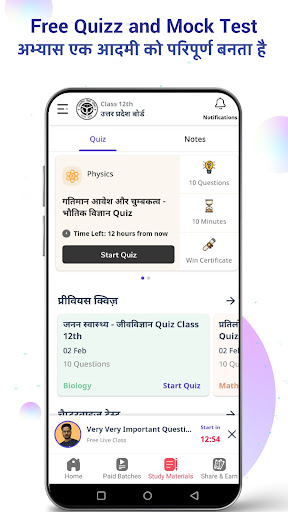
6. MEmu का उपयोग करके अपने कंप्यूटर पर Vidyakul Learning App - 9-12th का अनुभव करें











Hot Topics