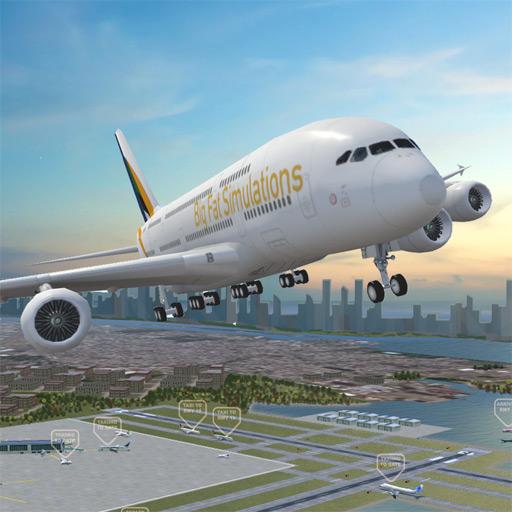
Airport Madness 3D: Volume 2
अपडेट किया गया
वर्तमान वर्शन
1.3092
संसाधन

अपने सेलफोन पर Airport Madness 3D: Volume 2 का उपयोग करते समय ओवरचार्ज के बारे में चिंता करना बंद करें, अपने आप को छोटी स्क्रीन से मुक्त करें और बहुत बड़े डिस्प्ले पर ऐप का उपयोग करने का आनंद लें। अब से, कीबोर्ड और माउस के साथ अपने ऐप का पूर्ण-स्क्रीन अनुभव प्राप्त करें। एमईएमयू आपको उन सभी आश्चर्यजनक सुविधाओं की पेशकश करता है जिनकी आपको उम्मीद थी: त्वरित इंस्टॉल और आसान सेटअप, सहज नियंत्रण, बैटरी की कोई सीमा नहीं, मोबाइल डेटा और परेशान कॉल। आपके कंप्यूटर पर Airport Madness 3D: Volume 2 का उपयोग करने का सबसे अच्छा विकल्प नया MEmu 9 है। हमारे अवशोषण के साथ कोडित, बहु-उदाहरण प्रबंधक एक ही समय में 2 या अधिक खाते खोलना संभव बनाता है। और सबसे महत्वपूर्ण, हमारा अनन्य उत्सर्जन इंजन आपके पीसी की पूरी क्षमता को जारी कर सकता है, सब कुछ सुचारू और सुखद बना सकता है।
और दिखाएं
डाउनलोड करें Airport Madness 3D: Volume 2 पीसी पर MEmu एंड्रॉयड एमुलेटर के साथ बड़े पर्दे पर खेलने का आनंद लें। Designed by real air traffic controllers!
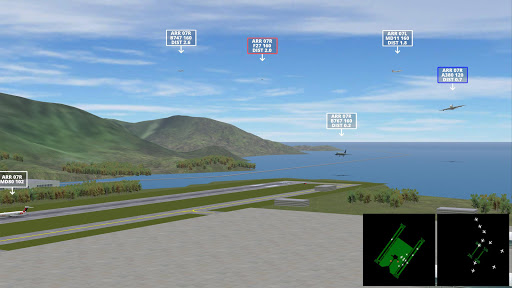
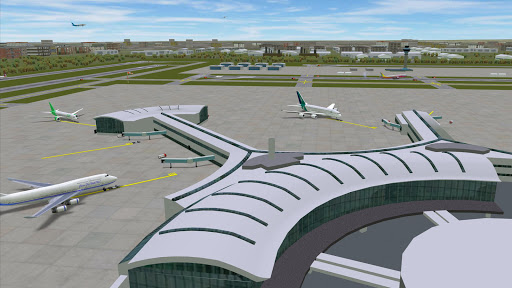
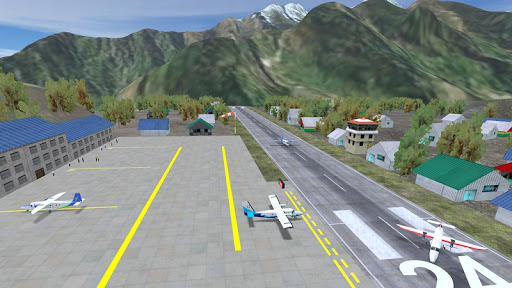
Designed by real air traffic controllers!
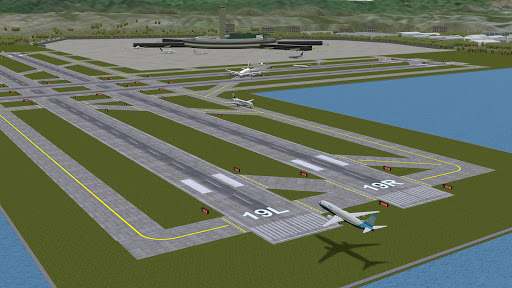
Airport Madness 3D: Volume 2 offers eight new airports, new aircraft, more gates, and sharper detail. Like the first volume, Airport Madness 3D gives players a 3-dimensional air traffic control experience, from a control tower perspective.
Push traffic as quickly as you can, while avoiding midair collisions. Choose good weather or bad, adjust the tower height to your preference, then do your best to manage jet traffic into and out of eight different real-world airports, including New York John F. Kennedy, Toronto Pearson, Miami, London City, San Francisco, Lukla Nepal, Hong Kong and Chicago O'Hare.
It feels real!
Listen to human pilot voices as the aircraft obey your every command. Scan your radar screens for potential conflicts between aircraft. View the action from the Pilot Cams, the Sky Cam, Tower Cam or Runway Cam.
In addition to a UI refresh, the big change since Volume 1 is the all-new Career Stats page, which lets you track your ongoing performance history across all eight airports.
Our terrain is built from real-world earth data. Airport designs are based on real-world layouts. Game play has been designed by real-world air traffic controllers and commercial pilots. Even the aircraft flight characteristics are highly realistic.
और दिखाएं

1. MEmu इंस्टॉलर को डाउनलोड करें और इंस्टॉलेशन को पूरा करें

2. MEmu शुरू करें फिर होमपेज पर Google Play खोलें

3. Google Play में Airport Madness 3D: Volume 2 खोजें
Install
4. Airport Madness 3D: Volume 2 डाउनलोड कर इंस्टॉल करें
5. इंस्टॉल पूरा होने पर आइकन दबाएं

6. MEmu से पीसी पर Airport Madness 3D: Volume 2 खेलने का आनंद लें
MEmu Play सबसे बेहतरीन मुफ़्त Android एमुलेटर है और 5 करोड़ लोग पहले ही इसके शानदार Android गेमिंग अनुभव का आनंद ले चुके हैं। MEmu 9 वर्चुअलाइज़ेशन तकनीक आपको अपने PC पर हज़ारों Android गेम, यहाँ तक कि सबसे ज़्यादा ग्राफ़िक्स वाले गेम भी, आसानी से खेलने की सुविधा देती है।
असीमित बैटरी या मोबाइल डेटा के साथ बेहतर ग्राफिक्स के साथ बड़ी स्क्रीन; लंबी अवधि।
कीबोर्ड और माउस या गेमपैड के उत्तम नियंत्रण के लिए संपूर्ण कीमैपिंग का समर्थन करता हैं।
एक ही पीसी पर मल्टी-इंस्टेंस मैनेजर के साथ एक समय में कई गेम खाते या कार्य कर सकते हैं।
Play Airport Madness 3D: Volume 2 on PC by following steps: