Bhains ki Pathshala
अपडेट किया गया
वर्तमान वर्शन
2.5.0
संसाधन

Bhains ki Pathshala पर अपनी मोबाइल डेटा सीमा पार करने को अलविदा कहें और छोटी स्क्रीन की सीमाओं से मुक्त होकर बड़े डिस्प्ले के लाभों का अनुभव करें। अब, आप अपने कीबोर्ड और माउस का उपयोग करके फुल-स्क्रीन मोड में टॉपर्स क्लैन की शक्ति का अनुभव कर सकते हैं। MEmu Play में वे सभी बेहतरीन सुविधाएँ हैं जिनकी आप अपेक्षा करते हैं: त्वरित इंस्टॉलेशन और आसान सेटअप, सहज नियंत्रण, बैटरी की आवश्यकता नहीं, और कोई डेटा या कॉल समय सीमा नहीं। नया MEmu 9 आपके कंप्यूटर पर Bhains ki Pathshala का उपयोग करने के लिए सबसे अच्छा विकल्प है। हमारा मालिकाना मल्टी-इंस्टेंस मैनेजर एक साथ दो या अधिक खातों को चलाने का समर्थन करता है। इससे भी महत्वपूर्ण बात यह है कि हमारा अनूठा इम्यूलेशन इंजन आपके कंप्यूटर के प्रदर्शन का पूरा उपयोग करता है, जिससे एक सहज और निर्बाध अनुभव मिलता है।
और दिखाएं
डाउनलोड करें Bhains ki Pathshala पीसी पर MEmu एंड्रॉयड एमुलेटर के साथ बड़े पर्दे पर खेलने का आनंद लें। Welcome to Bhains ki Pathshala – Your Gateway to Knowledge!
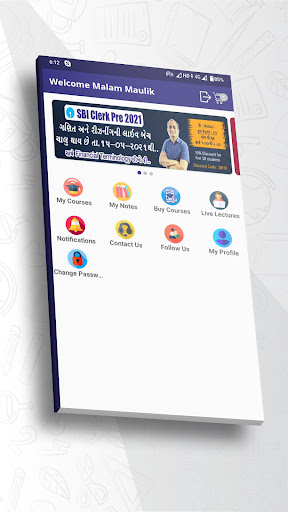
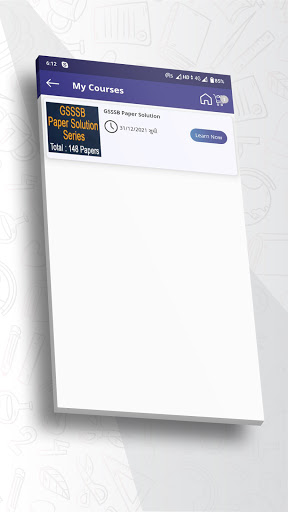
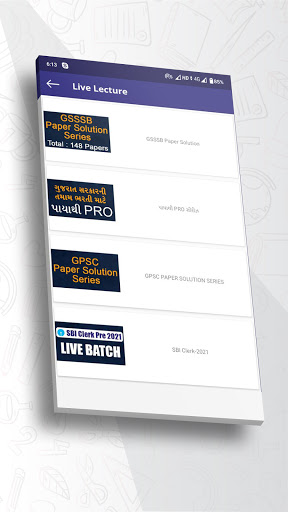
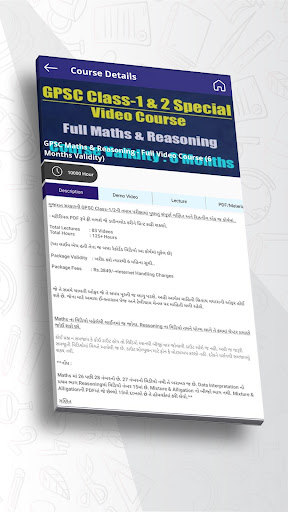
Welcome to Bhains ki Pathshala – Your Gateway to Knowledge!
Bhains ki Pathshala is the Competitive Exam Preparation App for Exams like GSSSB, GPSC, Bank Clerk and PO, IBPS - RRB - SBI, UPSC, SSC and more competitive exams with Live Classes and Recorded Video Lecture Courses. The lectures are participative & illustrative perfectly blended & suited for the course & students future job as well.
Bhains ki Pathshala empowers you to learn at your own convenience. Whether you're at home, commuting, or taking a break, our app ensures that knowledge is always at your fingertips.
Join Live Classes Anytime, Anywhere
Experience the thrill of real-time learning with our live classes feature. Interact with top educator and ask questions, all from the comfort of your own space.
Key Features
Recorded Video Lectures: Learn at your own pace with our high-quality video lectures.
Live Classes: Engage with expert educator in real-time for interactive and dynamic learning sessions.
User-Friendly Interface: Navigate seamlessly through the app for a hassle-free learning experience.
Offline Access: Download your course’s video lectures and watch them offline, ensuring learning continues even without an internet connection.
Disclaimer: Bhains ki Pathshala app is owned & managed by BKP SHIKSHA PRIVATE LIMITED. Bhains ki Pathshala app is not affiliated with or in anyway represent any government entity.
और दिखाएं

1. MEmu इंस्टॉलर को डाउनलोड करें और इंस्टॉलेशन को पूरा करें

2. MEmu शुरू करें फिर होमपेज पर Google Play खोलें

3. Google Play में Bhains ki Pathshala खोजें
Install
4. Bhains ki Pathshala डाउनलोड कर इंस्टॉल करें
5. इंस्टॉल पूरा होने पर आइकन दबाएं

6. MEmu का उपयोग करके अपने कंप्यूटर पर Bhains ki Pathshala का अनुभव करें
MEmu Play सबसे बेहतरीन मुफ़्त Android एमुलेटर है और 5 करोड़ लोग पहले ही इसके शानदार Android ऐप अनुभव का आनंद ले चुके हैं। MEmu 9 वर्चुअलाइज़ेशन तकनीक आपको अपने PC पर हज़ारों Android ऐप्स, यहाँ तक कि सबसे ज़्यादा ग्राफ़िक्स वाले ऐप्स भी, आसानी से चलाने की सुविधा देती है।
असीमित बैटरी या मोबाइल डेटा के साथ बेहतर ग्राफिक्स के साथ बड़ी स्क्रीन; लंबी अवधि।
कीबोर्ड और माउस या गेमपैड के उत्तम नियंत्रण के लिए संपूर्ण कीमैपिंग का समर्थन करता हैं।
एक ही पीसी पर मल्टी-इंस्टेंस मैनेजर के साथ एक समय में कई गेम खाते या कार्य कर सकते हैं।
Use Bhains ki Pathshala on PC by following steps: