Astral Fighter: Final Z
अपडेट किया गया
वर्तमान वर्शन
संसाधन

अपने सेलफोन पर Astral Fighter: Final Z का उपयोग करते समय ओवरचार्ज के बारे में चिंता करना बंद करें, अपने आप को छोटी स्क्रीन से मुक्त करें और बहुत बड़े डिस्प्ले पर ऐप का उपयोग करने का आनंद लें। अब से, कीबोर्ड और माउस के साथ अपने ऐप का पूर्ण-स्क्रीन अनुभव प्राप्त करें। एमईएमयू आपको उन सभी आश्चर्यजनक सुविधाओं की पेशकश करता है जिनकी आपको उम्मीद थी: त्वरित इंस्टॉल और आसान सेटअप, सहज नियंत्रण, बैटरी की कोई सीमा नहीं, मोबाइल डेटा और परेशान कॉल। आपके कंप्यूटर पर Astral Fighter: Final Z का उपयोग करने का सबसे अच्छा विकल्प नया MEmu 9 है। हमारे अवशोषण के साथ कोडित, बहु-उदाहरण प्रबंधक एक ही समय में 2 या अधिक खाते खोलना संभव बनाता है। और सबसे महत्वपूर्ण, हमारा अनन्य उत्सर्जन इंजन आपके पीसी की पूरी क्षमता को जारी कर सकता है, सब कुछ सुचारू और सुखद बना सकता है।
और दिखाएं
डाउनलोड करें Astral Fighter: Final Z पीसी पर MEmu एंड्रॉयड एमुलेटर के साथ बड़े पर्दे पर खेलने का आनंद लें। 【Assemble Your Star Squad】.
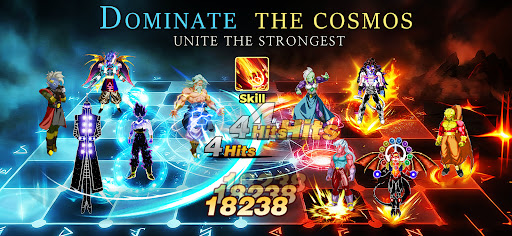
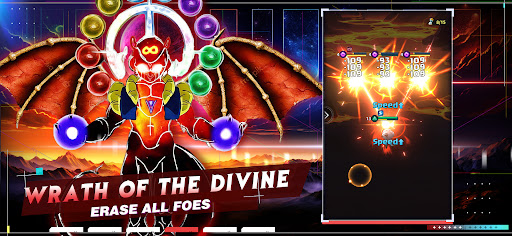
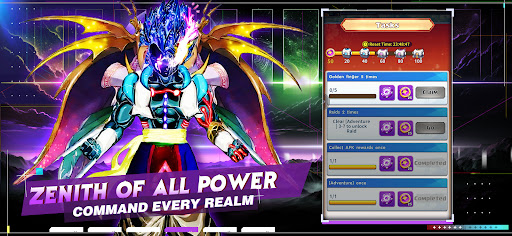
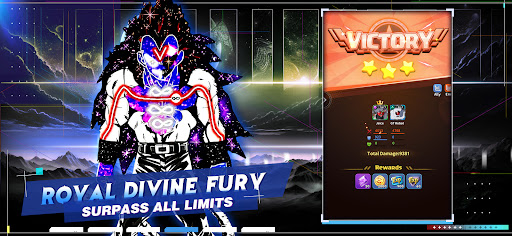
【Assemble Your Star Squad】
Recruit powerful astral warriors and build your ultimate combat lineup. Every fighter stands by your side as a strong backup, helping you dominate the galaxy and claim victory after victory!
【Experience Thrilling Combat】
Enjoy smooth, spectacular battles with stunning skill effects. Between casual training and progression, immerse yourself in a top-tier audiovisual feast brought by intense fights!
【Unlock Awakening Forms】
Level up and empower your fighters to break through limits and unlock brand-new forms. The unique awakening system skyrockets your power and unlocks stunning appearances for your warriors!
【Claim Generous Rewards】
Diverse gameplay keeps the fun going, with abundant rewards for every player. New events launch weekly, and you can earn rewards effortlessly even while AFK, enjoying casual gaming anytime!
【Forge a Top Legion】
Gather friends to build your exclusive legion, contribute together and grow stronger. Challenge powerful rivals server-wide and reach the pinnacle of the universe side by side!
और दिखाएं

1. MEmu इंस्टॉलर को डाउनलोड करें और इंस्टॉलेशन को पूरा करें

2. MEmu शुरू करें फिर होमपेज पर Google Play खोलें

3. Google Play में Astral Fighter: Final Z खोजें
Install
4. Astral Fighter: Final Z डाउनलोड कर इंस्टॉल करें
5. इंस्टॉल पूरा होने पर आइकन दबाएं

6. MEmu से पीसी पर Astral Fighter: Final Z खेलने का आनंद लें
MEmu Play सबसे बेहतरीन मुफ़्त Android एमुलेटर है और 5 करोड़ लोग पहले ही इसके शानदार Android गेमिंग अनुभव का आनंद ले चुके हैं। MEmu 9 वर्चुअलाइज़ेशन तकनीक आपको अपने PC पर हज़ारों Android गेम, यहाँ तक कि सबसे ज़्यादा ग्राफ़िक्स वाले गेम भी, आसानी से खेलने की सुविधा देती है।
असीमित बैटरी या मोबाइल डेटा के साथ बेहतर ग्राफिक्स के साथ बड़ी स्क्रीन; लंबी अवधि।
कीबोर्ड और माउस या गेमपैड के उत्तम नियंत्रण के लिए संपूर्ण कीमैपिंग का समर्थन करता हैं।
एक ही पीसी पर मल्टी-इंस्टेंस मैनेजर के साथ एक समय में कई गेम खाते या कार्य कर सकते हैं।
Play Astral Fighter: Final Z on PC by following steps: