
ADRE 3.0 GK Prep – Assam GK
अपडेट किया गया
वर्तमान वर्शन
1.0
संसाधन

अपने सेलफोन पर ADRE 3.0 GK Prep – Assam GK का उपयोग करते समय ओवरचार्ज के बारे में चिंता करना बंद करें, अपने आप को छोटी स्क्रीन से मुक्त करें और बहुत बड़े डिस्प्ले पर ऐप का उपयोग करने का आनंद लें। अब से, कीबोर्ड और माउस के साथ अपने ऐप का पूर्ण-स्क्रीन अनुभव प्राप्त करें। एमईएमयू आपको उन सभी आश्चर्यजनक सुविधाओं की पेशकश करता है जिनकी आपको उम्मीद थी: त्वरित इंस्टॉल और आसान सेटअप, सहज नियंत्रण, बैटरी की कोई सीमा नहीं, मोबाइल डेटा और परेशान कॉल। आपके कंप्यूटर पर ADRE 3.0 GK Prep – Assam GK का उपयोग करने का सबसे अच्छा विकल्प नया MEmu 9 है। हमारे अवशोषण के साथ कोडित, बहु-उदाहरण प्रबंधक एक ही समय में 2 या अधिक खाते खोलना संभव बनाता है। और सबसे महत्वपूर्ण, हमारा अनन्य उत्सर्जन इंजन आपके पीसी की पूरी क्षमता को जारी कर सकता है, सब कुछ सुचारू और सुखद बना सकता है।
और दिखाएं
डाउनलोड करें ADRE 3.0 GK Prep – Assam GK पीसी पर MEmu एंड्रॉयड एमुलेटर के साथ बड़े पर्दे पर खेलने का आनंद लें। Prepare smartly for Assam Competitive Exam Grade III & Grade IV exams with the most powerful GK, GS and Assam Current Affairs app.
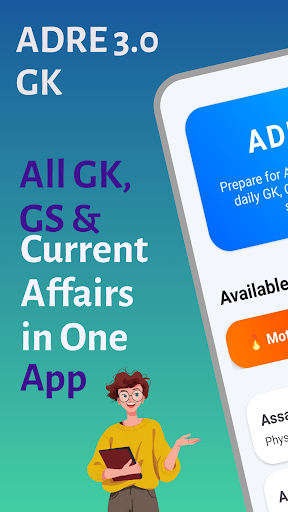
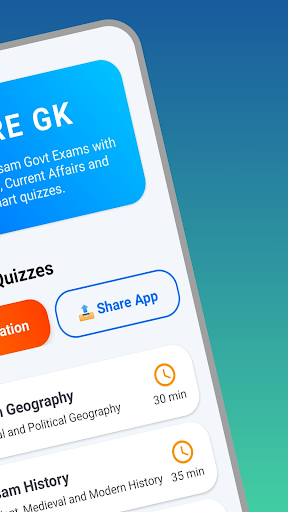
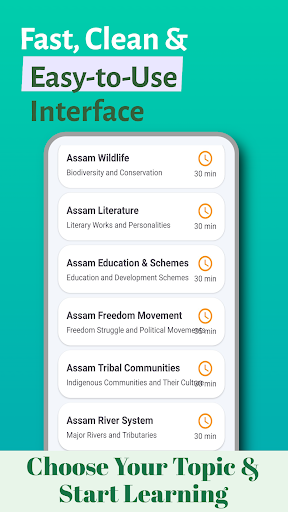
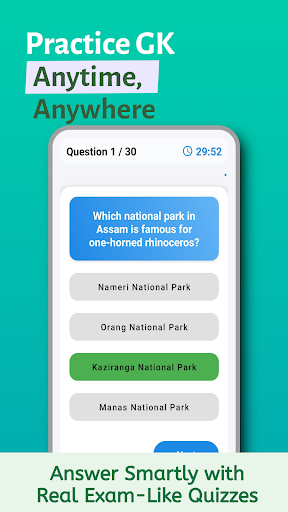
Prepare smartly for Assam Competitive Exam Grade III & Grade IV exams with the most powerful GK, GS and Assam Current Affairs app.
ADRE 3.0 GK Prep is designed to help you practice, revise and track your progress with exam-style quizzes, instant results and daily study boosters.
⭐ Key Features
Complete Assam GK & GS – History, Geography, Polity, Economy, General Science
Assam Current Affairs 2024–25
Daily GK & Quiz Practice
Timed Quizzes (MCQs)
Instant Scorecard
Motivational Quotes & Study Boosters
Lightweight & fast
Beautiful UI with smooth animations
What You Can Prepare
ADRE 3.0 Grade III
ADRE 3.0 Grade IV
Assam Police
Forest Guard
Direct Recruitment Exams
PNRD, Irrigation, Agriculture, Health Dept Exams
All Assam State Competitive Exams
Subjects Covered
General Knowledge
General Science
Computers
Assam GK
Assam History, Geography & Culture
National & International Current Affairs
Why ADRE 3.0 GK Prep?
Clean UI for distraction-free learning
Designed following latest exam pattern
Quick revision modules
Stay consistent, stay motivated, and clear your Assam Direct Recruitment Exam with confidence.
Important Disclaimer
This app is NOT an official government app. It is NOT affiliated with, endorsed by, or connected to the Government of Assam or any government organization. This is an independent educational app created only for exam preparation.
और दिखाएं

1. MEmu इंस्टॉलर को डाउनलोड करें और इंस्टॉलेशन को पूरा करें

2. MEmu शुरू करें फिर होमपेज पर Google Play खोलें

3. Google Play में ADRE 3.0 GK Prep – Assam GK खोजें
Install
4. ADRE 3.0 GK Prep – Assam GK डाउनलोड कर इंस्टॉल करें
5. इंस्टॉल पूरा होने पर आइकन दबाएं

6. MEmu से पीसी पर ADRE 3.0 GK Prep – Assam GK खेलने का आनंद लें
MEmu Play सबसे बेहतरीन मुफ़्त Android एमुलेटर है और 5 करोड़ लोग पहले ही इसके शानदार Android गेमिंग अनुभव का आनंद ले चुके हैं। MEmu 9 वर्चुअलाइज़ेशन तकनीक आपको अपने PC पर हज़ारों Android गेम, यहाँ तक कि सबसे ज़्यादा ग्राफ़िक्स वाले गेम भी, आसानी से खेलने की सुविधा देती है।
असीमित बैटरी या मोबाइल डेटा के साथ बेहतर ग्राफिक्स के साथ बड़ी स्क्रीन; लंबी अवधि।
कीबोर्ड और माउस या गेमपैड के उत्तम नियंत्रण के लिए संपूर्ण कीमैपिंग का समर्थन करता हैं।
एक ही पीसी पर मल्टी-इंस्टेंस मैनेजर के साथ एक समय में कई गेम खाते या कार्य कर सकते हैं।
Play ADRE 3.0 GK Prep – Assam GK on PC by following steps: