CricAuc: The Cricket Auction
अपडेट किया गया
वर्तमान वर्शन
4.2.7
संसाधन

अपने सेलफोन पर CricAuc: The Cricket Auction का उपयोग करते समय ओवरचार्ज के बारे में चिंता करना बंद करें, अपने आप को छोटी स्क्रीन से मुक्त करें और बहुत बड़े डिस्प्ले पर ऐप का उपयोग करने का आनंद लें। अब से, कीबोर्ड और माउस के साथ अपने ऐप का पूर्ण-स्क्रीन अनुभव प्राप्त करें। एमईएमयू आपको उन सभी आश्चर्यजनक सुविधाओं की पेशकश करता है जिनकी आपको उम्मीद थी: त्वरित इंस्टॉल और आसान सेटअप, सहज नियंत्रण, बैटरी की कोई सीमा नहीं, मोबाइल डेटा और परेशान कॉल। आपके कंप्यूटर पर CricAuc: The Cricket Auction का उपयोग करने का सबसे अच्छा विकल्प नया MEmu 9 है। हमारे अवशोषण के साथ कोडित, बहु-उदाहरण प्रबंधक एक ही समय में 2 या अधिक खाते खोलना संभव बनाता है। और सबसे महत्वपूर्ण, हमारा अनन्य उत्सर्जन इंजन आपके पीसी की पूरी क्षमता को जारी कर सकता है, सब कुछ सुचारू और सुखद बना सकता है।
और दिखाएं
डाउनलोड करें CricAuc: The Cricket Auction पीसी पर MEmu एंड्रॉयड एमुलेटर के साथ बड़े पर्दे पर खेलने का आनंद लें। "CricAuc" is your ultimate cricket auction app for all those crazy fans created just to make your lives fun and interesting.
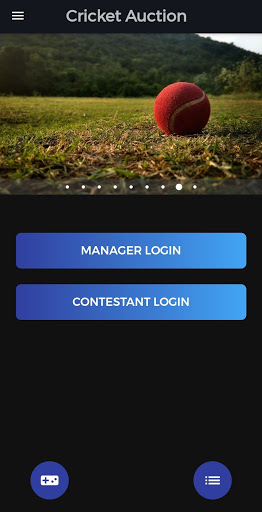
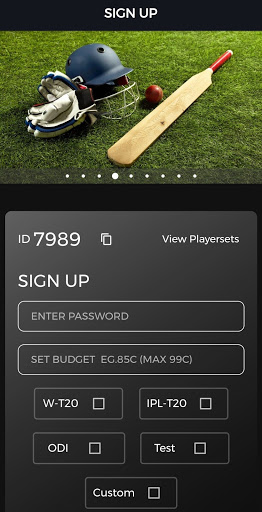
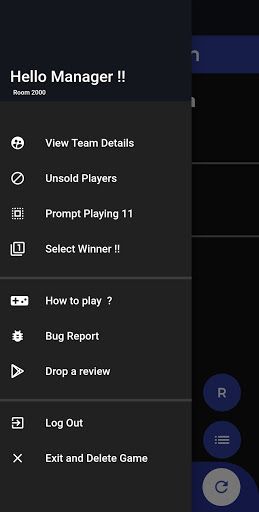
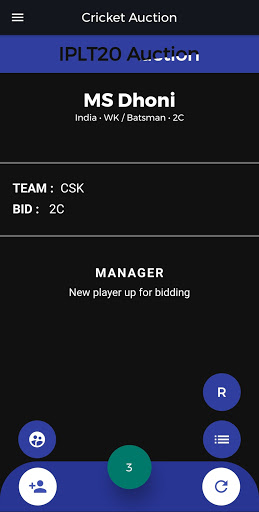
"CricAuc" is your ultimate cricket auction app for all those crazy fans created just to make your lives fun and interesting. We guarantee you'll have the most authentic yet amazing and surreal auction experience.
It comes with amazing features:
• Stunning yet user-friendly UI.
• Live Automatic Bidding - Real-time Updates.
• There are up to 15 teams with any number of players each.
• Playing 11 selections.
• Winner Selection.
• Awesome Detailed team view.
• Four awesome default Player sets - WT20, IPLT20, ODI & Test.
• Feature to upload a Custom Player set.
Well, what are you waiting for? It's Auction Time!!
और दिखाएं

1. MEmu इंस्टॉलर को डाउनलोड करें और इंस्टॉलेशन को पूरा करें

2. MEmu शुरू करें फिर होमपेज पर Google Play खोलें

3. Google Play में CricAuc: The Cricket Auction खोजें
Install
4. CricAuc: The Cricket Auction डाउनलोड कर इंस्टॉल करें
5. इंस्टॉल पूरा होने पर आइकन दबाएं

6. MEmu से पीसी पर CricAuc: The Cricket Auction खेलने का आनंद लें
MEmu Play सबसे बेहतरीन मुफ़्त Android एमुलेटर है और 5 करोड़ लोग पहले ही इसके शानदार Android गेमिंग अनुभव का आनंद ले चुके हैं। MEmu 9 वर्चुअलाइज़ेशन तकनीक आपको अपने PC पर हज़ारों Android गेम, यहाँ तक कि सबसे ज़्यादा ग्राफ़िक्स वाले गेम भी, आसानी से खेलने की सुविधा देती है।
असीमित बैटरी या मोबाइल डेटा के साथ बेहतर ग्राफिक्स के साथ बड़ी स्क्रीन; लंबी अवधि।
कीबोर्ड और माउस या गेमपैड के उत्तम नियंत्रण के लिए संपूर्ण कीमैपिंग का समर्थन करता हैं।
एक ही पीसी पर मल्टी-इंस्टेंस मैनेजर के साथ एक समय में कई गेम खाते या कार्य कर सकते हैं।
Play CricAuc: The Cricket Auction on PC by following steps: