Driving Rogue
अपडेट किया गया
वर्तमान वर्शन
संसाधन

अपने सेलफोन पर Driving Rogue का उपयोग करते समय ओवरचार्ज के बारे में चिंता करना बंद करें, अपने आप को छोटी स्क्रीन से मुक्त करें और बहुत बड़े डिस्प्ले पर ऐप का उपयोग करने का आनंद लें। अब से, कीबोर्ड और माउस के साथ अपने ऐप का पूर्ण-स्क्रीन अनुभव प्राप्त करें। एमईएमयू आपको उन सभी आश्चर्यजनक सुविधाओं की पेशकश करता है जिनकी आपको उम्मीद थी: त्वरित इंस्टॉल और आसान सेटअप, सहज नियंत्रण, बैटरी की कोई सीमा नहीं, मोबाइल डेटा और परेशान कॉल। आपके कंप्यूटर पर Driving Rogue का उपयोग करने का सबसे अच्छा विकल्प नया MEmu 9 है। हमारे अवशोषण के साथ कोडित, बहु-उदाहरण प्रबंधक एक ही समय में 2 या अधिक खाते खोलना संभव बनाता है। और सबसे महत्वपूर्ण, हमारा अनन्य उत्सर्जन इंजन आपके पीसी की पूरी क्षमता को जारी कर सकता है, सब कुछ सुचारू और सुखद बना सकता है।
और दिखाएं
डाउनलोड करें Driving Rogue पीसी पर MEmu एंड्रॉयड एमुलेटर के साथ बड़े पर्दे पर खेलने का आनंद लें। Rougelike Arcade Experience!
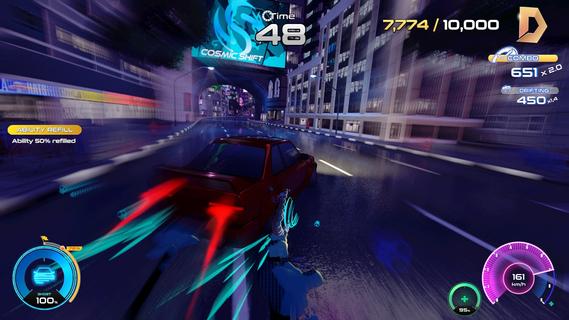

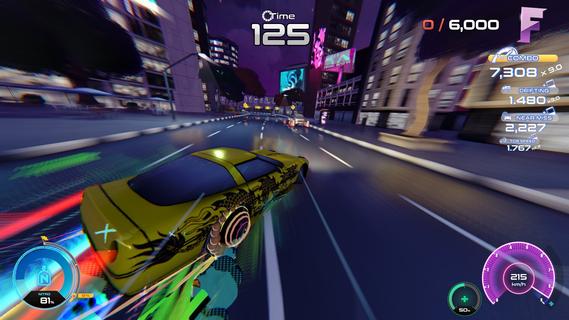
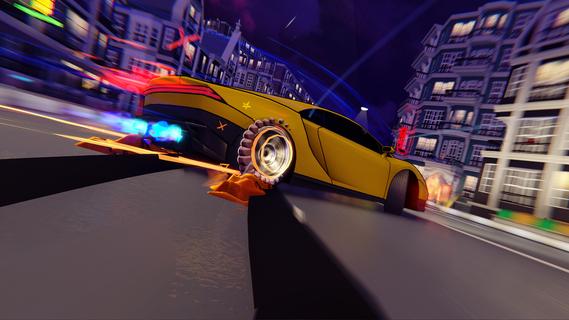
Rougelike Arcade Experience!Survive as long as you can, then spend your earnings to upgrade your ride and refine your build. Each run is a chance to go further, push your limits, and beat your previous best.Test your reflexes!Push your reflexes to the limit in a high-speed arcade driving experience where every second counts. Drift through traffic, dodge incoming chaos, and chain near-misses to keep your run alive.Procedurally Generated Maps!The city never stays the same. Roads shift, traffic patterns change, and every run throws new challenges your way. Stay focused, react fast, and keep the momentum going - because one mistake ends it all.Customizable Cars!Expand your garage with a lineup of unique cars - each with its own handling and flair. Personalise your ride with striking vinyls and stand out on every road.Hazards, traffic, weather effects, race modifiers!The longer you survive, the faster and more intense it gets. Tight gaps, sudden turns, and split-second decisions will push your skills to the edge. Crash, and itâs over. Start again, go further.Highscore chase and leaderboards!Compete for high scores, climb the leaderboards, and prove how far you can push your limits. No two runs are the same, and thereâs always a higher score to chase.
और दिखाएं

1. MEmu इंस्टॉलर को डाउनलोड करें और इंस्टॉलेशन को पूरा करें

2. MEmu शुरू करें फिर होमपेज पर Google Play खोलें

3. Google Play में Driving Rogue खोजें
Install
4. Driving Rogue डाउनलोड कर इंस्टॉल करें
5. इंस्टॉल पूरा होने पर आइकन दबाएं

6. MEmu से पीसी पर Driving Rogue खेलने का आनंद लें
MEmu Play सबसे बेहतरीन मुफ़्त Android एमुलेटर है और 5 करोड़ लोग पहले ही इसके शानदार Android गेमिंग अनुभव का आनंद ले चुके हैं। MEmu 9 वर्चुअलाइज़ेशन तकनीक आपको अपने PC पर हज़ारों Android गेम, यहाँ तक कि सबसे ज़्यादा ग्राफ़िक्स वाले गेम भी, आसानी से खेलने की सुविधा देती है।
असीमित बैटरी या मोबाइल डेटा के साथ बेहतर ग्राफिक्स के साथ बड़ी स्क्रीन; लंबी अवधि।
कीबोर्ड और माउस या गेमपैड के उत्तम नियंत्रण के लिए संपूर्ण कीमैपिंग का समर्थन करता हैं।
एक ही पीसी पर मल्टी-इंस्टेंस मैनेजर के साथ एक समय में कई गेम खाते या कार्य कर सकते हैं।
Play Driving Rogue on PC by following steps: