Mad Ducks: Roguelike Defense
अपडेट किया गया
वर्तमान वर्शन
संसाधन

अपने सेलफोन पर Mad Ducks: Roguelike Defense का उपयोग करते समय ओवरचार्ज के बारे में चिंता करना बंद करें, अपने आप को छोटी स्क्रीन से मुक्त करें और बहुत बड़े डिस्प्ले पर ऐप का उपयोग करने का आनंद लें। अब से, कीबोर्ड और माउस के साथ अपने ऐप का पूर्ण-स्क्रीन अनुभव प्राप्त करें। एमईएमयू आपको उन सभी आश्चर्यजनक सुविधाओं की पेशकश करता है जिनकी आपको उम्मीद थी: त्वरित इंस्टॉल और आसान सेटअप, सहज नियंत्रण, बैटरी की कोई सीमा नहीं, मोबाइल डेटा और परेशान कॉल। आपके कंप्यूटर पर Mad Ducks: Roguelike Defense का उपयोग करने का सबसे अच्छा विकल्प नया MEmu 9 है। हमारे अवशोषण के साथ कोडित, बहु-उदाहरण प्रबंधक एक ही समय में 2 या अधिक खाते खोलना संभव बनाता है। और सबसे महत्वपूर्ण, हमारा अनन्य उत्सर्जन इंजन आपके पीसी की पूरी क्षमता को जारी कर सकता है, सब कुछ सुचारू और सुखद बना सकता है।
और दिखाएं
डाउनलोड करें Mad Ducks: Roguelike Defense पीसी पर MEmu एंड्रॉयड एमुलेटर के साथ बड़े पर्दे पर खेलने का आनंद लें। ■ One duck.
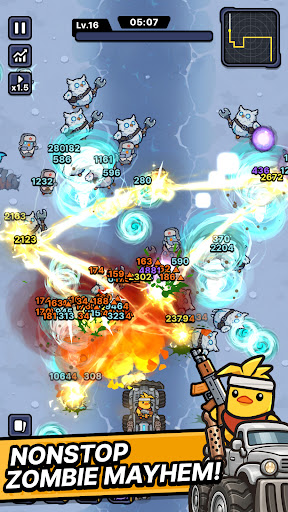
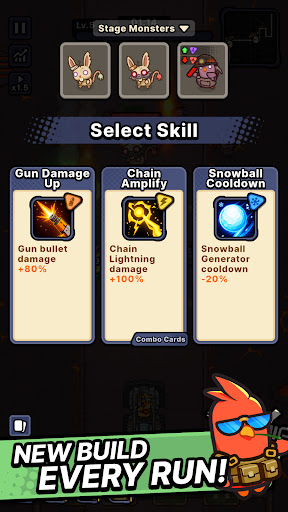
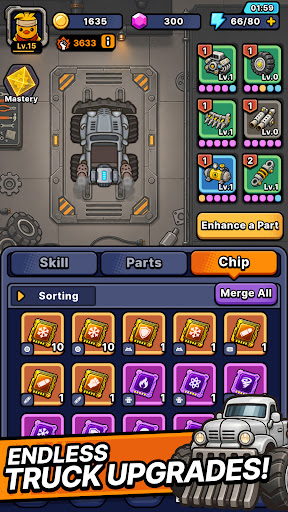
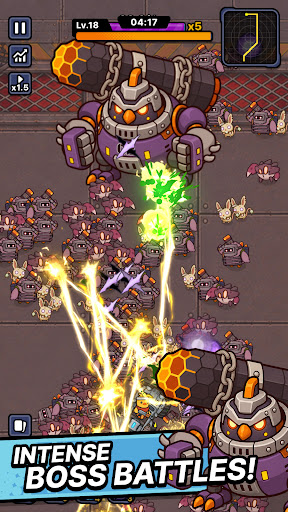
■ One duck. One war truck. A road full of zombies.
The world has fallen and every highway is crawling with the undead.
All that's left is one very angry duck.
Climb into the war truck, hit the gas, and never stop moving.
■ Defense that moves
Push forward through waves of zombies closing in from both sides.
This isn't a game about holding a line — it's about breaking through it.
No idle auto-play. Every second asks for a decision.
■ Roguelike runs, never the same twice
Pick one weapon at a time as you drive.
Torch the horde with a flamethrower. Melt them down with a venom cannon.
Call down lightning strikes. Cut straight through with a laser cannon.
Or erase the whole road with a proton energy cannon.
Every weapon combination builds a different run.
The same stage never plays out the same way.
■ Upgrade the war truck
The further you drive, the heavier you roll.
Reinforce your truck, stack on more firepower, and push deeper every run.
■ From zombie farms to ghost towns
Burning farmland. Sandstorm-swept desert highways. A fog-covered ghost city.
Each region brings its own zombies and bosses.
Read enemy types and bring the right weapon.
■ Endless road mode
How far can you get?
Take on an unending horde and push your distance record as far as it goes.
Start the engine. See you down the road.
और दिखाएं

1. MEmu इंस्टॉलर को डाउनलोड करें और इंस्टॉलेशन को पूरा करें

2. MEmu शुरू करें फिर होमपेज पर Google Play खोलें

3. Google Play में Mad Ducks: Roguelike Defense खोजें
Install
4. Mad Ducks: Roguelike Defense डाउनलोड कर इंस्टॉल करें
5. इंस्टॉल पूरा होने पर आइकन दबाएं

6. MEmu से पीसी पर Mad Ducks: Roguelike Defense खेलने का आनंद लें
MEmu Play सबसे बेहतरीन मुफ़्त Android एमुलेटर है और 5 करोड़ लोग पहले ही इसके शानदार Android गेमिंग अनुभव का आनंद ले चुके हैं। MEmu 9 वर्चुअलाइज़ेशन तकनीक आपको अपने PC पर हज़ारों Android गेम, यहाँ तक कि सबसे ज़्यादा ग्राफ़िक्स वाले गेम भी, आसानी से खेलने की सुविधा देती है।
असीमित बैटरी या मोबाइल डेटा के साथ बेहतर ग्राफिक्स के साथ बड़ी स्क्रीन; लंबी अवधि।
कीबोर्ड और माउस या गेमपैड के उत्तम नियंत्रण के लिए संपूर्ण कीमैपिंग का समर्थन करता हैं।
एक ही पीसी पर मल्टी-इंस्टेंस मैनेजर के साथ एक समय में कई गेम खाते या कार्य कर सकते हैं।
Play Mad Ducks: Roguelike Defense on PC by following steps: