Dungeon Clawler
अपडेट किया गया
वर्तमान वर्शन
संसाधन

अपने सेलफोन पर Dungeon Clawler का उपयोग करते समय ओवरचार्ज के बारे में चिंता करना बंद करें, अपने आप को छोटी स्क्रीन से मुक्त करें और बहुत बड़े डिस्प्ले पर ऐप का उपयोग करने का आनंद लें। अब से, कीबोर्ड और माउस के साथ अपने ऐप का पूर्ण-स्क्रीन अनुभव प्राप्त करें। एमईएमयू आपको उन सभी आश्चर्यजनक सुविधाओं की पेशकश करता है जिनकी आपको उम्मीद थी: त्वरित इंस्टॉल और आसान सेटअप, सहज नियंत्रण, बैटरी की कोई सीमा नहीं, मोबाइल डेटा और परेशान कॉल। आपके कंप्यूटर पर Dungeon Clawler का उपयोग करने का सबसे अच्छा विकल्प नया MEmu 9 है। हमारे अवशोषण के साथ कोडित, बहु-उदाहरण प्रबंधक एक ही समय में 2 या अधिक खाते खोलना संभव बनाता है। और सबसे महत्वपूर्ण, हमारा अनन्य उत्सर्जन इंजन आपके पीसी की पूरी क्षमता को जारी कर सकता है, सब कुछ सुचारू और सुखद बना सकता है।
और दिखाएं
डाउनलोड करें Dungeon Clawler पीसी पर MEmu एंड्रॉयड एमुलेटर के साथ बड़े पर्दे पर खेलने का आनंद लें। In order to improve his luck in gambling, the wicked dungeon lord has severed your left rabbit paw and now wears it as a lucky charm.
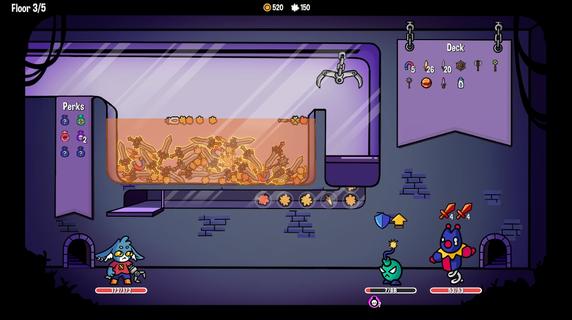
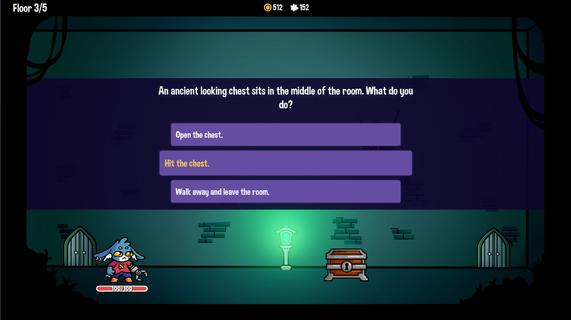
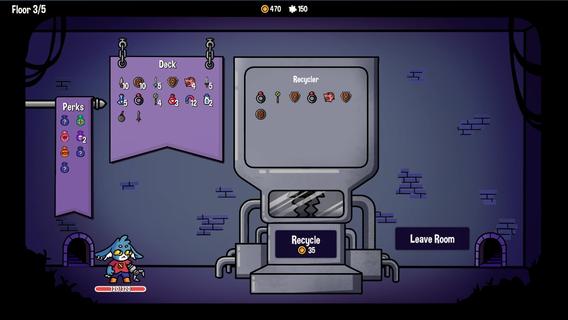
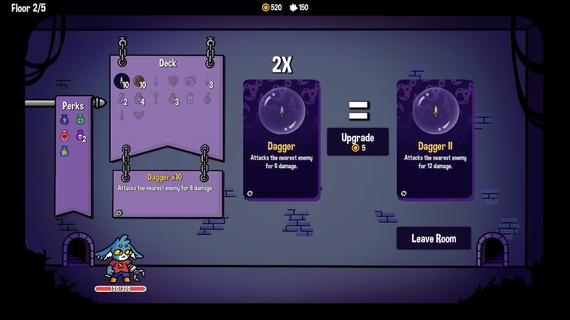
In order to improve his luck in gambling, the wicked dungeon lord has severed your left rabbit paw and now wears it as a lucky charm. Armed with a trusty claw to replace your lost limb, you must fight your way through the dungeon to reclaim what is rightfully yours! Dungeon Clawler combines deck building with elements of rogue-like mechanics, and most importantly, introduces a claw machine. Deck Building: Construct your own unique deck of cards to effectively battle various enemies. Choose your cards wisely, as certain items interact with each other and with the claw machine. Lucky Charms: Discover powerful good-luck charms that can swiftly alter the gameplay and significantly assist you in your quest. Mystery Locations: Embark on expeditions into mysterious locations where you will uncover valuable treasures as well as encounter strange and perilous elements. Push Your Luck: Spend your hard-earned coins in the dungeon's pachinko machines. With a stroke of luck, you may acquire powerful items that will aid you on your journey. Customization & Permanent Unlocks: Pay a visit to Grandma, who might just knit you a brand new sweater! Clothing items come with unique perks that give you an advantage in your next descent into the dungeon.
और दिखाएं

1. MEmu इंस्टॉलर को डाउनलोड करें और इंस्टॉलेशन को पूरा करें

2. MEmu शुरू करें फिर होमपेज पर Google Play खोलें

3. Google Play में Dungeon Clawler खोजें
Install
4. Dungeon Clawler डाउनलोड कर इंस्टॉल करें
5. इंस्टॉल पूरा होने पर आइकन दबाएं

6. MEmu से पीसी पर Dungeon Clawler खेलने का आनंद लें
MEmu Play सबसे बेहतरीन मुफ़्त Android एमुलेटर है और 5 करोड़ लोग पहले ही इसके शानदार Android गेमिंग अनुभव का आनंद ले चुके हैं। MEmu 9 वर्चुअलाइज़ेशन तकनीक आपको अपने PC पर हज़ारों Android गेम, यहाँ तक कि सबसे ज़्यादा ग्राफ़िक्स वाले गेम भी, आसानी से खेलने की सुविधा देती है।
असीमित बैटरी या मोबाइल डेटा के साथ बेहतर ग्राफिक्स के साथ बड़ी स्क्रीन; लंबी अवधि।
कीबोर्ड और माउस या गेमपैड के उत्तम नियंत्रण के लिए संपूर्ण कीमैपिंग का समर्थन करता हैं।
एक ही पीसी पर मल्टी-इंस्टेंस मैनेजर के साथ एक समय में कई गेम खाते या कार्य कर सकते हैं।
Play Dungeon Clawler on PC by following steps: