Illusion Connect: Re
अपडेट किया गया
वर्तमान वर्शन
संसाधन

अपने सेलफोन पर Illusion Connect: Re का उपयोग करते समय ओवरचार्ज के बारे में चिंता करना बंद करें, अपने आप को छोटी स्क्रीन से मुक्त करें और बहुत बड़े डिस्प्ले पर ऐप का उपयोग करने का आनंद लें। अब से, कीबोर्ड और माउस के साथ अपने ऐप का पूर्ण-स्क्रीन अनुभव प्राप्त करें। एमईएमयू आपको उन सभी आश्चर्यजनक सुविधाओं की पेशकश करता है जिनकी आपको उम्मीद थी: त्वरित इंस्टॉल और आसान सेटअप, सहज नियंत्रण, बैटरी की कोई सीमा नहीं, मोबाइल डेटा और परेशान कॉल। आपके कंप्यूटर पर Illusion Connect: Re का उपयोग करने का सबसे अच्छा विकल्प नया MEmu 9 है। हमारे अवशोषण के साथ कोडित, बहु-उदाहरण प्रबंधक एक ही समय में 2 या अधिक खाते खोलना संभव बनाता है। और सबसे महत्वपूर्ण, हमारा अनन्य उत्सर्जन इंजन आपके पीसी की पूरी क्षमता को जारी कर सकता है, सब कुछ सुचारू और सुखद बना सकता है।
और दिखाएं
डाउनलोड करें Illusion Connect: Re पीसी पर MEmu एंड्रॉयड एमुलेटर के साथ बड़े पर्दे पर खेलने का आनंद लें। Step back into a world where your adventure once began.
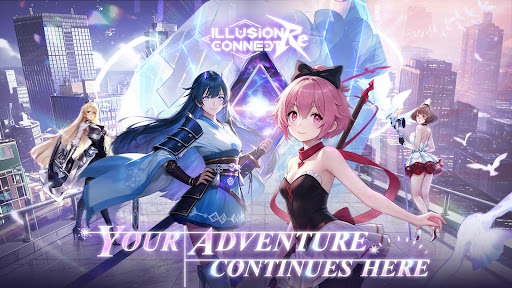
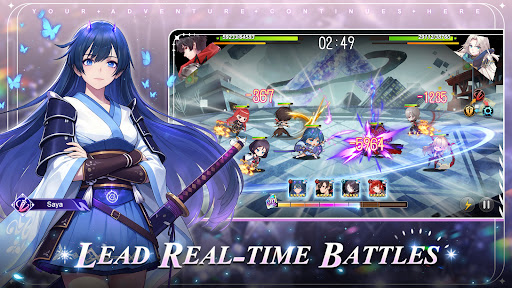
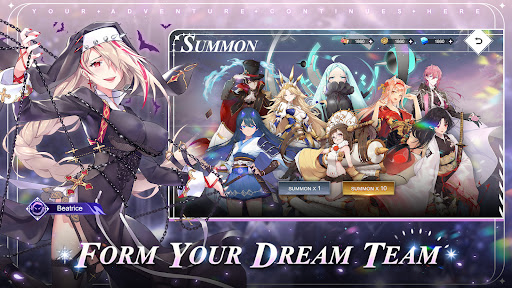
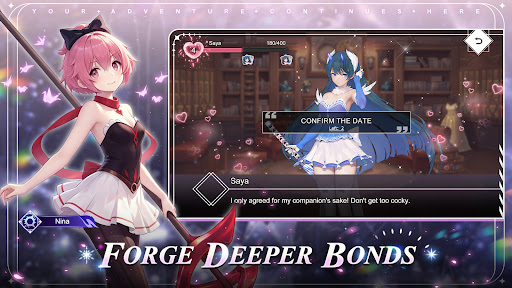
Step back into a world where your adventure once began. Reconnect with the Radiants who fought beside you and relive the excitement of past battles. New encounters, new memories, and new challenges await as your story moves forward.
● Lead Real-time Battles
Take command in dynamic real-time combat where strategy and timing matter. Direct your heroes, shift formations during battle, and combine their strengths to overcome powerful Nightmares.
● Form Your Dream Team
Build your team from a roster of over 130 beautifully illustrated characters, each brought to life with expressive Live2D animation. Every hero offers unique abilities, personalities, and battle roles to discover.
● Forge Deeper Bonds
Your adventure grows stronger through the relationships you build. Spend time with your companions and unlock new abilities as your bonds deepen.
● Decorate Your Dream Home
Create a personal retreat for your team by decorating your home with furniture and wallpapers. A peaceful space where your companions can rest before the next adventure begins.
● Voices of Legendary Talent
A celebrated lineup of Japanese voice actors brings the world to life, including Ai Kayano, Hisako Kanemoto, Yui Ishikawa, Risa Taneda, Ami Koshimizu, Maaya Uchida, Ayane Sakura, Yumi Hara, Haruka Tomatsu, Aoi Yuki, Hitomi Nabatame, Takehito Koyasu, Kae Oki, Saori Hayami, and Natsuki Hanae.
[More information about Illusion Connect: Re]
Official Facebook: https://www.facebook.com/IllusionConnectRe
और दिखाएं

1. MEmu इंस्टॉलर को डाउनलोड करें और इंस्टॉलेशन को पूरा करें

2. MEmu शुरू करें फिर होमपेज पर Google Play खोलें

3. Google Play में Illusion Connect: Re खोजें
Install
4. Illusion Connect: Re डाउनलोड कर इंस्टॉल करें
5. इंस्टॉल पूरा होने पर आइकन दबाएं

6. MEmu से पीसी पर Illusion Connect: Re खेलने का आनंद लें
MEmu Play सबसे बेहतरीन मुफ़्त Android एमुलेटर है और 5 करोड़ लोग पहले ही इसके शानदार Android गेमिंग अनुभव का आनंद ले चुके हैं। MEmu 9 वर्चुअलाइज़ेशन तकनीक आपको अपने PC पर हज़ारों Android गेम, यहाँ तक कि सबसे ज़्यादा ग्राफ़िक्स वाले गेम भी, आसानी से खेलने की सुविधा देती है।
असीमित बैटरी या मोबाइल डेटा के साथ बेहतर ग्राफिक्स के साथ बड़ी स्क्रीन; लंबी अवधि।
कीबोर्ड और माउस या गेमपैड के उत्तम नियंत्रण के लिए संपूर्ण कीमैपिंग का समर्थन करता हैं।
एक ही पीसी पर मल्टी-इंस्टेंस मैनेजर के साथ एक समय में कई गेम खाते या कार्य कर सकते हैं।
Play Illusion Connect: Re on PC by following steps: