Raistar Games Fire
अपडेट किया गया
वर्तमान वर्शन
1.2
संसाधन

अपने सेलफोन पर Raistar Games Fire का उपयोग करते समय ओवरचार्ज के बारे में चिंता करना बंद करें, अपने आप को छोटी स्क्रीन से मुक्त करें और बहुत बड़े डिस्प्ले पर ऐप का उपयोग करने का आनंद लें। अब से, कीबोर्ड और माउस के साथ अपने ऐप का पूर्ण-स्क्रीन अनुभव प्राप्त करें। एमईएमयू आपको उन सभी आश्चर्यजनक सुविधाओं की पेशकश करता है जिनकी आपको उम्मीद थी: त्वरित इंस्टॉल और आसान सेटअप, सहज नियंत्रण, बैटरी की कोई सीमा नहीं, मोबाइल डेटा और परेशान कॉल। आपके कंप्यूटर पर Raistar Games Fire का उपयोग करने का सबसे अच्छा विकल्प नया MEmu 9 है। हमारे अवशोषण के साथ कोडित, बहु-उदाहरण प्रबंधक एक ही समय में 2 या अधिक खाते खोलना संभव बनाता है। और सबसे महत्वपूर्ण, हमारा अनन्य उत्सर्जन इंजन आपके पीसी की पूरी क्षमता को जारी कर सकता है, सब कुछ सुचारू और सुखद बना सकता है।
और दिखाएं
डाउनलोड करें Raistar Games Fire पीसी पर MEmu एंड्रॉयड एमुलेटर के साथ बड़े पर्दे पर खेलने का आनंद लें। Raistar Fire Games – 26+ Mini Games in One App!
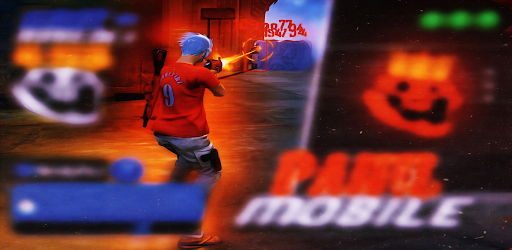
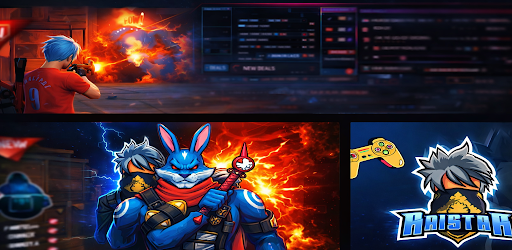
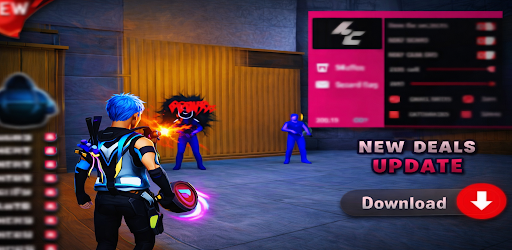
Raistar Fire Games – 26+ Mini Games in One App!
Get ready for unlimited fun with Raistar Fire Games, your all-in-one gaming destination packed with 26+ exciting mini games! Whether you love action, puzzles, or arcade challenges, this app has something for everyone.
What you get:
• Knife Dart – Test your precision and timing
• Cricket Games – Hit big shots and chase high scores
• Puzzle Games – Train your brain with fun challenges
• Running Games – Fast-paced endless runner action
• Pop Virus – Addictive tapping gameplay
• Tetris Style Game – Classic block puzzle fun
• Running Santa – Festive endless runner
• Swimming Hero – Dive into thrilling water action
• Zombie Games – Survive and defeat enemies
• Arcade Run & More – Non-stop entertainment
Why you’ll love it:
• 26+ games in a single lightweight app
• No need to download multiple games
• Smooth performance & easy controls
• Fun for all age groups
• Regular updates with new games
• mini games
• 26 games in one
• offline games
• arcade games
• fun games
• mobile games
• knife game
• cricket game
• puzzle game
• running game
• zombie game
• tetris game
• casual games
• time pass games
• low mb gaming
• all in one total games
Tired of downloading multiple games? Now enjoy 26+ mini games in one single app! From action to puzzles, racing to arcade — everything is here.
Top Games Included:
• Knife Dart
• Cricket
• Puzzle
• Running Games
• Pop Virus
• Tetris Style
• Running Santa
• Swimming Hero
• Zombie Survival
• Arcade Run & many more!
Features:
• 26+ games in one app
• Lightweight & smooth performance
• Easy controls
• Suitable for all age groups
Why Choose Raistar Fire Games?
Because it’s not just a game — it’s a complete gaming collection in your pocket!
Download now and enjoy endless fun anytime, anywhere!
और दिखाएं

1. MEmu इंस्टॉलर को डाउनलोड करें और इंस्टॉलेशन को पूरा करें

2. MEmu शुरू करें फिर होमपेज पर Google Play खोलें

3. Google Play में Raistar Games Fire खोजें
Install
4. Raistar Games Fire डाउनलोड कर इंस्टॉल करें
5. इंस्टॉल पूरा होने पर आइकन दबाएं

6. MEmu से पीसी पर Raistar Games Fire खेलने का आनंद लें
MEmu Play सबसे बेहतरीन मुफ़्त Android एमुलेटर है और 5 करोड़ लोग पहले ही इसके शानदार Android गेमिंग अनुभव का आनंद ले चुके हैं। MEmu 9 वर्चुअलाइज़ेशन तकनीक आपको अपने PC पर हज़ारों Android गेम, यहाँ तक कि सबसे ज़्यादा ग्राफ़िक्स वाले गेम भी, आसानी से खेलने की सुविधा देती है।
असीमित बैटरी या मोबाइल डेटा के साथ बेहतर ग्राफिक्स के साथ बड़ी स्क्रीन; लंबी अवधि।
कीबोर्ड और माउस या गेमपैड के उत्तम नियंत्रण के लिए संपूर्ण कीमैपिंग का समर्थन करता हैं।
एक ही पीसी पर मल्टी-इंस्टेंस मैनेजर के साथ एक समय में कई गेम खाते या कार्य कर सकते हैं।
Play Raistar Games Fire on PC by following steps: