Soccer Goalkeeper
अपडेट किया गया
वर्तमान वर्शन
1.8
संसाधन

अपने सेलफोन पर Soccer Goalkeeper का उपयोग करते समय ओवरचार्ज के बारे में चिंता करना बंद करें, अपने आप को छोटी स्क्रीन से मुक्त करें और बहुत बड़े डिस्प्ले पर ऐप का उपयोग करने का आनंद लें। अब से, कीबोर्ड और माउस के साथ अपने ऐप का पूर्ण-स्क्रीन अनुभव प्राप्त करें। एमईएमयू आपको उन सभी आश्चर्यजनक सुविधाओं की पेशकश करता है जिनकी आपको उम्मीद थी: त्वरित इंस्टॉल और आसान सेटअप, सहज नियंत्रण, बैटरी की कोई सीमा नहीं, मोबाइल डेटा और परेशान कॉल। आपके कंप्यूटर पर Soccer Goalkeeper का उपयोग करने का सबसे अच्छा विकल्प नया MEmu 9 है। हमारे अवशोषण के साथ कोडित, बहु-उदाहरण प्रबंधक एक ही समय में 2 या अधिक खाते खोलना संभव बनाता है। और सबसे महत्वपूर्ण, हमारा अनन्य उत्सर्जन इंजन आपके पीसी की पूरी क्षमता को जारी कर सकता है, सब कुछ सुचारू और सुखद बना सकता है।
और दिखाएं
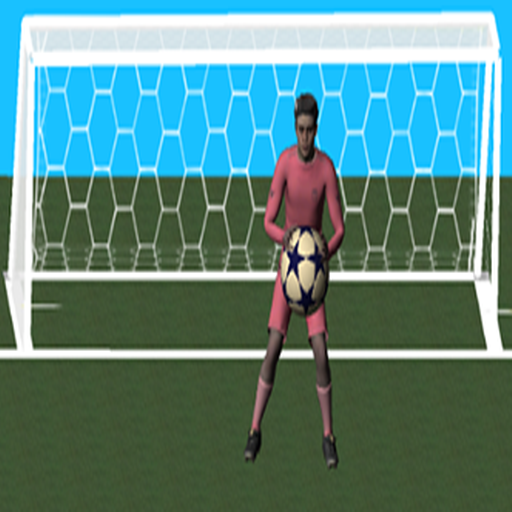
डाउनलोड करें Soccer Goalkeeper पीसी पर MEmu एंड्रॉयड एमुलेटर के साथ बड़े पर्दे पर खेलने का आनंद लें। Soccer goalkeeper is awesome 3D football goalkeeper game, with 3D graphics, the player has to catch the ball, protect his team, and collect more coins to level up and continue play.

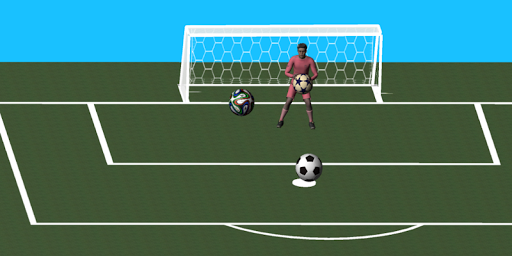
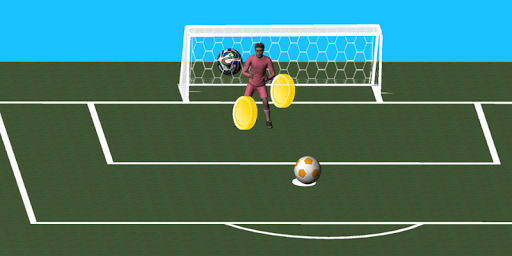
Soccer goalkeeper is awesome 3D football goalkeeper game, with 3D graphics, the player has to catch the ball, protect his team, and collect more coins to level up and continue play.
The game's basic mode of control is using a finger to slide goalkeeper's in front of the goal to the fired penalty, but there is always some prop soccer to let you hard to detect.
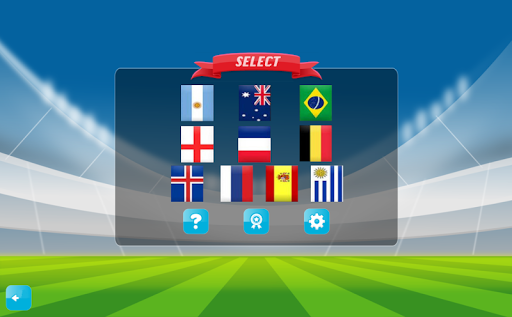
The player can select one from wonderful world strong teams, then use them to play and enjoy the game, players have endless lives, you will level up and get more better effects by catching more balls and protect the goal, will also get coins by saving soccer. So try your best to continuous clinging soccer as much as possible.
Main Features
- Amazing 3D graphics.
- Multiple teams.
- Simple and intuitive controls, designed for mobile devices.
- Easy way to control goalkeepers.
- Highly detailed 3D models .
और दिखाएं

1. MEmu इंस्टॉलर को डाउनलोड करें और इंस्टॉलेशन को पूरा करें

2. MEmu शुरू करें फिर होमपेज पर Google Play खोलें

3. Google Play में Soccer Goalkeeper खोजें
Install
4. Soccer Goalkeeper डाउनलोड कर इंस्टॉल करें
5. इंस्टॉल पूरा होने पर आइकन दबाएं

6. MEmu से पीसी पर Soccer Goalkeeper खेलने का आनंद लें
MEmu Play सबसे बेहतरीन मुफ़्त Android एमुलेटर है और 5 करोड़ लोग पहले ही इसके शानदार Android गेमिंग अनुभव का आनंद ले चुके हैं। MEmu 9 वर्चुअलाइज़ेशन तकनीक आपको अपने PC पर हज़ारों Android गेम, यहाँ तक कि सबसे ज़्यादा ग्राफ़िक्स वाले गेम भी, आसानी से खेलने की सुविधा देती है।
असीमित बैटरी या मोबाइल डेटा के साथ बेहतर ग्राफिक्स के साथ बड़ी स्क्रीन; लंबी अवधि।
कीबोर्ड और माउस या गेमपैड के उत्तम नियंत्रण के लिए संपूर्ण कीमैपिंग का समर्थन करता हैं।
एक ही पीसी पर मल्टी-इंस्टेंस मैनेजर के साथ एक समय में कई गेम खाते या कार्य कर सकते हैं।
Play Soccer Goalkeeper on PC by following steps: