Starfinder: Afterlight
अपडेट किया गया
वर्तमान वर्शन
संसाधन

अपने सेलफोन पर Starfinder: Afterlight का उपयोग करते समय ओवरचार्ज के बारे में चिंता करना बंद करें, अपने आप को छोटी स्क्रीन से मुक्त करें और बहुत बड़े डिस्प्ले पर ऐप का उपयोग करने का आनंद लें। अब से, कीबोर्ड और माउस के साथ अपने ऐप का पूर्ण-स्क्रीन अनुभव प्राप्त करें। एमईएमयू आपको उन सभी आश्चर्यजनक सुविधाओं की पेशकश करता है जिनकी आपको उम्मीद थी: त्वरित इंस्टॉल और आसान सेटअप, सहज नियंत्रण, बैटरी की कोई सीमा नहीं, मोबाइल डेटा और परेशान कॉल। आपके कंप्यूटर पर Starfinder: Afterlight का उपयोग करने का सबसे अच्छा विकल्प नया MEmu 9 है। हमारे अवशोषण के साथ कोडित, बहु-उदाहरण प्रबंधक एक ही समय में 2 या अधिक खाते खोलना संभव बनाता है। और सबसे महत्वपूर्ण, हमारा अनन्य उत्सर्जन इंजन आपके पीसी की पूरी क्षमता को जारी कर सकता है, सब कुछ सुचारू और सुखद बना सकता है।
और दिखाएं
डाउनलोड करें Starfinder: Afterlight पीसी पर MEmu एंड्रॉयड एमुलेटर के साथ बड़े पर्दे पर खेलने का आनंद लें। Gather your crew and venture into the Pact Worlds in a tale of unlikely heroes, cosmic wonders, and the bonds that define us.
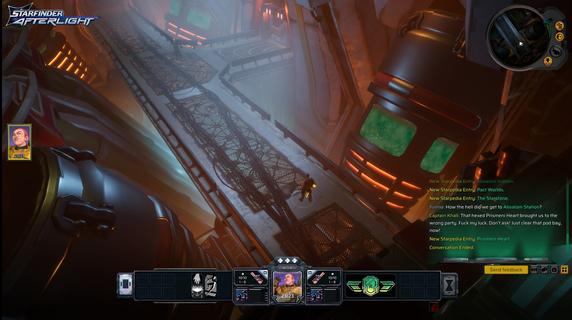
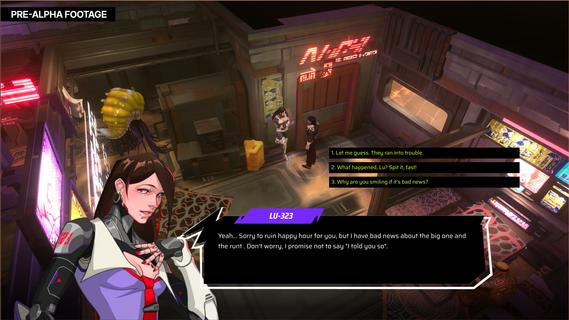
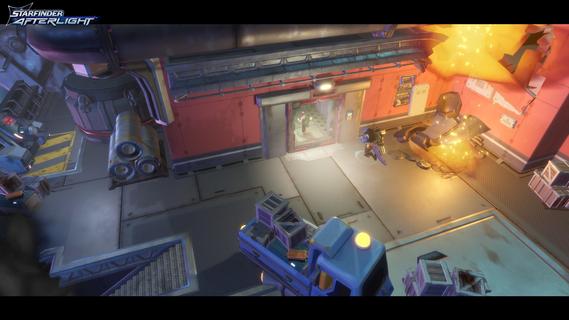
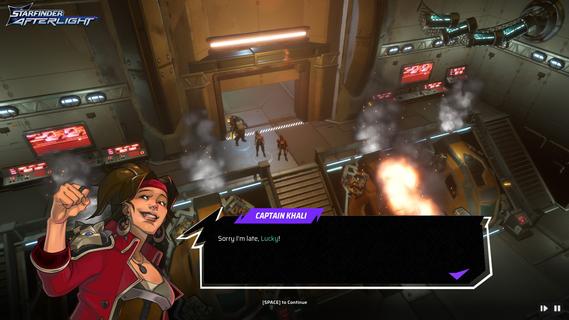
Gather your crew and venture into the Pact Worlds in a tale of unlikely heroes, cosmic wonders, and the bonds that define us.The galaxy faces annihilation, your captain has vanished, and doomsday looms. Assemble a crew of misfits from across the stars and become the legends in this single-player party-based RPG.Find 6 unique companions scattered across the stars, from android assassins to mystic prophets. Each brings personal stories and moral dilemmas. The bonds you forge through triumph and loss will determine their destinies, and whether the galaxy survives.Experience turn-based tactical combat with Starfinder's classes, Soldier, Envoy, Operative, Mystic, Solarian and Witchwarper. Use Paizo's critically acclaimed three-action system to fuel endless strategies. Level up and collect alien gear while battling everything from Hellknights to digital ghosts.Experience a branching narrative where choices matter. Nothing is forbidden, everything has consequences. Choose salvation or profit, mercy or vengeance. Factions remember your deeds, companions judge your heart, Your legend is yours to write.From Absalom Station to Eox's undead empire, from digital gods to cosmic dragons. Explore the Pact Worlds across 40-60 hours of adventure where magic and technology unite. In this universe, everything is possible, and probably is trying to kill you.
और दिखाएं

1. MEmu इंस्टॉलर को डाउनलोड करें और इंस्टॉलेशन को पूरा करें

2. MEmu शुरू करें फिर होमपेज पर Google Play खोलें

3. Google Play में Starfinder: Afterlight खोजें
Install
4. Starfinder: Afterlight डाउनलोड कर इंस्टॉल करें
5. इंस्टॉल पूरा होने पर आइकन दबाएं

6. MEmu से पीसी पर Starfinder: Afterlight खेलने का आनंद लें
MEmu Play सबसे बेहतरीन मुफ़्त Android एमुलेटर है और 5 करोड़ लोग पहले ही इसके शानदार Android गेमिंग अनुभव का आनंद ले चुके हैं। MEmu 9 वर्चुअलाइज़ेशन तकनीक आपको अपने PC पर हज़ारों Android गेम, यहाँ तक कि सबसे ज़्यादा ग्राफ़िक्स वाले गेम भी, आसानी से खेलने की सुविधा देती है।
असीमित बैटरी या मोबाइल डेटा के साथ बेहतर ग्राफिक्स के साथ बड़ी स्क्रीन; लंबी अवधि।
कीबोर्ड और माउस या गेमपैड के उत्तम नियंत्रण के लिए संपूर्ण कीमैपिंग का समर्थन करता हैं।
एक ही पीसी पर मल्टी-इंस्टेंस मैनेजर के साथ एक समय में कई गेम खाते या कार्य कर सकते हैं।
Play Starfinder: Afterlight on PC by following steps: